The People’s Modeler: How the Line 6 POD Go Democratized HX Tone in a Five-Pound Box
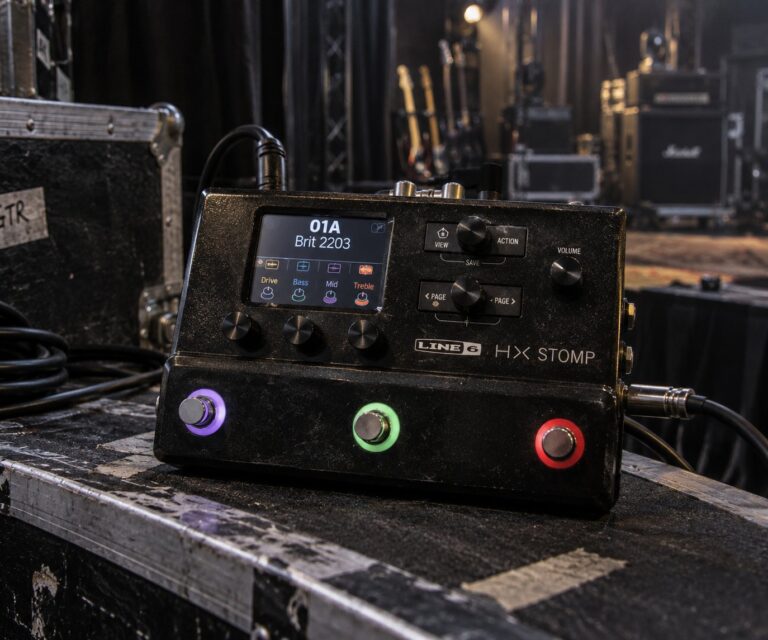
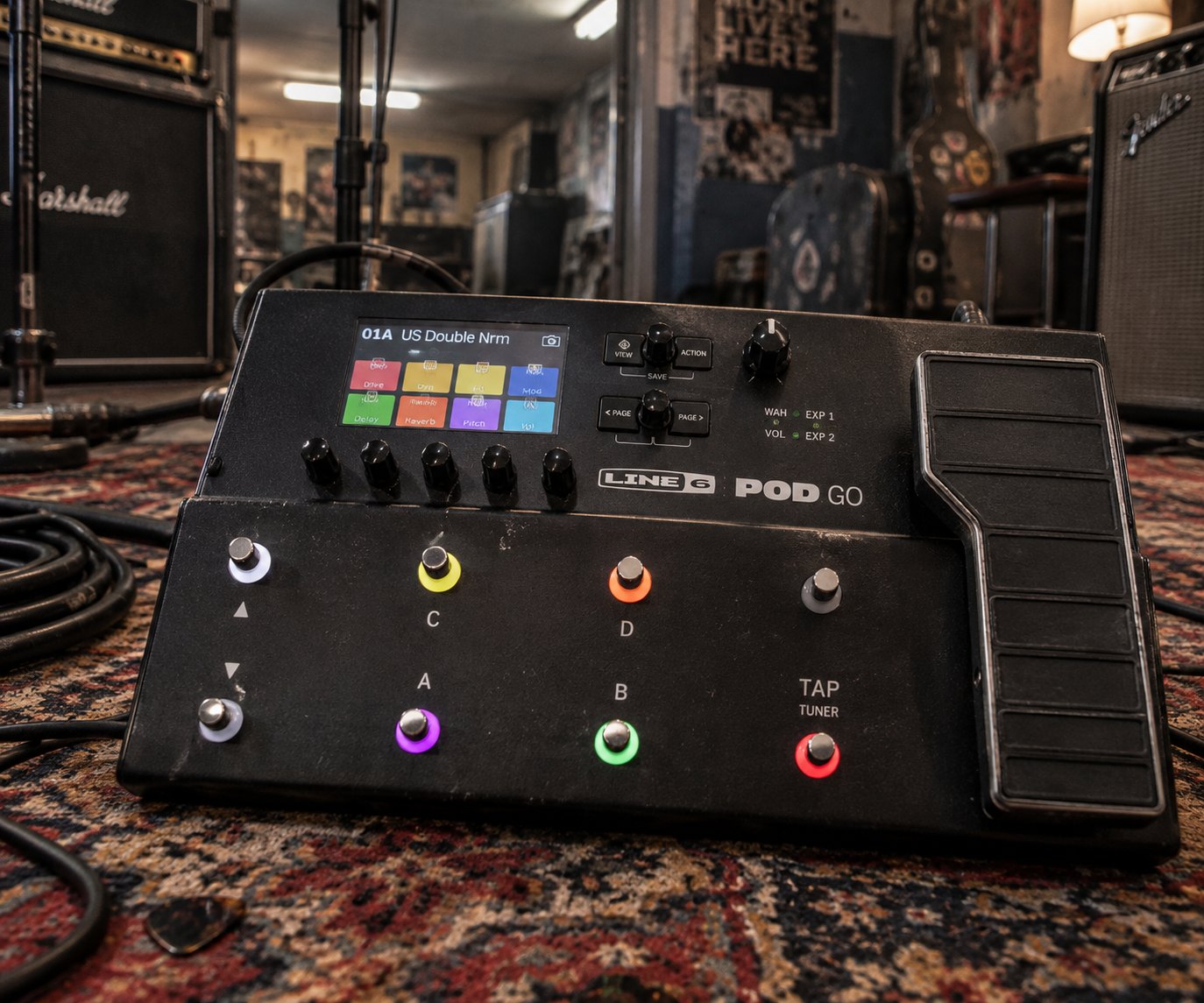
Line 6 POD Go Guitar Processor. AI-generated reference illustration, not a photograph.
The Line 6 POD Go packs HX modeling — 80+ amps, 39 cabs, 200+ effects — into a 5-pound floor unit at $450. Full specs, tone recipes, and buying guide inside.
For years, the HX modeling engine — the beating heart of the Helix Floor, the Helix LT, and the HX Stomp — sat behind a price wall that kept it out of reach for gigging guitarists on tighter budgets. The Helix Floor demanded $1,299.99. The Helix LT asked for $999.99. Even the compact HX Stomp cost $699.99. The technology was extraordinary. The sticker price was not.
In early 2020, Line 6 changed the equation. The POD Go arrived at $449.99, packing the same HX modeling algorithms — 80+ amp models, 39 cabs, 16 mic models, 200+ effects — into a cast-aluminum floor unit that weighed 5.2 pounds and fit in a gig-bag side pocket. It was not a stripped-down demo of HX technology. It was HX technology at a price that made sense for the working musician who plays twice a week, travels with a backpack, and doesn’t need balanced XLR outs for the local dive bar.
The POD Go is not the flagship of the Helix family. It doesn’t pretend to be. What it is, arguably, is the smartest thing Line 6 has built since the original POD kidney bean in 1998: a device that meets the player where they actually are, not where the marketing department wishes they were.
A Brief History of the POD: From Kidney Bean to Floor Unit
The Line 6 POD launched in 1998 as a tabletop amp modeler shaped like a kidney bean — a design choice so distinctive it became iconic. Co-founded by Marcus Ryle and Michel Doidic, Line 6 had been working on digital amp modeling since the mid-1990s, and the POD 1.0 was the device that brought the concept to a mass audience. For under $400, guitarists could get 16 amp models and direct-to-desk tone that was genuinely usable for recording. The home studio revolution of the late 1990s was already underway; the POD became one of its defining tools.
Over the following two decades, the POD line evolved through the POD 2.0, POD XT, POD X3, and POD HD500X, each generation adding modeling fidelity, effect count, and I/O options. When Line 6 was acquired by Yamaha in 2014, the engineering resources available for next-generation modeling expanded substantially. The HX engine that debuted in the Helix in 2015 represented a step change: component-level circuit modeling that captured the behavior of individual resistors, capacitors, and transformers in real time, rather than relying on sampled snapshots or simplified algorithms.
By 2020, that HX engine had matured. Line 6 had firmware-hardened it, expanded the model count, and optimized the DSP load — and the POD Go was the moment they packed it into something genuinely affordable. It was, in a real sense, the spiritual successor to the original 1998 kidney bean: a product designed to bring professional tone to players who didn’t need the full rig, just the sound.
POD Go Specs: What’s Actually Inside
The key architectural difference between the POD Go and the Helix LT above it is the single signal path. The Helix LT (and Helix Floor) support dual independent signal paths — you can run two completely separate amp-and-cab chains, blend them, or route them to separate outputs. The POD Go is one path. For the overwhelming majority of live and studio situations, this limitation is irrelevant. For the player who wants to run a clean amp and a dirty amp simultaneously into different PA channels — that’s the use case the LT is built for.
The expression pedal is integrated (not a separate add-on), pre-assigned to volume by default but fully reassignable to any parameter. A second external expression pedal or footswitch can be connected via the 1/4″ input. The four flexible DSP blocks can be placed anywhere in the signal chain, before or after the fixed blocks. The 6 footswitches handle preset selection, stomp mode, and snapshot switching — the mode you’ll use most is context-dependent on whether you think in presets or in individual effect on/off states.
No balanced XLR outputs. This is the most commonly cited limitation in every review. For direct recording into a mixing board or professional PA with XLR-only inputs, you need a DI box between the POD Go and the desk. That said, 1/4″ TRS connections are standard for most modern PA systems, and the unbalanced outs perform well at stage volumes where ground loops and interference are not a practical concern.
Famous Players: Being Honest About Who Actually Uses the POD Go
The player associations commonly listed reflect the broader Helix ecosystem — artists like Bill Kelliher of Mastodon (a Line 6 official artist documented on the Helix platform as a MIDI controller and switcher), Steve Stevens (documented on HX Effects, the effects-only version of the HX engine), and Vernon Reid of Living Colour (documented on the Line 6 M9, an earlier Line 6 multi-effects unit). These artists belong in any Line 6 conversation, but it would be dishonest to present them as confirmed POD Go users without gear-specific documentation to back that up. Per-SKU verification matters.
The actual documented POD Go community looks different. Ola Englund, the Swedish guitarist known for his work with Six Feet Under and his influential YouTube gear channel, is one of the most prominent confirmed POD Go users — his demo content helped drive early awareness of the unit’s metal tone capabilities. Ryan “Fluff” Bruce of Dragged Under and one of the internet’s most-watched guitar tone commentators has also publicly used and reviewed the POD Go, contributing to its reputation as a high-value-per-dollar modeler for heavier music. Their endorsement carries weight in the YouTube-era gear world that rivals traditional magazine coverage.
The broader POD Go story is less about celebrity artist usage and more about the professional working guitarist who doesn’t need a flagship rig but absolutely needs consistent, quality tone every night. Tour support players, cover band veterans, session musicians doing direct recording work, and bedroom producers who want to track with HX amp models without spending Helix money — this is the POD Go constituency. The gear doesn’t need a celebrity on it to justify itself. The price-to-quality ratio does that independently.
Five Tone Recipes: What the POD Go Does Well
1. British Crunch — Classic Rock Lead
Start with the Brit Plexi Brt amp model (Line 6’s take on the Marshall Super Lead plexi), Master around 7, Gain at 5–6, Treble 6, Middle 5, Bass 4. Add a 4×12 Greenback cab with a Shure SM57 mic, off-axis position. Run a Kinky Boost (Line 6’s Klon-style clean boost) before the amp in one of the flexible blocks, level up +3–4dB to push the input harder. Plate reverb at 20% mix finishes the sound. This is the “raw Marshall” foundation — ACDC, early Zeppelin, Whitesnake-era Coverdale. The Plexi Brt model responds dynamically to pick attack in a way that rewards technique rather than just sustain.
2. American Clean — Funk and Country
Deluxe Reverb Nrm model, Bass 4, Middle 6, Treble 5, Drive 2–3. The built-in spring reverb on the model is usable on its own, but layer a separate Hall or Spring reverb block for more control. Add a light Tremolo (Optical Trem model) at rate 4, intensity 3 for classic Fender shimmer. Compressor in the first block — the Red Squeeze (Ross-style) at Sustain 4, Level matched — to even out dynamics. Expression pedal controls reverb mix if you need to go dry for the verse and wet for the chorus. This preset handles everything from Hendrix-era clean tones to modern Nashville direct-recording workflows.
3. Modern High Gain — Metal Rhythm
Cali IV Rhythm 2 (based on Mesa/Boogie Mark IV) or Cali Rectifire (Dual Rectifier) depending on whether you want the tighter Boogie character or the scooped Recto wall. Gain at 7–8, Bass 4.5, Mid 4 (boosted slightly for definition), Treble 6. 4×12 Cali V30 cab with a 57+ribbon blend if two mic slots are available. Gate in block 1 — Hard Gate, threshold at -60dB to -55dB depending on how hot your pickup output is. This eliminates noise floor between palm mutes. EQ block after the cab to notch the 400Hz muddy zone by -2dB and add +1dB at 3.2kHz for articulation. This is the extended-range, tuned-down metal rhythm tone the POD Go is known for in the YouTube demo community.
4. Ambient Clean — Post-Rock and Atmospheric
Litigator model (based on the Divided by 13 FTR37) with low gain settings — Drive 2, Bass 5, Treble 5. Reduce cab resonance. Chain: Pitch/Harmony block set to +1 octave, Mix at 15–20% for shimmer effect. Add a long Mod Echo (modulated delay) at 600ms, Feedback 50%, modulation depth 20%. Hall reverb with Pre-delay 80ms, Decay 4–5 seconds, High Cut 6kHz. Run the expression pedal to blend in the reverb from zero to full, creating the classic “bloom” effect when you lift into a sustain. This preset covers everything from Explosions in the Sky territory to Devin Townsend ambient passages.
5. Studio DI Recording — Direct with IR
Swap the stock cab model for a third-party IR (OwnHammer, Celestion, York Audio). The POD Go holds 128 user IRs. Load an IR slot with a matched cab — e.g., a 4×12 Greenback IR for British flavors or a Mesa Traditional 4×12 for American fare. Set the amp model with full amp modeling, no built-in cab, and route the signal through your loaded IR instead. Add a studio-quality compressor in post-IR (LA Comp model), then a Precision EQ for final shaping. The 4-in/4-out USB interface means you’re tracking at 24-bit/96kHz with near-zero latency. For in-the-box recording, this workflow matches or exceeds what many real-amp-through-a-mic approaches deliver at bedroom volumes.
POD Go in Context: Where It Sits in the Helix and Modeler Market
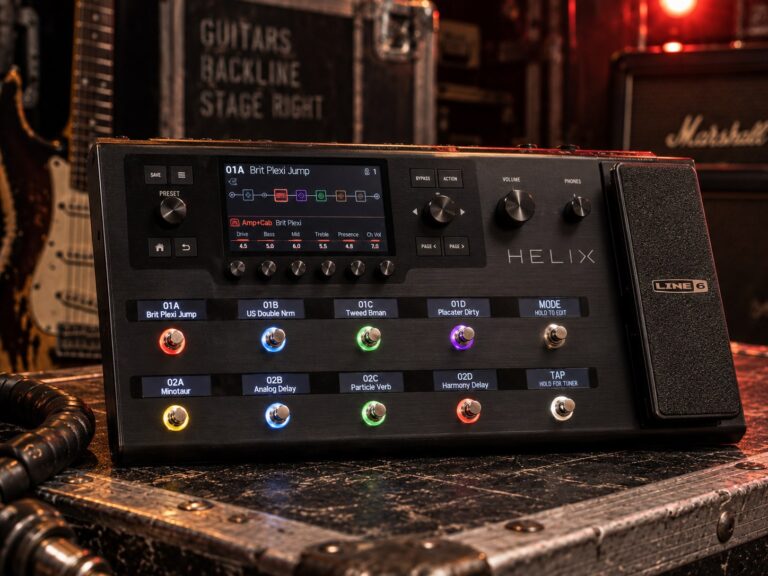
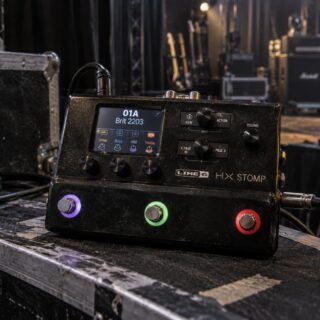
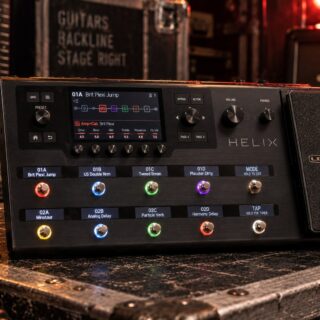
The Helix family is designed as a tiered system, and understanding where the POD Go sits clarifies both what you get and what you give up. At the top is the Helix Floor at $1,299.99 — dual signal paths, 12 footswitches, 6 scribble strips, balanced XLR outs, 4 send/return loops, 6.2″ display, 7.2 lbs. Below that is the Helix LT at $999.99 — same dual-path engine, no scribble strips, 2 loops, 4.4″ display, 4.2 kg. Then comes the POD Go at $449.99 — single path, 6 footswitches, 1 loop, 4.3″ display, 5.2 lbs. Below that is the POD Go Wireless (adds built-in Relay G10TII receiver, ~$499.99 at launch) and the budget-entry POD Go Express (7 amps, 7 cabs, 17 effects, looper).
Against the competition, the POD Go competes with the Neural DSP Quad Cortex (which is in a different price class at $1,599 but represents the alternative approach to amp profiling/modeling), the Boss GT-1000 CORE, and the Zoom G6. In the $400–$500 tier, the POD Go consistently outperforms peer products in tone quality and model depth, largely because the HX engine running underneath it is the same engine as the $1,299.99 flagship — the difference is signal routing flexibility, I/O count, and footswitch count, not modeling quality.
For players who have outgrown single-amp-single-effect setups and want to explore a full modeling ecosystem without a four-figure commitment, the POD Go is a rational entry point. It also serves as a capable backup unit for Helix Floor owners — same presets import (with some routing constraints), same HX model library, same POD Go Edit software.
Buying Guide: New, Used, and Wireless
The POD Go has been in continuous production since its 2020 release and is not a product in imminent danger of discontinuation. Street price has held remarkably close to the $449.99 launch price, which is a testament to both consistent demand and Line 6’s stable distribution. Used units are available in the $300–$380 range (Reverb, Guitar Center used), typically in excellent condition since the cast-aluminum chassis holds up well to touring use.
The POD Go Wireless variant adds the Relay G10TII transmitter/receiver system internally. For players who want to eliminate the cable from guitar to floor unit, this eliminates the need to buy a separate wireless system — at ~$499.99 new, the premium over the standard POD Go reflects the integrated wireless at lower cost than buying both separately. The wireless system operates on 2.4GHz DECT technology with 10-channel selectable operation and a 40-hour transmitter battery life. Range is rated to 65 feet line-of-sight.
One important note on firmware: Line 6 has continued to update the POD Go with new amp and effect models through firmware releases even years after launch. Update via the POD Go Edit app on Mac or PC. Many of the later-added HX models (including expanded bass amps and additional boutique circuit models) are available on the POD Go at no additional cost. Always check the current firmware version before evaluating tone options — a 1.0 POD Go and a current-firmware POD Go are meaningfully different devices in terms of available models.
Ownership Notes: Getting the Most Out of the POD Go
POD Go Edit is essential. Like the Helix editors, POD Go Edit (free for Mac and PC) is the most efficient way to build and manage presets. Editing on the hardware display is functional but slow; the desktop app shows you the full signal chain at a glance, lets you drag and drop blocks, and syncs with the unit over USB. Do not try to build complex presets purely from the hardware. Download the app first.
IR loading changes the ceiling. The stock cab models in the POD Go are competent — they’re the same cab models used in the Helix Floor — but third-party IRs dramatically expand what’s achievable, particularly for direct studio recording. The POD Go Edit app handles IR loading: import 1,024-sample WAV files, assign them to IR slots, and they’ll appear in your signal chain wherever you place the IR block. Celestion, OwnHammer, and York Audio produce consistently excellent IRs at $15–$50 per pack.
Snapshots are the live performance tool. Each preset contains up to 4 snapshots, which capture parameter states (effect on/off, amp settings, effect depth) without audio dropout during switching. For live use, building one preset per song with 4 snapshots (verse, chorus, lead, outro) is more practical than switching between presets mid-song and risking the brief audio gap. Snapshots are essentially equivalent to Helix’s same feature — one of the HX capabilities that carried over fully into the POD Go.
The looper is basic but functional. 60 seconds of mono looping (or 30 seconds stereo) is available as a built-in function. It’s a practice and writing tool, not a performance looper for complex layered builds. If looping is a core part of your live act, look elsewhere — the Helix platform offers more looper options, and dedicated looping units like the Boss RC-500 are better suited for that use case.
Power supply: use the included adapter. Unlike a traditional pedalboard that might run on a standard isolated brick supply, the POD Go requires its own power adapter (included in the box). It draws more current than a typical stompbox and is not practical to power from a standard pedalboard supply brick. Plan for a dedicated power outlet at your stage position or carry the included adapter.
Frequently Asked Questions
Is the POD Go’s sound quality the same as the Helix Floor?
Yes, for the modeling engine itself. The HX modeling algorithms are identical. The DSP architecture differs (the POD Go has less raw processing headroom, hence the single-path limitation and lower simultaneous effect count), but the sonic character of each individual amp and cab model is indistinguishable. A POD Go patch with the same amp, cab, and effects as a Helix Floor patch will sound the same through the same output chain.
Can the POD Go run dual amp chains like the Helix?
No. The POD Go has a single signal path. You can run stereo effects and stereo output within that path, but you cannot run two independent amp-and-cab setups simultaneously. If dual-path routing is important to your workflow, the Helix LT is the next step up.
Does the POD Go support third-party IRs?
Yes. The POD Go accepts 1,024-sample WAV impulse responses via the POD Go Edit app. Up to 128 IRs can be stored on the unit simultaneously. This makes it compatible with the full ecosystem of commercial IR packs from Celestion, OwnHammer, York Audio, and others.
What’s the difference between the POD Go and the POD Go Wireless?
The POD Go Wireless adds a built-in Relay G10TII wireless receiver and includes the G10TII transmitter. The audio path and modeling capabilities are identical. If you already own a wireless system or play with a cable, the standard POD Go saves you approximately $50. If you want integrated wireless with no separate unit to manage, the Wireless variant makes sense.
Can I use the POD Go as an audio interface for recording?
Yes. The USB connection provides a 4-in/4-out audio interface at up to 24-bit/96kHz. Input 1/2 is the processed guitar signal; Input 3/4 is the dry re-amp signal. This allows you to record both the processed tone and the clean DI simultaneously, then re-amp through different presets later in your DAW. Most major DAWs are compatible via ASIO (Windows) or Core Audio (Mac).
Does the POD Go have MIDI?
MIDI is available over USB only — there is no 5-pin DIN MIDI input or output. For players who need hardware MIDI control (connecting an external MIDI controller or receiving MIDI program changes from a sequencer via 5-pin DIN), this is a genuine limitation. The Helix LT and Helix Floor have dedicated 5-pin MIDI in/out/through.
How many presets can the POD Go store?
512 presets organized into 32 setlists of 16 presets each. Each preset supports 4 snapshots, so you have effectively up to 2,048 tonal states available — far more than any live player is likely to need across a full tour setlist.
Is the POD Go being discontinued now that the Helix Stadium is out?
As of this writing, Line 6 continues to produce and distribute the POD Go. The 2025 announcement of the Helix Stadium (Stadium Floor at $1,799.99, Stadium XL at $2,199.99) expands the top of the Helix ecosystem without displacing the POD Go below it. The POD Go occupies a price point that the Helix family doesn’t cover otherwise, and it continues to receive firmware updates.
Image credits
- Effects pedals piled together with a guitar behind them: Alessio Bragadini from Milan, Italy, Wikimedia Commons, CC BY-SA 2.0.
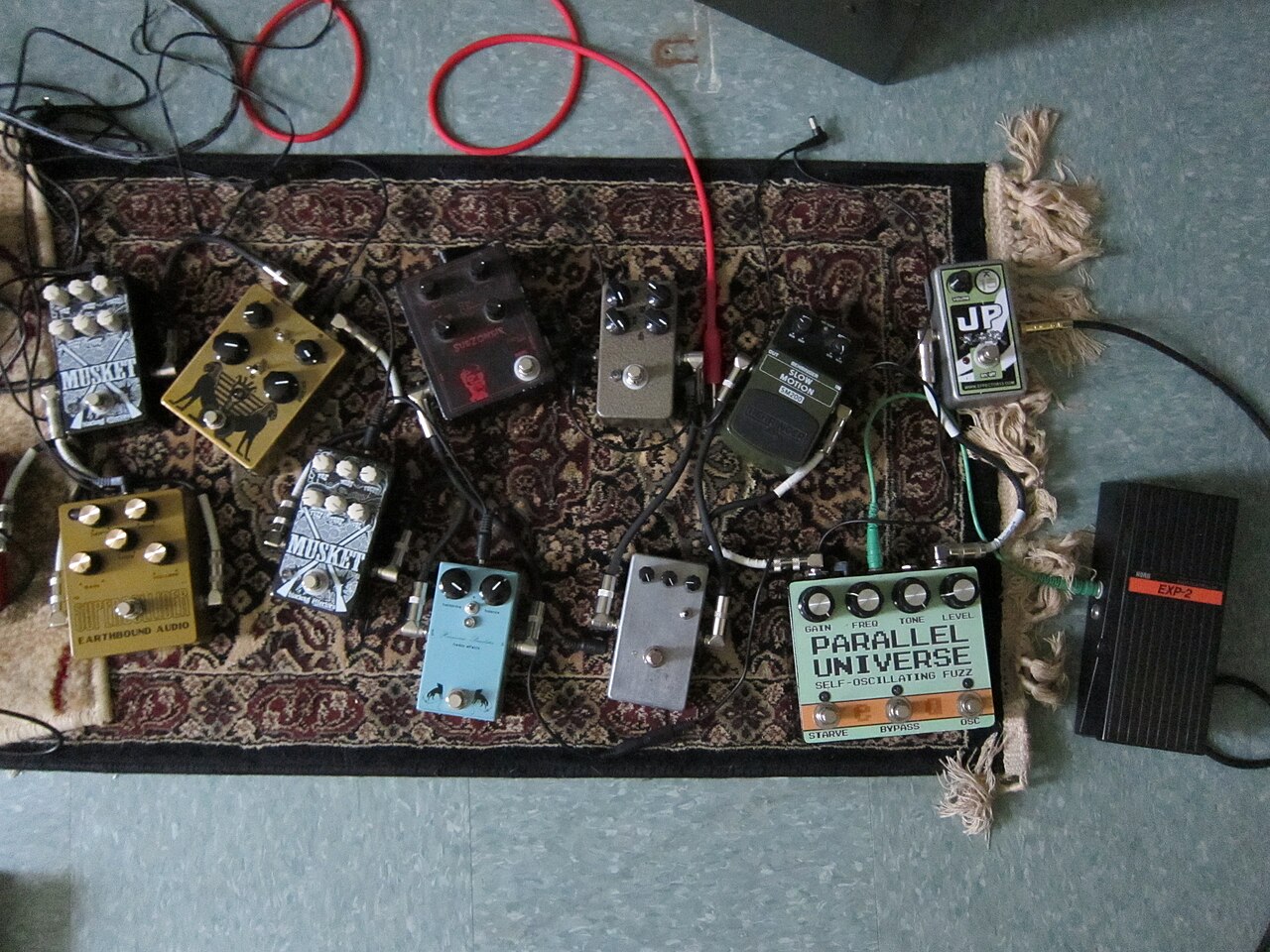
- Guitar pedals on a rug: Oldangelmidnight from Northampton, MA, Wikimedia Commons, CC BY-SA 2.0.
- Top image: GuitarGangsters AI-generated reference illustration, not a photograph.
Latest News
Related
On This Day
Monday 9 November
From this week: