Mooer GE300: The Floor Unit That Brings a Whole Rig — Amp Modeler, Synth, Tone Capture, and 30-Minute Looper — for Under Five Hundred Dollars
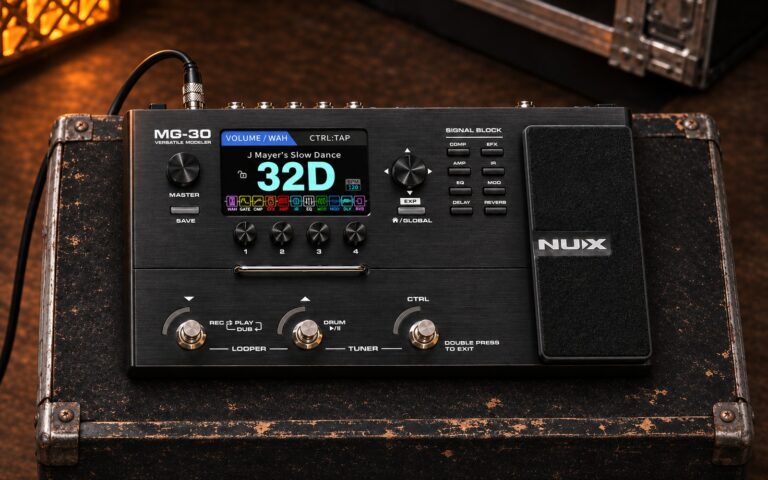
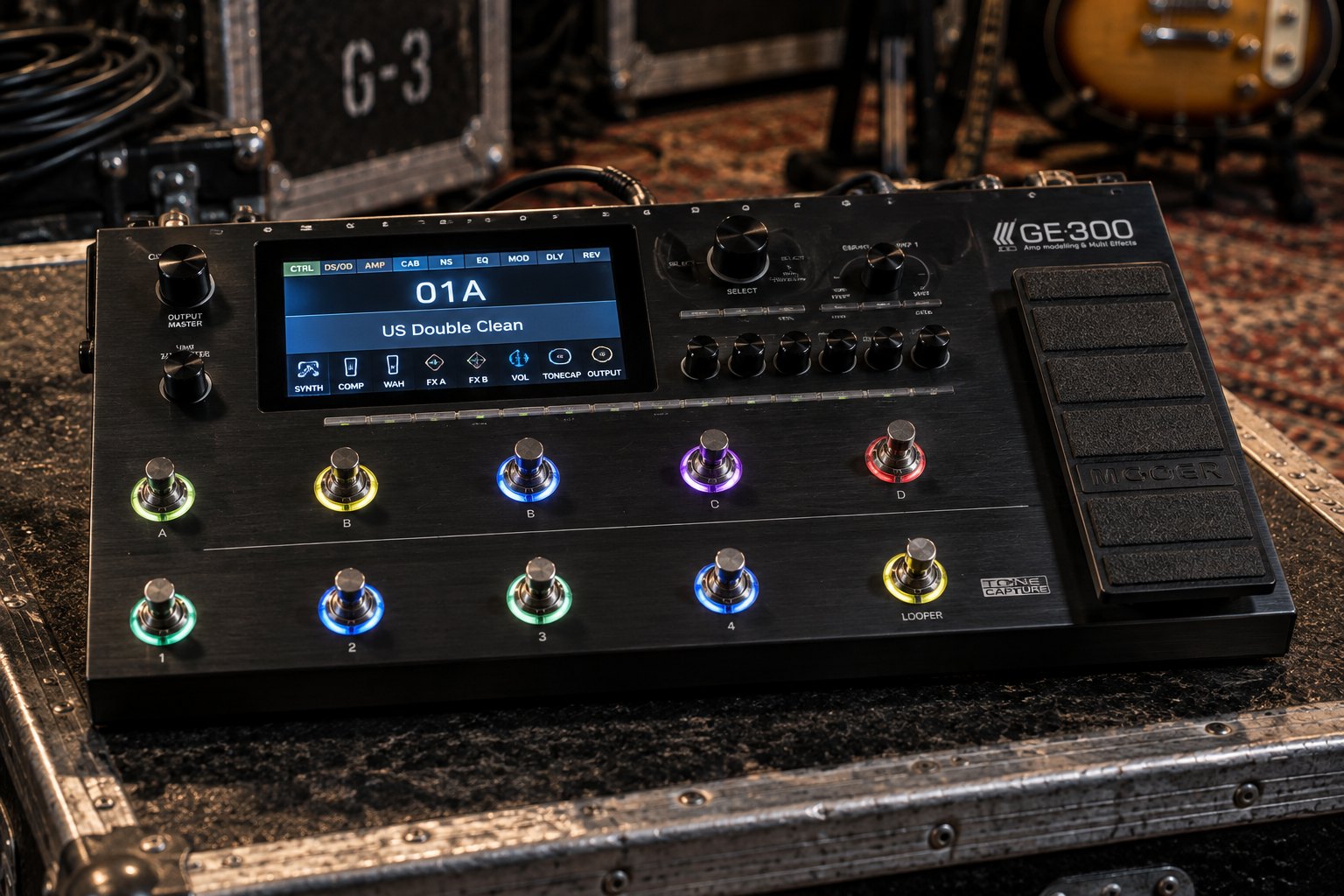
Mooer GE300. AI-generated reference illustration, not a photograph.
Mooer GE300: 108 amp models, polyphonic synth, Tone Capture, 30-min looper, and IR loading in one $489 floor unit. Full specs, tone recipes, and buying guide.
There is a moment in the modeler market when an underdog stops undercutting and starts competing. For Mooer Audio, that moment arrived in June 2019 with the GE300. Until then, the Shenzhen-based company had built its reputation on micro single pedals — tiny clones of classic circuits that slid under pedalboards and won over players who needed stompbox functionality without the footprint. The Ocean Machine delay/reverb unit (designed in collaboration with Devin Townsend in 2016) proved Mooer could do something sophisticated. The GE300 proved it could do everything at once.
On paper the spec sheet reads like the manifest of a tour truck: 108 amp models, 164 effects, 43 factory cab IR simulations, a polyphonic three-voice synth engine, Tone Capture technology that can model amps, stomp boxes, speaker cabs, and even guitars, a 30-minute stereo looper, MIDI in/out/thru, stereo XLR outputs, a USB audio interface, and a built-in expression pedal — all in a 410 × 201mm brushed-metal floorboard weighing 3 kilograms and (at launch) priced at £745 in the UK, well below the Line 6 Helix LT it was aimed at. The 2026 street price on Thomann sits at $489 US. Used units land between $280 and $350.
What the spec sheet does not tell you is where the smart choices are, where the compromises live, and how to build a workflow around a unit that can do almost anything but requires a little patience to unlock. This guide covers all of that.
Mooer Audio: From Micro Pedals to Flagship Modeler
Mooer Audio was founded in 2010 in Shenzhen, China, by four engineers passionate about the intersection of music and technology. The company’s original product line was micro-format single pedals — compact recreations of classic circuits packaged in housings roughly the size of a matchbox. The format was immediately successful: working guitarists could fit a dozen micro pedals into the space a single standard-format pedal would occupy, and the circuits were close enough to the originals to satisfy most ears for practice and smaller gigs.
The breakthrough product was the Micro Preamp series — individual preamp pedals, each modelling a specific amplifier, released from 2016 onward. By the time the GE300 arrived, there were well over a hundred Micro Preamp models in the catalog. The GE300’s 108 amp models are those same circuits ported into a multi-effects platform, which is both a feature (the models are already proven) and a fair description of where they came from. The GE300 is not a ground-up modeler with a new algorithm at its centre; it is the logical consolidation of a modular system Mooer had been building for years.
The modelling technology Mooer calls MNRS — Mooer Non-linear Response Sampling — samples the relationship between an amplifier’s input and output rather than modelling its circuit topology. The practical result is a family of amp models that behave dynamically: pick lightly and they clean up; dig in and they push. Whether they equal the feel of a Fractal or a Kemper is a matter of ongoing debate in forum threads the world over. Whether they are good enough for serious gigging and recording at $489 is far easier to settle: they are.
What Is in the Box
The GE300 ships with a power adapter (9V DC, 3A) and a USB cable. No case is included; Thomann lists a Mooer-branded padded bag for $38 and a Thon hard case for $152 if you need one. Battery operation is not supported — the unit draws too much current for batteries to be practical — so factor mains access or a high-current power bank into any stage-or-studio plan.
The hardware is substantial. The brushed-metal enclosure is stiff and solid, with rubber feet that stay put on most stage floors. The footswitches have a firm, positive feel. The colour LCD display is bright enough for indoor use but reviewers have noted visibility issues in direct sunlight — worth knowing for outdoor festival stages. The built-in expression pedal operates smoothly and can control virtually any assignable parameter in the signal chain. A secondary EXP2 jack on the rear panel accepts an external expression pedal or can be reconfigured as a switching output.
Controls include six endless rotary encoders, 23 soft buttons, ten colour-coded programmable footswitches, and a dedicated rotary for menu navigation. There are dedicated buttons for every major effect block — Synth, Comp, Wah, FX A, DS/OD, Amp, Cab, NS (noise suppressor), Tone Capture, EQ, FX B, FX Loop, Delay, Reverb, and Vol — which means you can jump directly to the block you want to edit rather than navigating menus. This is one of the GE300’s genuine workflow advantages over some competitors.
Full Specifications
| Parameter | Specification |
|---|---|
| Amp Models | 108 (MNRS non-linear modelling) |
| Factory Cab IRs | 43 (20 user slots for third-party IRs) |
| IR Format | .wav, up to 2048 sample points, 44.1 kHz / 24-bit |
| Effects | 164 high-quality effects / 317 effect types total |
| Effect Blocks in Chain | 15 |
| Patches | 256 |
| Synth Engine | Tri-voice polyphonic; 3 independent oscillators with waveform, pitch, attack, level, filter, arpeggiator each |
| Tone Capture Modes | Amp & Stomp, Guitar, Cab |
| Looper | 30 minutes stereo, undo/redo, direct dub, reverse, half-speed; sessions can be stored and backed up |
| Footswitches | 10 (programmable LED colours, assignable functions) |
| Expression Pedal | Built-in; EXP2 jack for second external pedal |
| Display | Full-colour LCD |
| Processors | Dual DSP |
| A/D & D/A Conversion | 44.1 kHz / 24-bit |
| Dynamic Range | 114 dB |
| Frequency Response | 20 Hz – 20 kHz, +0 / –1 dB |
| Input | ¼” mono jack; Guitar (1MΩ) / Line (10kΩ) switchable; max +12 dBu |
| Outputs | 2 × ¼” unbalanced mono jack; 2 × balanced XLR (ground lift) |
| FX Loop | Stereo send/return (¼” mono jacks × 2 each); programmable position in chain |
| MIDI | 5-pin DIN In + Out/Thru |
| USB | Type-B; USB 2.0 audio interface 2-in/2-out, 44.1 kHz / 24-bit |
| Headphone Output | ¼” stereo jack |
| AUX Input | 1/8″ stereo jack (for backing tracks / media playback) |
| Power | DC 9V, 3A (included); no battery operation |
| Dimensions | 410 × 201 × 62 mm |
| Weight | 3.0 kg / 6.6 lb |
| Amp Channel Switching | MIDI only (no dedicated relay output) |
| NAM Support | NAM A2 lite (via firmware update; files converted on loading) |
| Price (2026) | $489 new (Thomann); $280–350 used |
Famous Players
Mooer does not run a formal artist endorsement programme in the way Line 6, Kemper, or Fractal do, and no primary source — manufacturer artist page, Premier Guitar rig rundown, Equipboard photo/video confirmation, or published interview — puts a well-known touring guitarist specifically on a GE300. That is not a weakness in the unit. It is a structural fact about the price bracket.
The GE300 at $489 occupies the tier just below where endorsement deals are commercially sensible for either party. The artists you might associate with high-end modelers — Tom Morello (Fractal Axe-Fx, Line 6), Matt Bellamy (various custom rigs), Guthrie Govan (Fractal), John Petrucci (Fractal) — work with companies that fund full artist programmes and custom firmware development. The GE300’s natural user is the working musician who needs a complete, reliable, sonically credible rig for under $500, and that person rarely publishes a rig rundown.
Forum threads and Thomann reviews document the GE300 in exactly the roles you would expect: function bands, touring musicians in smaller markets, home-studio producers who need amp sounds without neighbours calling the police, and guitarists who want to experiment with synth tones without buying a separate instrument. These are real and meaningful use cases.
The Three Standout Features: Tone Capture, the Synth Engine, and the IR Workflow
Tone Capture
Tone Capture is the feature that sets the GE300 apart most clearly from competitors at a similar price. The technology is described on Mooer’s own page as “an intelligent learning and comparison engine that can be used to create your very own digital models by sampling real-life equipment.” There are three modes.
Amp & Stomp mode captures the tonal character of an amplifier or overdrive pedal by comparing its output to an unprocessed reference signal. The process takes roughly a minute and produces a profile that can be applied to any amp or drive model in the unit. Guitar.com reviewer Darran Charles tested this against a PRS Custom 24 as the source guitar and a Fender Telecaster as the target and found the results “a decent-enough approximation” for amp mode, noting that three-band EQ controls are provided for fine-tuning. The closer the amp or pedal response is to the reference, the more accurate the capture.
Guitar mode is the more unusual offering. By sampling the EQ characteristics of a target instrument and comparing them to the source, the GE300 can transform the bridge humbucker on one guitar into something approximating the neck single-coil of another. Guitar Interactive’s Nick Jennison called the results “very impressive indeed: certainly close enough for live use, and it’ll allow you to drastically cut down on the number of guitars you need to take to the gig.” The key limitation is that the capture models EQ response, not the physical behaviour of a string in a magnetic field — so pickup switching dynamics and string-to-string balance differences are only partially captured.
Cab mode lets you convert any speaker cabinet into a user IR by sampling its response. This is functionally equivalent to capturing your own cabinet impulse response without needing a dedicated IR loader or external measurement rig.
The Synth Engine
The tri-voice polyphonic synth module is a genuine differentiator. Each of the three independent voices has its own waveform selection, pitch offset, attack, level, filter, and arpeggiator. The signal path from the instrument input is split and routed directly to the front of each voice in parallel, meaning the three synth voices stay independent from one another. The dry guitar signal can be mixed in parallel with the entire synth block, so you can blend guitar and synth rather than switching between them.
Tracking — the conversion of string vibration to a synthesizer pitch signal — is described across multiple reviews as “very good,” which at this price point is a meaningful endorsement. Tracking latency is always present in polyphonic pitch-to-synth conversion: the GE300’s lag is audible at very fast passages and pad-style sounds largely eliminate the problem. The Thomann review from András OHM notes that the synth is “very-very-very basic” in terms of synthesis depth and calls out the absence of subtractive or FM-style oscillator interaction — a fair point if you are coming from a dedicated synthesizer. For a guitarist who wants to add synth pads, bass octave reinforcement, or experimental arpeggiated tones without carrying a second instrument, the depth is more than sufficient.
The arpeggiator per oscillator is an underrated tool for live performance: set one voice to a low-register bass pulse and another to a higher melodic pattern and you can build a one-guitar arrangement that fills significant sonic territory.
The IR Workflow
The factory cab models on the GE300 are serviceable but both major reviews agree on their Achilles heel: they can be thin and nasal compared to third-party IRs. This is not unusual for a unit in this category — factory IRs are a starting point, not a finish line. The GE300 accepts third-party .wav IRs up to 2048 sample points in its 20 user slots, loaded via the free Mooer Studio desktop software. Once loaded, the sonic improvement is significant. The recommendation — consistently repeated across forum posts and video comparisons — is to load a set of high-quality free or commercial IRs immediately after unboxing and use the factory cabs only as emergency fallbacks.
The firmware update released after launch added NAM A2 lite support, meaning you can load Neural Amp Modeler captures into the GE300. The unit converts them on loading, which involves a quality trade-off relative to running NAM on full-fat desktop hardware, but the practical result expands the tone library considerably beyond the 108 factory amp models.
Tone Recipes and Settings
1. Classic British Crunch to the PA (Direct FOH)
Select the Plexi-style amp model in the mid-gain range (look for “BRIT” or “JTM” labelled models). Match it with a 4×12 Greenback-loaded cab IR — use a third-party IR from a 1960A or 1960B cabinet if you have one. Set amp gain at 6.5/10, presence at 7, master volume at 6.5. Add a subtle room reverb with decay at 1.2 seconds and pre-delay at 12ms to put the guitar in an acoustic space. Add a tape echo at 380ms for slight slapback on chord stabs. Run XLR output in Line mode to the desk. This is the pub-rock live direct tone that covers Faces, Free, and mid-period Stones territory.
2. High-Gain American Metal (4CM with Real Amp)
Use the four-cable method: send the GE300’s send into your amp’s effects return, and run your amp’s effects send into the GE300’s return. Disable the cab block entirely — you are using your real speaker. Set the FX loop position to pre-amp in the signal chain so overdrives and noise gate hit the amp’s preamp stage. Load a Mesa Rectifier-style model (labelled “RECTI” or “MESA”) at gain 8/10. Place a noise suppressor block before the amp with threshold at –55 dB and decay at 0.5. Add a chorus at slow rate (0.3 Hz, depth 20%) in the FX loop post-amp for chorus-in-the-effects-loop shimmer. This is the modern metal workhorse — tight, scooped, authoritative.
3. Clean Funk / R&B (Fender-Style with Wah)
Select a Fender Twin or Deluxe-style clean model (look for “TWIN” or “TWEED”). Keep gain below 3/10 and treble at 6.5. Add a compressor before the amp with attack at 30ms, release at 200ms, ratio at 4:1 — this is the squash that makes a clean guitar sit in a mix. Engage the auto-wah block (or assign the expression pedal to the wah frequency if you want manual control). Dial in a short reverb at 0.8 second decay. This covers slap-funk rhythm work, neo-soul, and chord-melody jazz cleanly.
4. Ambient Pad / Post-Rock (Synth + Guitar Blend)
Set one synth voice to a sawtooth waveform at –24 semitones (sub-octave), attack 180ms, volume 40%. Set a second voice to a triangle wave at 0 semitones, attack 250ms, filter cutoff at 60%. Mix dry guitar at 50%. Place a shimmer reverb after the synth block (size 95%, mix 70%, modulation on). Add a stereo delay at 1/4 dotted with feedback at 50%. The result layers slow-attack synth pads under a real guitar signal — the technique used by guitarists who want to emulate orchestral textures without a keyboard player in the band.
5. Studio DI Session (Clean Reference Tone with IR)
Load your best studio-quality 4×12 or 2×12 IR into user slot 1. Select a clean Fender or Vox model, amp gain at 2/10, tone stack EQ relatively flat. Disable all modulation and time-based effects. Add a very subtle room reverb at 0.4 second decay, mix at 8%, to prevent the direct signal sounding completely dead. Run USB audio into your DAW — the GE300 appears as a class-compliant audio interface. This is the tracking tone for studio work: reference-quality, inspectable later, zero latency from headphones to DAW on playback.
How It Compares
GE300 vs. Line 6 Helix Floor
The Helix Floor is the most direct named competitor and was priced at £769 when the GE300 launched at £745. Today the Helix commands a significant premium. The Helix wins on ecosystem depth (HX Native plugin, large preset-sharing community, long track record, dedicated amp channel switching relay), on processing headroom (up to 32 blocks simultaneously vs. the GE300’s 15), and on MIDI CC flexibility — the GE300’s footswitches do not send MIDI CC, which limits its usefulness as a MIDI controller for other gear. The GE300 wins on synth engine (the Helix has no comparable polyphonic synth), on Tone Capture functionality, and on price. If your rig centres on modelling only and you are willing to spend more, the Helix ecosystem pays dividends for years. If you need synth tones and Tone Capture at a lower price, the GE300 is the play.
GE300 vs. Line 6 POD Go
The POD Go is the more natural competitor at the $449–499 price tier. It runs the same HX modelling engine as the Helix at a fraction of the cost, which means it benefits from the full Helix preset ecosystem and the HX Native plugin for studio use. The POD Go does not have a synth engine, does not have Tone Capture, and offers fewer simultaneous blocks. For pure amp-modelling duty, the POD Go’s HX engine is widely regarded as having a slight edge on feel and nuance. For players who need the synth or who want to capture their own amp, the GE300 offers features the POD Go simply does not have.
GE300 vs. Boss ME-90
The ME-90 at $350 is the closest price-tier rival and runs Boss’s AIRD preamp technology, ported directly from the GT-1000. The ME-90 is the more conventional multi-effects unit — no synth engine, no Tone Capture, simpler IR management — but it is faster to program on the floor, has a widely praised on-unit interface, and benefits from Boss’s Tone Studio ecosystem and five-year warranty. If you do not need the GE300’s advanced features and prioritise quick live programming, the ME-90 is a serious alternative. The GE300 is the more powerful tool; the ME-90 is the more immediately accessible one.
GE300 vs. Neural DSP Quad Cortex
The Quad Cortex is a different league financially ($1,649) and technologically. It runs Neural DSP’s CORE engine, captures amps via a proper neural network process (not a frequency-comparison snapshot), and benefits from a continuously expanding preset ecosystem including captured profiles from major artists. The Quad Cortex sounds better — the amp response is more convincing and the capture quality is in a separate category. The GE300’s Tone Capture is a useful tool; the Quad Cortex’s CapRes is an industry-leading one. If budget allows and you are serious about modelling quality, the Quad Cortex justifies the price. If $489 is the ceiling, the GE300 competes well for what it costs.
GE300 vs. HeadRush Prime
The HeadRush Prime ($1,299) runs the ReValver engine and added NAM and TONE3000 support via firmware 5.1. It has a larger touchscreen, twelve footswitches with OLED scribble strips, AutoTune vocal processing, and a purpose-built BFD Drums machine. The GE300 has a synth engine; the Prime does not. The Prime’s amp modelling is sonically superior at its price; the GE300 is the choice when the synth engine is a primary requirement and $489 is the hard limit. For players who do not need the synth and can spend more, the Prime delivers more polished results.
Buying Guide
New GE300 units are available from Thomann at $489 with a three-year warranty. Sweetwater previously listed the unit; check current availability. The GE300 has been on the market since 2019 and the used market is healthy: expect $280–350 for units in good condition. The GE300 Lite (a scaled-down version announced later) is a different unit with a smaller footprint and fewer footswitches — confirm you are buying the full GE300 if size reduction is not your priority.
When buying used, check firmware version first. The delay timing bug documented in firmware 4.0.1 (where set tempo is slightly off from actual playback tempo) was a documented issue that Mooer acknowledged but addressed slowly. Verify the firmware is current via the Mooer website before purchase. Also calibrate the expression pedal after receiving any used unit — the calibration is done on the unit itself rather than via software, which is one of the few settings you cannot manage remotely.
The GE Studio desktop editor software has a learning curve and has been criticized for an unintuitive interface and dated visual design. Budget time for this. Updates have been released via USB; note that users have reported needing to install firmware updates in sequence rather than jumping to the latest version directly — check the Mooer forum or official documentation for current update procedure.
No case is included. A Mooer-branded padded bag ($38 Thomann) or the Thon pedalcase ($152) are the recommended accessories. The unit includes a power supply; do not replace it with an undersized adapter — it requires 9V at 3A, which is above what most standard pedalboard power supplies output.
Ownership Notes
The GE300 has no dedicated amp channel switching relay output. MIDI is the only way to switch amplifier channels, which requires an amp that accepts MIDI program change or a MIDI-compatible switching relay between the GE300 and your amp. This is worth knowing before building a 4CM rig that depends on remote channel switching. The MIDI implementation also does not allow expression pedals to send CC messages — footswitch MIDI CC output works for patches but not for continuous expression. If your live rig depends on sending continuous MIDI CC from an expression pedal to an external device, the GE300 cannot do this natively.
The input gain issue raised in Thomann reviews is real and worth understanding. The GE300 does not provide an input attenuation control before the analog-to-digital conversion stage. If you are running very high output active pickups directly into the guitar input, you may encounter clipping before the signal even reaches any modelling. The Guitar/Line level switch on the input helps but does not fully resolve the problem for extreme-output sources. Most passive pickups are unaffected.
The AUX input (1/8″ stereo) is useful for practice but is not routed through the full signal chain — it bypasses amp modelling and goes directly to the output mix. This is correct behaviour for backing tracks and playback, but it means you cannot run an external instrument through the GE300’s amp models via the AUX input.
The looper saves sessions, which means you can build a loop at home and recall it at soundcheck. At 30 minutes of stereo recording capacity, it also functions as a proper performance looker rather than just a scratch-pad for practice. Half-speed playback halves the tempo and drops the pitch one octave — useful for transcription work, slowing down a complex arpeggio to learn it, or as a creative tool for producing drone-like backdrops.
Frequently Asked Questions
Does the Mooer GE300 support Neural Amp Modeler (NAM) profiles?
Yes, via firmware update. The GE300 now supports NAM A2 lite. Files are converted when loaded, which involves a small quality trade-off compared to running NAM natively on desktop hardware. The conversion process makes them playable on the GE300’s DSP hardware, which has lower processing overhead than a modern computer. The practical result is a significant expansion of available amp tones beyond the 108 factory models.
Can the GE300 switch amp channels via MIDI?
Yes — but only via MIDI, not via a dedicated relay output. The GE300 sends MIDI program change messages and can control external devices with MIDI. There is no dedicated 1/4″ TRS relay jack for amp channel switching like some competitors offer. If you need to switch amp channels, you need an amp with MIDI capability or a separate MIDI-to-relay switcher between the GE300 and your amp.
How many IRs can the GE300 hold?
Twenty user slots for third-party IRs, in addition to 43 factory cab models. IRs must be .wav format and can be up to 2048 sample points at 44.1 kHz / 24-bit. Loading is done via the free Mooer Studio desktop software over USB. Both the Guitar.com and Guitar Interactive reviews recommend prioritising third-party IRs over factory cabs, describing the factory cabs as “thin and nasal” compared to high-quality commercial or free IR libraries.
Does the synth engine require special pickups or a hex pickup guitar?
No. The GE300’s tri-voice polyphonic synth processes the standard mono signal from any guitar with any pickup configuration. No hex pickup, no MIDI pickup, no special modifications. The trade-off is tracking latency — polyphonic pitch detection from a standard mono signal is computationally intensive and introduces a small but perceptible delay on very fast passages. For pad tones and slower melodies, tracking is described as “very good” by Guitar Interactive’s review.
What is the difference between the GE300 and the GE300 Lite?
The GE300 Lite is a scaled-down version of the flagship released after the original GE300. It has a smaller footprint and fewer footswitches but retains the core modelling and effects capabilities. The full GE300 reviewed here has 10 footswitches, a full expression pedal, and the complete feature set including all three Tone Capture modes. Confirm the model carefully when buying used, as the Lite is priced lower and has a meaningfully different form factor.
What is the GE300’s latency when used as a USB audio interface?
The GE300 operates as a class-compliant USB 2.0 audio interface at 44.1 kHz / 24-bit, 2-in / 2-out. Latency will depend on your DAW buffer settings and computer performance, not on the unit itself — class-compliant operation means no driver installation is required on Mac, and Windows users will want to install ASIO drivers for low-latency recording. The USB connection also handles firmware updates and preset management via the Mooer Studio software.
Is the GE300 usable as a standalone effects processor with a real amp (no amp modelling)?
Yes, via the four-cable method (4CM) or by simply disabling the amp and cab blocks in your preset. The GE300 runs all 164 effects independently of the amp modelling section. In 4CM configuration, the GE300’s send/return loop routes your amp’s preamp into the effects chain and the amp model block is bypassed entirely — you keep your amp’s character and add the GE300’s modulation, delay, reverb, and time-based effects. This is a common configuration for players who already own a good-sounding amplifier and want to add processing without giving it up.
How does the GE300’s firmware update process work?
Firmware is updated via USB using the Mooer Studio desktop software. Users have reported that updates should be installed in sequence (each version before jumping to the current one) rather than installing the latest version directly. The English-language Mooer website sometimes lacks the most current firmware; the official Chinese-language site has also been cited as a source for the most recent versions. Check the Mooer forum and official documentation for current procedure before updating, and do not interrupt a firmware update once started.
Image credits
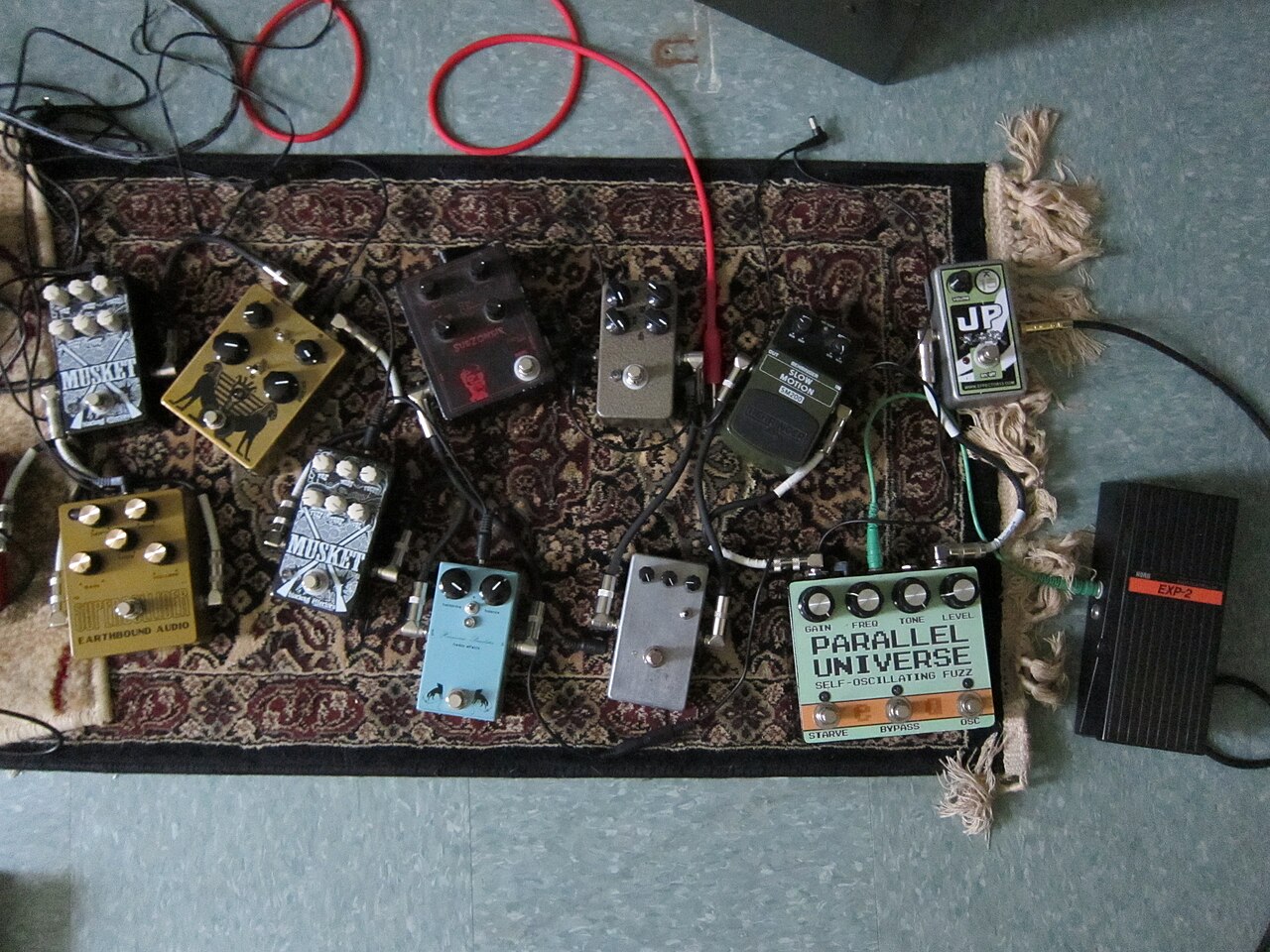
- Guitar pedals on a rug: Oldangelmidnight from Northampton, MA, Wikimedia Commons, CC BY-SA 2.0.
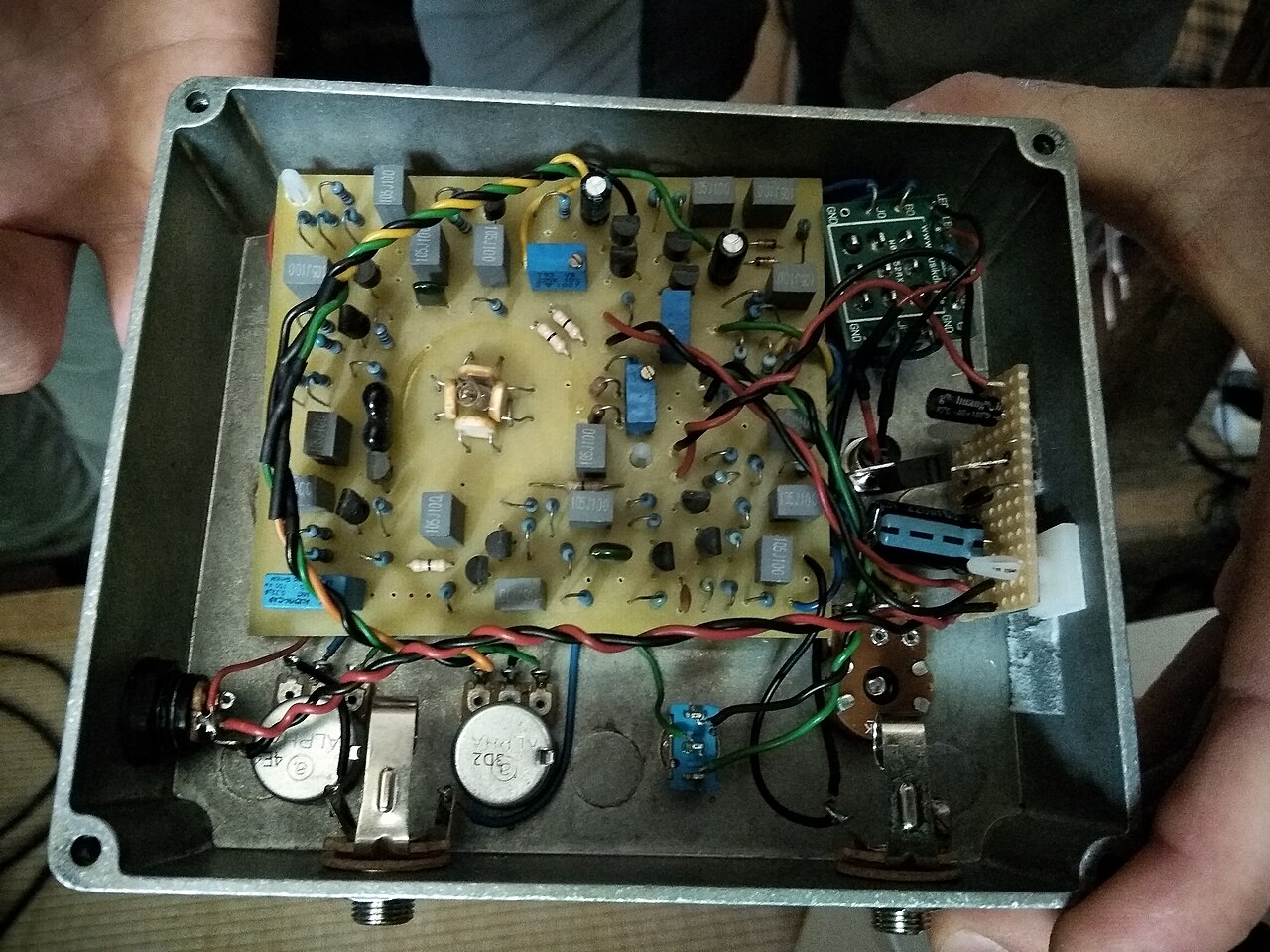
- Inside a DIY pedal showing the circuit board: Skimel, Wikimedia Commons, CC BY-SA 4.0.
- Top image: GuitarGangsters AI-generated reference illustration, not a photograph.
Latest News
Related
On This Day
Friday 13 November