Same Brain, Lighter Bones: The Line 6 Helix LT and the Case for Smart Compromise
The Line 6 Helix LT packs the full HX Modeling engine into a lighter floor unit. Specs, tone recipes, artist links, and who should buy it.
There is a conversation that happens in every gear store, rehearsal room, and online forum where someone is about to spend serious money on a Line 6 Helix Floor. It goes like this: “Does the LT really sound the same?” The answer — after years of players running both units side by side on stages and in studios — is yes. Mostly. Almost. And the caveats are so specific, so practical, and so easy to evaluate that they end up making the Line 6 Helix LT one of the most defensible purchases in modern guitar processing.
The Helix LT is the stripped-down sibling of the Line 6 Helix Floor — same dual SHARC DSP engine, same amp and effect models, same HX Modeling architecture, but with a shorter I/O list, no scribble strips, and a form factor that cuts roughly $300 off the price. What it gives up is surgical. What it keeps is everything that defines the Helix sound.
From POD to Helix: The Line That Led Here
Line 6 was founded in 1996 by Marcus Ryle and Michel Doidic, two engineers with backgrounds at Oberheim and Gibson who wanted to bring digital modeling to guitarists in a usable, portable form. The original POD, released in 1998 as a kidney-bean-shaped desktop unit, became one of the most influential guitar products of its decade — not because it sounded exactly like a Fender Tweed or a Marshall JCM800, but because it got close enough that engineers stopped reaching for the DI as a last resort and started treating modelers as legitimate recording tools.
The HD series — particularly the HD500X — pushed the platform toward higher fidelity through the 2010s. Yamaha’s acquisition of Line 6 in 2014 gave the company the engineering resources to develop what would become the HX Modeling platform. The original Helix Floor launched at Summer NAMM 2015. The Helix LT followed in 2017, designed specifically for players who needed the HX engine on a budget — whether that meant gigging musicians who couldn’t justify the Floor’s full price or home players who didn’t require four stereo FX loops and balanced outputs for a bedroom rig.
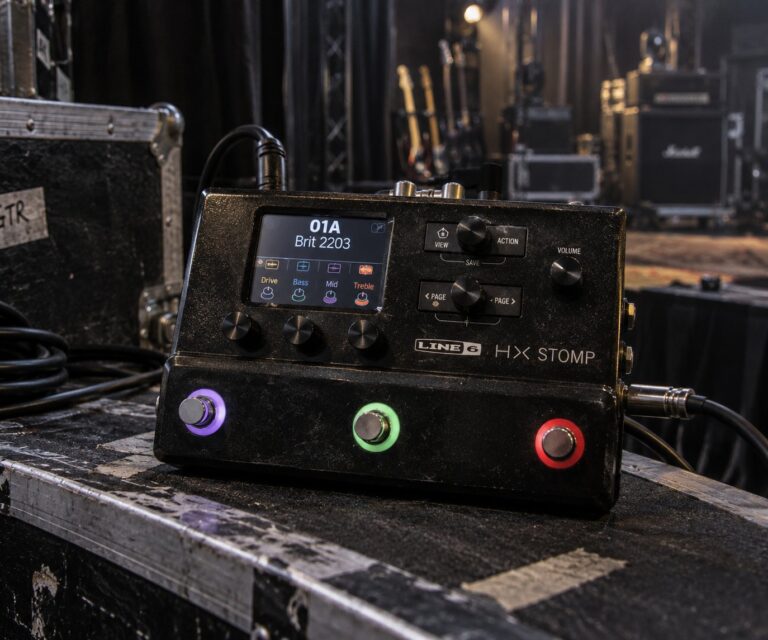
The LT occupies a clearly defined slot in the Helix family. Below it sits the HX Stomp — the compact desktop unit that runs the same models in a smaller form factor with fewer simultaneous DSP blocks. Above it is the Helix Floor, which adds scribble strips, balanced XLR outputs, S/PDIF and AES/EBU digital I/O, four expression inputs, and four loop jacks. The LT sits between those two poles: a full-size floor unit that retains the Helix Floor’s footswitch layout and most of its routing power without the pro-touring I/O package.
Line 6 Helix LT: Full Specifications
What the LT Gives Up — and Why It Usually Doesn’t Matter
Every comparison between the Helix LT and the Helix Floor reduces to four concrete differences. First: no balanced XLR outputs. The LT sends 1/4″ TS main outputs only, which means you’re running an unbalanced signal to your front-of-house desk. In a well-wired venue with short cable runs and decent DI boxes at the stage, this is a manageable workflow issue. In a touring rig where you’re running 30 metres of cable to a FOH rack and every dB of noise floor matters, it’s a genuine limitation that professional touring players should think through before buying.
Second: no scribble strips. The Helix Floor has six small OLED displays beneath its footswitches showing preset names, block assignments, and tap tempo labels in real time. The LT uses snap-in paper legend strips — fixed labels that don’t update automatically when you change patches. In practice, players who maintain consistent setlists and name their footswitch functions logically find this perfectly workable. Players who frequently restructure their patches mid-tour find it more frustrating.
Third: no S/PDIF or AES/EBU digital I/O, which matters for professional studio recording chains and won’t matter at all if you’re running into a standard USB audio interface. Fourth: only two send/return loops instead of four, and two expression inputs instead of four.
For the vast majority of players — gigging musicians at clubs and theaters, home studio users, anyone building a flexible hybrid rig — none of those omissions are critical. The 1/4″ outputs run cleanly into a standard FOH direct box. The snap-in paper labels are an old-school solution that works well when you maintain your presets consistently. And for anyone running more than two external pedals in the effects loop of their modeler, the line between “guitar player” and “DSP architecture enthusiast” has probably blurred past the point of no return anyway.
Famous Players and the Helix LT: Honest Notes
The Helix LT shares its model roster with the Helix Floor, and Line 6’s artist network tends to promote the Helix ecosystem broadly rather than distinguishing between specific hardware variants. The result is that many artists associated with the Helix platform are specifically documented using the Helix Floor rather than the LT — the professional touring I/O (balanced XLR, scribble strips) makes the Floor the logical choice for headline-level live rigs.
Bill Kelliher of Mastodon is a confirmed Line 6 official artist who has used the Helix platform as a controller and MIDI switcher in his live rig — managing signal routing for his Victory Dutchess amp and Friedman BE-OD pedal combination rather than replacing the amp outright with modeled sounds. Line 6’s official documentation references him in the context of the Helix product family. His approach is relevant to understanding how the Helix LT works in hybrid rig scenarios: as an intelligent pedalboard with MIDI control capabilities, not only as an amp-replacement system.
Steve Stevens, best known for his work with Billy Idol and an extensive solo career that has kept him at the cutting edge of guitar processing for four decades, has been documented using Line 6 products including the HX Effects — the effects-only unit built on the same HX Modeling platform but without amp modeling. His documented use of the Line 6 ecosystem reflects a preference for the HX engine’s signal processing alongside real amplifiers, which mirrors one of the Helix LT’s most popular deployment modes. His full rig history is covered at our Steve Stevens gear guide.
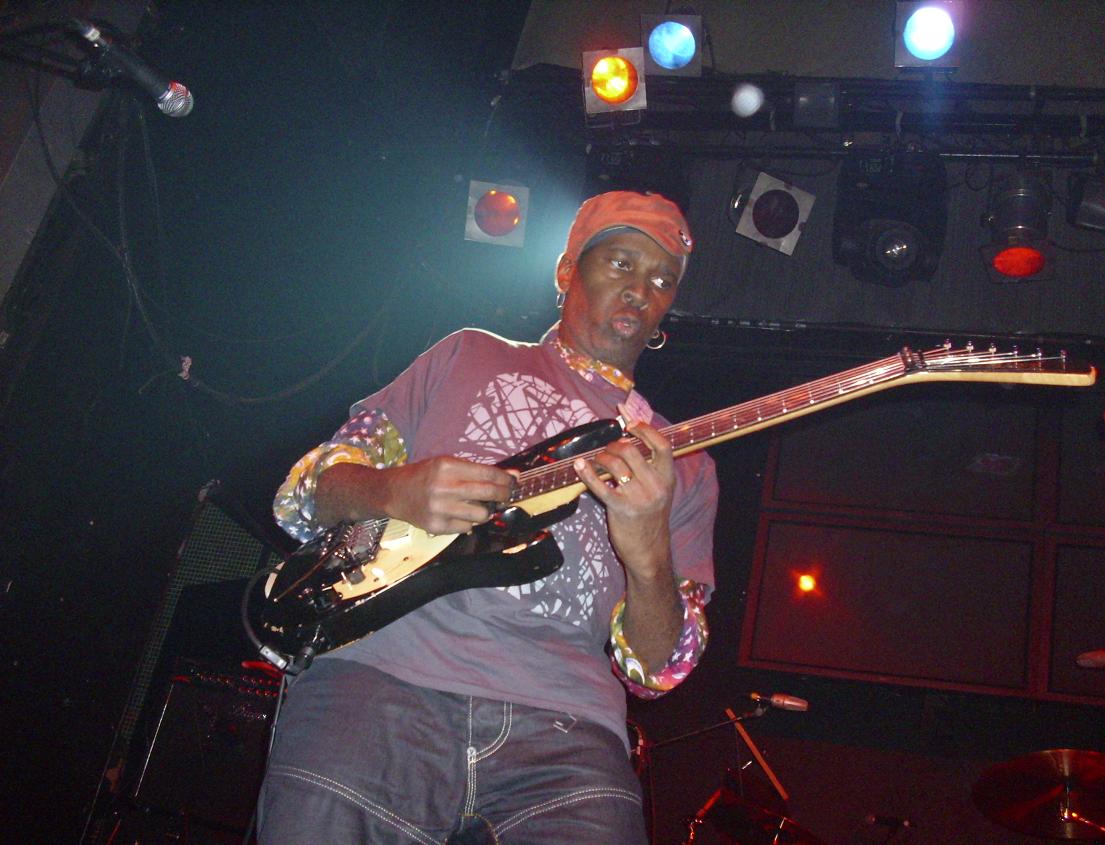
Vernon Reid, guitarist for Living Colour and one of the most technically adventurous electric guitarists of his generation, has been documented using Line 6 products — specifically the M9 Stompbox Modeler in Premier Guitar rig rundowns from 2013 and 2016. His documented association is with that earlier platform rather than the Helix line. His career, technique, and gear history are covered at our Vernon Reid gear guide.
Nita Strauss, touring guitarist for Alice Cooper and a decorated solo artist, has been documented using the Boss GT-1000 and Kemper Profiler in her live rig. While she is part of the broader Line 6 artist network, her documented floor processor use points to other platforms rather than the Helix LT specifically. Her complete gear breakdown is at our Nita Strauss gear guide.
The honest picture here is that the Helix LT finds its most active user base not among signature artists in official press materials — who typically reach for the Helix Floor for its professional-grade outputs — but among working musicians at the club and theater level: the player who needs a reliable, full-featured floor unit for a Thursday night show and a Saturday afternoon session, without the added weight and expense of the Floor’s professional output section.
Tone Recipes: Five Sounds the Helix LT Does Well
1. British Crunch — Plexi Feel in a Floor Unit
Load the Brit Plexi Brt (Treble) amp model, set Gain to 4.5–5, Bass 6, Mid 7, Treble 6, Presence 6. Use the 4×12 Brit T75 cab with a Shure SM57 model at 0° off-axis position. Add a Transistor Tape delay after the cab — Time around 380ms, Feedback 18%, Mix 22% — for dimension without washing the attack. Set the Output level for your chain: this voicing rewards a slightly pushed stage, so if you’re running into a power amp and real cabinet, dial back the model’s gain a touch and let the power section do the rest. The result is that spongy, harmonically rich crunch that defined British rock from 1968 to 1974 and never really went away.
2. American Clean — Fender in Digital Form
Select the Deluxe Reverb Nrm model, set Gain to 2.5, Bass 5.5, Treble 6.5, and dial the built-in reverb to taste — the spring reverb model on this amp is excellent. Use the 1×12 US Deluxe cab with a Royer R-121 mic model for a warmer, rounded pickup character. Add an Optical Tremolo in front of the amp at Rate around 3.5, Depth 40–50%, Shape set to the smooth sine option. This voicing sits beautifully under fingerpicking, slide work, or any kind of low-gain blues and country playing.
3. Modern Metal — Extended Range Tightness
Start with the Cali IV Rhythm II (Mesa/Boogie Mark IV-style voicing), Gain at 7.5, Bass 4 for a tight low end, Mid 4.5, Treble 7, Presence 8. Place a Kinky Boost (Klon-style overdrive model) before the amp input — Volume 50%, Gain 0 — to tighten the low end and increase harmonic density at the amp’s front end. Use a custom IR from OwnHammer’s 4×12 V30 library or Celestion’s official IR range. Add a tight slapback delay after the cab (60ms, Feedback 0, Mix 8%) for dimension without washing the attack. Gate the front of the chain with a Noise Gate at −70 to −80 dB threshold depending on your pickup output level.
4. Clean DI Recording Preset
Use the Cali Texas Ch1 model (Dumble-adjacent clean voicing) at very low gain (1.5–2), full Bass (6), scooped Mid (4), Treble 6.5. Bypass the cab block and add a dedicated IR slot instead — a Greenback 2×12 IR tends to be neutral enough for most musical contexts. Add a Glitz reverb (Lexicon-style Hall) at Mix 15% and Decay around 2.8 seconds post-cab. This preset routes the LT’s 1/4″ main outs directly to your interface, using the unit as a complete amp-and-cab system with no additional hardware. The 1/4″ output limitation is completely irrelevant in this workflow — the signal is going to a USB interface input regardless of whether it carries an XLR plug.
5. Hybrid Rig — MIDI Controller Mode
If you’re running the Helix LT in front of a real amp rather than direct, set up a parallel signal path with the amp block bypassed and use the unit exclusively for preamp-stage effects: Compressor → Overdrive or Fuzz → Chorus or Flanger → Delay → Reverb. Route MIDI out from the Helix LT to control your amp’s channel switching via instant commands assigned to the footswitches. This approach — using the LT as an intelligent pedalboard and MIDI controller rather than a complete amp replacement — is one of the platform’s most underutilised capabilities and one of its most powerful. Bill Kelliher’s approach (Helix as controller for Victory Dutchess amp, not as amp replacement) is a professional-level example of this philosophy in action.
Helix LT vs. The Field
The Helix LT’s closest competitor inside the Line 6 family is the HX Stomp — smaller, lighter, and priced at around $699.99, but limited to 6 simultaneous DSP blocks versus the LT’s maximum of 32 across four signal paths. If you’re building a hybrid rig with a real amp and need effects plus a few amp-sim blocks for a direct recording backup, the HX Stomp is worth serious consideration. If you need the LT’s full-size footswitch layout, larger preset library, and two proper send/return loops, the extra cost is easy to justify.
Against the Helix Floor, the LT’s argument is simple: same processing engine, approximately $300 less, 4.2 kg versus 7.2 kg. If you don’t need XLR outputs and aren’t bothered by the absence of scribble strips, the LT is the rational purchase. If you’re regularly running cable to a professional FOH desk without a DI box in the chain, you’ll want the Floor.
The Neural DSP Quad Cortex brings a touchscreen interface and neural-network modelling fidelity at $1,649 — significantly above the LT’s price point and with a model library that continues to grow. The Fractal Audio Axe-FX III is a rack unit at a completely different price tier. For floor-format, full-featured, value-conscious amp modelling, the Helix LT remains among the strongest options in the category after nearly a decade of continuous firmware development.
The Kemper Profiler occupies a different conceptual space — profiling technology versus DSP modelling — and the Kemper Profiler Stage floor unit is priced above the LT while taking a fundamentally different philosophical approach. Both are valid; the choice often comes down to whether you prefer the flexibility of an expanding model library or the accuracy of profiling specific real amplifiers you own or have access to.
Buying Guide: New, Used, and What to Watch For
The Helix LT retails at approximately $999.99 new from authorised Line 6 dealers. Used prices on Reverb and eBay tend to sit in the $600–$800 range for units in good condition — the used market is attractive for buyers who want the full HX experience at a lower entry price, and units from 2018 onward have the same DSP hardware as current production models. When buying used, check the firmware version (updatable for free via HX Edit), inspect all 12 footswitches for wear and consistent action, confirm the built-in expression pedal works smoothly across its full range, and test both send/return loop jacks — a corroded or intermittent ring-tip-sleeve jack can cause confusing routing issues in the signal chain.

The LT’s expression pedal occupies EXP 1. A second external expression pedal — Mission EP-1, Dunlop DVP4, or similar — plugs into the EXP 2 input, giving independent volume control without sacrificing the built-in pedal for wah or pitch duties. Two expression inputs is sufficient for most players; if you regularly need three or four simultaneous expression sources, the Helix Floor is the logical upgrade path.
One note on power: the Helix LT takes standard IEC mains via a figure-8 cable — the same type used by most rack gear. There is no external power brick to lose or replace. The unit runs warm under extended use; ventilation slots on the sides and bottom should be kept clear.
Ownership Notes: Getting the Most Out of It
HX Edit is free software for Mac and Windows that provides the full patch editing interface via USB-C. Building and managing presets, loading IRs, and organising setlists is significantly faster in the software than on the hardware’s 6.2″ screen. Download and install HX Edit before your first session — treat it as a mandatory part of the system rather than optional software.
IR management is straightforward: import WAV files via HX Edit, assign them to cab slots in your patches. Recommended format is 1,024-sample WAV at 48 kHz. Third-party IR libraries from OwnHammer, ML Sound Lab, Celestion, and Two Notes cover essentially every amp-and-cabinet combination you would want to replicate. The stock cabs are competent and adequate for live use at most venues. For direct recording work, commercial IRs provide a meaningful improvement in how convincingly the result sounds like a mic’d cabinet in a room.
Firmware updates have continued throughout the Helix LT’s life cycle. Each major update has added new amp and effect models, improved existing algorithms, and refined the user interface. Line 6’s history of Helix firmware support has been consistently strong — the platform has received substantial new content years past its original release date, which makes the investment age well. Updating takes approximately ten minutes via HX Edit with the unit connected by USB-C.
The four-cable method (4CM) is worth understanding if you want to use the Helix LT with a real amp rather than replacing it entirely: guitar → Helix LT input → LT’s Send 1 → amp’s instrument input → amp’s FX loop Send → LT’s Return 1 → LT’s main output → amp’s FX loop Return. This lets you place modelled effects (compressor, overdrive, wah) before the amp’s preamp stage while keeping time-based effects (delay, reverb, chorus) in the amp’s effects loop — exactly where you’d position them in a traditional pedalboard setup. The LT’s two loops support 4CM for a single amp.
Frequently Asked Questions
Does the Helix LT sound identical to the Helix Floor?
Yes — the audio processing is identical. Both units run the same dual SHARC DSP engine, the same amp and effect models, and the same HX Modeling algorithms. The differences are entirely in hardware I/O, display size, and physical form factor. If you ran both units through the same preset into the same output chain, you would not be able to distinguish them by ear alone.
Can I load Helix Floor presets on the Helix LT?
Yes. HX Edit uses the same preset format across all Helix family units. Presets built on the Floor load and run on the LT without issue. The only practical limitation is that any patch using more than two send/return loops will need modification, and any patch specifically routed to XLR outs will default to the 1/4″ outputs instead.
Can I use the Helix LT as a USB audio interface?
Yes. The Helix LT connects via USB-C and registers as a standard audio interface — drivers available for Windows, class-compliant on Mac and iOS. You can record the processed guitar signal, the raw dry input, or a blend of both. The 123 dB dynamic range means the Helix LT’s audio interface performance is competitive with standalone interfaces in this price bracket.
What is four-cable method and does the Helix LT support it?
Four-cable method involves routing your guitar to the Helix LT, sending from the LT’s send jack to your amp’s instrument input, returning from the amp’s effects loop send to the LT’s return jack, and sending the LT’s main output to the amp’s effects loop return. This places modelled effects before the amp’s preamp and time-based effects in the effects loop — the classic pedalboard layout translated to a modeller context. The LT’s two loops support 4CM for one amp.
How many DSP blocks can I run simultaneously?
The Helix LT supports up to 32 blocks across its four signal paths, though practical limits are set by DSP availability — complex amp models consume more processing than simple effects. In real-world use, a path with an amp block, cab, a couple of modulation effects, and a delay plus reverb runs without issue. Stacking multiple high-fidelity amp models in a single path can push DSP headroom limits.
Is the Helix LT still worth buying now that the Helix Stadium has been announced?
Yes, for most players. The Helix Stadium (Floor $1,799.99 / Stadium XL $2,199.99) targets professionals who require an 8″ touchscreen, additional expression inputs, and expanded connectivity. The Helix LT continues to receive firmware updates and remains a fully supported platform. Used prices have softened somewhat since the Stadium announcement, making the LT an even better value proposition at this point in its lifecycle.
Should I buy the Helix LT or the HX Stomp?
Choose the HX Stomp if you want a compact pedalboard-format unit to add to an existing rig and don’t need more than 6 simultaneous DSP blocks. Choose the Helix LT if you want a dedicated full-size floor unit with a proper footswitch layout, more simultaneous processing power, two send/return loops, and the physical feel of a purpose-built floor processor that does not depend on any other gear in the chain.
Can I run the Helix LT direct to a PA without a cabinet block?
Technically yes, but you generally should not run amp models without cabinet simulation into a PA — the result will be a harsh, filtered-sounding preamp tone with an unflattering high-frequency character. Use the built-in cab models or a user IR to replicate the frequency-shaping effect of a real speaker cabinet. Running amp-only without a cab block is correct when routing to a real guitar amp’s effects return, which has its own physical speaker doing that job — not when going direct to a PA or interface.
Image credits
- Steve Stevens: Stefan Brending (2eight), Wikimedia Commons, CC BY-SA 4.0.
- Vernon Reid: Mario, Wikimedia Commons, CC BY 2.0.
Latest News
Related
On This Day
Monday 9 November
From this week: