The Amp That Finally Goes Direct: Two Notes Torpedo Captor X Explained
The Two Notes Torpedo Captor X: reactive load, DynIR cab sims, and pro-grade DI output in one box. Your tube amp, direct to the desk, finally done right.
There is a particular cruelty built into the physics of a tube amplifier. The amps that most players agree sound best — a Marshall Plexi at full cry, a Fender Deluxe Reverb pushed into natural compression, a Vox AC30 chiming at the edge of its envelope — sound best at volumes that will damage hearing, provoke neighbours, and end careers. The irony is not subtle: the tone you want is the one you can’t have.
For decades, the guitar world’s answer was the isolation cabinet: drag a speaker into a padded box, close the lid, and mic it. The iso cab works, but it is heavy, awkward, and it still requires a microphone, a preamp, a decent room, and the patience to wrestle with phase problems between close and ambient mics. What if there were a way to put a 100-watt head on the desk, run it wide open, and pipe a perfectly miked virtual cabinet straight into a DAW — without a microphone in the chain, without an ISO box, and without waking the neighbours?
That is the pitch of the Two Notes Torpedo Captor X, and it is not a modest one. This Montpellier-built box sits between your amp’s speaker output and the desk, absorbing the full thermal fury of a cranked power stage, converting it to a direct signal, and applying the company’s proprietary DynIR cabinet simulation technology in real time. The result, according to two independent primary reviews (Premier Guitar, 4.8/5; Sound on Sound, unanimously positive), rivals the output of devices costing three times as much. The question worth asking before you buy is not whether it sounds good — it does — but whether it fits the specific workflow you are building.
Two Notes Audio Engineering: The French Company That Reinvented the Load Box
Two Notes Audio Engineering was founded in Montpellier, France, and has spent the better part of two decades developing convolution-based speaker and cabinet simulation technology. The company describes its core technology as DynIR — dynamic impulse response synthesis — which differs from a conventional static IR loader in a critical way: rather than pre-baking a specific microphone position into a fixed file, DynIR calculates cabinet response dynamically, allowing users to move virtual microphones in real time and have the phase relationships between them update accordingly.
Before the Captor X, Two Notes addressed the live-and-studio pipeline through a portfolio of complementary products: the Torpedo Studio (the flagship hardware unit, designed for fixed studio installation), the Torpedo Reload (a variable-impedance load box, attenuator, DI, and re-amping unit), the Torpedo Captor (a simpler attenuator with analogue speaker simulation), and the CAB M — a pedalboard-friendly unit with no dummy load at all, offering only the software-based cabinet and power-amp simulation plus third-party IR loading. Each solved a part of the problem. None solved the whole thing in one portable box at a sane price.
The Torpedo Captor X, announced at NAMM 2020 and shipping that summer, is the product that collapses the Torpedo Captor and the CAB M into a single enclosure, then adds the Twin Tracker automatic double-tracking simulator, a 13-room reverb library, and configurable stereo output routing. It is, in the company’s own taxonomy, the “do everything in one go” device for players who want to travel light and still record their real amp.
In 2026, Two Notes followed the Captor X with the Captor X+, which adds a Virtual Load Shaper for custom tonal response sculpting, a True Stereo DynIR engine, and updated USB-C connectivity. The original Captor X reviewed here remains in wide use and on the used market at substantially reduced prices; the X+ is covered separately when the 1,000-item list reaches it.
Specs at a Glance
Famous Players
Neither the Premier Guitar nor Sound on Sound primary reviews name a specific endorsing artist. Two Notes’ own marketing positions the Captor X as a workflow tool rather than a signature product, and no Equipboard entry for this specific SKU surfaces a confirmed pro user with primary-source documentation.
This does not mean nobody is using one. It almost certainly means that the Captor X is the kind of tool — like a DI box, a studio preamp, or a good set of cables — that gets used in professional rigs without ever appearing in a rig rundown. It lives behind the amp head, out of sight of the cameras. The artists who would benefit most from this technology are exactly the players who built careers on loud, real-amp tone: David Gilmour coaxing his HIWATT DR103 into that singing, sustained mid-range, Jimmy Page running a Marshall Plexi through a Variac, Brian May with his bank of cranked Vox AC30s, John Petrucci pushing Mesa Boogie Dual Rectifiers into thick saturation. The point is not that any of them use a Captor X; the point is that their tonal signature depends on power-stage saturation at high wattage, and a load box is the only honest way to capture that at any volume.
If you find a confirmed primary-source connection — a manufacturer product page, a Rig Rundown interview, an Equipboard entry with photo or video evidence — you have a better source than this article. The absence of a named endorser is a statement about the Captor X’s role in the signal chain, not about whether it sounds good.
How DynIR Actually Works
Understanding why the Captor X costs what it costs and performs as it does requires a brief technical detour into what DynIR (Dynamic Impulse Response) means, because the distinction from a conventional IR loader is not marketing language — it is a meaningful engineering difference.
A conventional static IR loader works with pre-captured impulse responses: a single snapshot of how a specific speaker, in a specific cabinet, miked by a specific microphone at a specific position, responds to an impulse signal. That IR is fixed. If you want a different mic distance, you need a different IR file. If you want to blend two mics, you need two separate files whose phase relationships were baked in at capture time — meaning the phase interaction between them is whatever it happened to be, and you cannot adjust it.
DynIR synthesises the cabinet response dynamically. The phase relationship between the two virtual microphones updates in real time as you move them in the software. There are — as Sound on Sound reviewer Dave Lockwood notes — “no wrong mic positions” in the Two Notes environment, because the phase optimisation happens algorithmically rather than accidentally. What engineers have always done by ear in real life — nudging a mic an inch until the phase hollowness disappears — the DynIR engine does automatically. You drag the mic icon on screen, and you hear the change in character without encountering the comb-filtering pitfalls of real double-miking.
This also means the 32 included virtual cabinets are more flexible than 32 static IR files would be. Each cab ships with 8 available microphone models (covering common condenser, dynamic, and ribbon types), any two of which can be deployed simultaneously, at independently set distances and off-axis angles, with polarity flip per channel, and with either or both mics placed at the rear of the cab. That is a large number of available tonal configurations from a modest cabinet count.
Third-party IRs can be loaded in WAV or AIFF format across 512 memory slots. When using static IRs rather than DynIR cabinets, the mic-position flexibility disappears (it is baked into the IR), but all post-mic processing — EQ, Enhancer, reverb, Twin Tracker — remains fully active.
Tone Recipes
1. Classic British Stack, Silent Studio
Connect an 8Ω Marshall JCM800 or Plexi-derivative to the Captor X 8Ω input. Set attenuation to Home (−38 dB) — the amp sees only the reactive load, no speaker. Load the “1960A” or equivalent 4×12 Celestion G12M-style cabinet. Set Mic A to a dynamic model (SM57 type) dead centre at 4 cm. Set Mic B to a condenser (AKG 414 type) 15 cm off-axis. Pan A and B to centre or slightly spread. Voicing control to 12 o’clock. EQ: cut 3 dB at 400 Hz to reduce boxiness, add 1.5 dB at 3.5 kHz for pick attack. Room: Studio B, 15% wet. XLR out to DAW at −18 dBFS peak. Result: a track that sounds like a real 4×12 in a treated room, without the room.
2. Cranked American Clean for Session Work
16Ω Fender Deluxe Reverb or Twin Reverb into the 16Ω Captor X. Stadium mode — no attenuation, amp drives a real cabinet simultaneously via Speaker Out, and the XLR feeds a processed DI signal for a scratch or reference track. Select a 2×12 combo cab with an alnico or silver-dome voice. Enhancer: Body at +20%, Thickness at +10%, Brilliance at 0%. EQ: subtle boost at 200 Hz for body, slight shelf cut above 8 kHz. Room: Off or minimal. This gives a direct track that blends cleanly under a room mic if you also have a real cab set up — or stands alone on a headphone-only session.
3. Modern High-Gain, Direct to DAW
Mesa Boogie Dual Rectifier or Peavey 5150 into 8Ω Captor X. Home mode (−38 dB). Select a tight 4×12 with Vintage 30-type voicing. Mic A: dynamic, 2 cm, dead centre. Mic B: ribbon, 6 cm, 10° off-axis. Gate threshold: −55 dB with Learn mode activated to capture the amp’s noise floor. EQ: cut 6 dB at 450 Hz (the “mud” frequency), boost 2 dB at 5 kHz for presence. Twin Tracker: Tightness at 40% for a natural-feeling double. Result: a direct metal rhythm track that sits in a mix without the phase inconsistencies of re-amped studio takes.
4. Fly-Rig Hybrid: Amp + DI Simultaneously
Configure Dual Mono output mode. XLR Left carries a DynIR-processed signal to FOH. XLR Right carries a dry, cab-sim-bypassed signal to your recording interface for post-session re-amping. Meanwhile, Speaker Out feeds an actual cabinet for stage monitoring — the band hears a real amp behind you while the PA and tape get the processed DI. This is the Captor X’s unique three-way split capability, and it is genuinely difficult to replicate with separate load-box and DI equipment without additional switching hardware.
5. Late-Night Headphone Practice, Full-Amp Feel
Even a 5-watt valve combo into the Captor X in Home mode gives a different feel under headphones than any digital practice amp: the power section is actually doing work, and the Captor X’s reactive load preserves the dynamic interaction between the amp’s output transformer and the circuit. Select a small 1×10 or 1×12 combo cabinet. Room reverb at 35% wet, Room 3 or 5, for an open, airy feel. Voicing at 1–2 o’clock for a slight mid push. The 15 dB input pad may need to be engaged to prevent the ADC from clipping on a loud head at full chat.
Comparisons
Two Notes Torpedo Captor X vs. Universal Audio OX ($1,499)
The UA OX is the established premium benchmark in this category: six attenuation levels, UA’s analogue re-amplification circuit (which allows continuously variable output, unlike the Captor X’s three fixed positions), and UA’s own Unison cab simulation integrated with the Apollo interface ecosystem. The OX wins on attenuation flexibility and on native integration with UA hardware. The Captor X wins on price (roughly a third the cost), portability (the OX is a considerably larger unit), and on the breadth of the editing software available across iOS, Android, Mac, and PC without requiring a specific hardware interface. If you already own an Apollo and need the tightest possible analogue-feel attenuation, the OX makes sense. If you want a genuinely portable, platform-agnostic load box, the Captor X is the more rational choice.
Two Notes Torpedo Captor X vs. Boss Tube Amp Expander (TAE, ~$999)
The Boss TAE uses re-amplification after attenuation to achieve continuously variable output level — the closest thing to a true volume pot that is practically achievable with valve power stages. It also includes a power-amp simulation for running a preamp-only signal direct. The TAE is more expensive, heavier, and more complex in its signal routing, and it uses Boss’s own speaker simulation technology rather than DynIR. Both devices accept third-party IRs. The TAE is probably a stronger choice for players who need a broad range of analogue attenuation and also want the option to run a preamp direct into it. The Captor X is the better value if you do not need continuously variable attenuation and you want the widest possible cab-simulation library.
Two Notes Torpedo Captor X vs. Line 6 Helix Floor ($1,499)
Comparing a load box to a full-featured Line 6 Helix Floor might seem mismatched, but it reflects a real purchase decision: do you buy a digital modeler and no real amp, or do you buy a real amp and a Captor X? The Helix Floor models the amp digitally from the guitar input; the Captor X works with the actual output of a real amp. Whether that distinction matters to your ears is the deciding question. Both support third-party IRs. Only the Captor X lets you use the physical amp you already own and love.
Two Notes Torpedo Captor X vs. Neural DSP Quad Cortex ($1,899)
The Neural DSP Quad Cortex includes a capture function that can profile a specific amp’s response — including, theoretically, your own head. This is a powerful workflow for players who want to replicate a specific amp in a capture file, then play back that capture without the amp present. The Captor X makes no attempt to profile or capture — it just gets your amp direct as accurately as possible. Again: different tools for different questions.
Two Notes Torpedo Captor X vs. Kemper Profiler Head ($1,999)
The Kemper Profiler famously profiles amps by comparing input and output signals, creating digital clones with impressive accuracy. The Kemper can also be used as a power amp with a real cabinet. Like the Quad Cortex, it represents the “replace the amp with a digital model of it” philosophy. The Captor X represents the opposite: “keep the amp, get it out of the room.” Many players end up owning both types of device, using the Kemper for fly dates and the real amp + Captor X for recording sessions where the analogue power stage is part of the sound.
Two Notes Torpedo Captor X vs. Tech 21 SansAmp GT2 ($199)
The SansAmp GT2 is a completely different product category — an analogue amp simulator that works at instrument level without a real amp in the chain. The Captor X requires a real amp. The SansAmp is the solution when you genuinely cannot bring an amp; the Captor X is the solution when you can bring an amp but cannot turn it up. They are not competitors so much as tools for different situations. Both end up in the same signal position on stage: between the amp output and the DI.
Buying Guide
The first decision is impedance. Match the Captor X to your amp’s speaker output impedance: 8Ω for an amp set to 8Ω, 16Ω for one set to 16Ω. Sound on Sound notes that a “single degree” of mismatch — running a 4Ω output into the 8Ω Captor X, or running a 16Ω output into the 8Ω — is generally safe with mainstream tube amps, but if your amp specifies against mismatched loads, verify before connecting. The Captor X does not offer switchable impedance; you buy the version you need and live with it. Most UK and European valve combos run at 8Ω or 16Ω. American combos are typically 8Ω. The 4Ω market (some low-impedance heads and many bass rigs) is not directly served by the Captor X, and the 8Ω version is the suggested workaround — with a caveat to check the specific amp.
Street price has settled in the $549–$599 range since launch, with occasional blips to $629 depending on retailer. The Captor X+ (2026) carries a slightly higher price with the Virtual Load Shaper and True Stereo DynIR engine as key additions; if either of those features matters to your workflow, hold out for the X+. If you want the original at a substantial discount, the used market is well-stocked — the Captor X has sold in large numbers and appears regularly on Reverb and Guitar Center used listings.
Two things to know about the used market. First, there is only one hardware revision of the original Captor X; there is no “v1 vs v2” version trap to navigate, unlike some of the Tech 21 Fly Rig products. Second, the firmware is updatable over USB, so an earlier-production unit is as up-to-date as any other once firmware is current.
Ownership Notes
The fan is real. Both primary reviews mention it. The internal cooling fan runs at a speed proportional to input power, which means it speeds up (and gets louder) exactly when you are pushing the amp hardest. In a live context — or in a studio with the unit more than a few feet from the microphones — it is inaudible. Placed on a desk or adjacent to a microphone setup for acoustic guitar recording, it will appear in the recording. The practical fix is simple: put the Captor X on the floor, under the desk, or at the back of the room. It does not need to be within arm’s reach; MIDI and Bluetooth mean you can adjust presets wirelessly.
The 12V external PSU with a 2.1mm barrel connector is not locking. In a fixed studio rig this is fine. For touring use with the Captor X as the sole source of DI audio (a completely plausible live deployment), a cable safety hook or a piece of gaffer tape over the connector is not excessive caution. The upside is that 12V/1A is a completely standard power supply available anywhere in the world; carrying a spare costs very little.
The six front-panel preset slots cover most live use cases without touching the editing software, but the order in which presets appear in those six slots is controlled entirely through the software’s Preset Manager — there is no reordering from the hardware. Set your six most-used presets before you leave for the gig, in the order you will need them, and do not rely on being able to rearrange them on a loading dock without a phone or laptop.
The MIDI implementation is thorough. In a rack or pedalboard with a MIDI controller, you can switch presets, toggle the EQ, reverb, Enhancer, and Twin Tracker individually, and punch effects in and out cleanly during a performance. The 1/8″ TRS connector is compact but not fragile, and the included TRS-to-5-pin-DIN adapter covers the majority of MIDI setups.
The dual-XLR output with configurable routing is one of the Captor X’s most genuinely useful features for working players. Stereo mode spreads the two virtual mics across a stereo field — useful for recording, where you have two tracks to fill. Dual Mono mode gives each output an independent EQ, allowing you to send a different tonal character to FOH and to your monitor wedge, or to send a cab-sim’d signal on one channel and a dry amp signal on the other for re-amping decisions later. The Wet/Dry mode sends the full speaker-sim output on Left and a clean, unprocessed amp signal on Right — a genuinely powerful studio tool that eliminates the need to commit to a specific cabinet sound before the mix.
FAQ
What does “reactive load” mean, and why does it matter?
A reactive load mimics the way a real loudspeaker responds to the amp’s output stage — varying its impedance with frequency, creating the back-EMF that makes a tube power amp feel and sound like it is pushing a real cone. A “resistive” load (a simple resistor at the rated impedance) absorbs power correctly but does not create that dynamic interaction; amps driving resistive loads can sound different, even with identical cab simulation applied afterwards. The Two Notes Captor X uses a reactive load derived from the “averaged” impedance curve the company has used since 2010 — not a response tuned to a single specific speaker, but a composite that sits comfortably between a variety of common drivers.
Can I use the Captor X with a solid-state amplifier?
Technically yes, but the product is designed and optimised for tube amplifiers. Solid-state amps generally do not require matched speaker impedance in the same safety-critical way, and the power-stage interaction that makes the reactive load meaningful is specific to valve power circuits. If you want to run a solid-state amp direct with cab simulation, a unit like the Two Notes CAB M at instrument or line level is more appropriate than a 100W load box.
Does the Captor X work without a speaker cabinet connected?
Yes — this is one of its primary use cases. In Stadium mode (0 dB attenuation), you must have a real cabinet connected to the Speaker Out, because at 0 dB the amp is not seeing the Captor X’s load at all. In Club (−20 dB) and Home (−38 dB) modes, the amp sees only the Captor X’s reactive load; no cabinet is required. Silent DI operation is fully supported in these two attenuated modes.
How does the DynIR system differ from a static IR loader?
A static IR is a fixed recording of a speaker and microphone at one position. Changing mic position requires a different IR file. DynIR synthesises the response dynamically: you move a virtual microphone on screen and the tone changes in real time, with phase relationships between dual mics updated automatically. This eliminates the phase hollowness that is common when blending two conventional IRs captured at different positions — a frequent frustration in static IR mixing workflows.
Can I use third-party IRs?
Yes. The Captor X accepts WAV or AIFF impulse responses in its 512 IR memory slots, accessible via the Torpedo Remote software (Mac/PC) or the Torpedo Wireless Remote app (iOS/Android). When using a static third-party IR, the dynamic mic-positioning features of DynIR are unavailable (the mic position is baked into the IR), but all post-mic processing — EQ, Enhancer, reverb, Twin Tracker, noise gate — remains fully active and independent.
Is the Captor X suitable for bass?
Two Notes includes six bass cabinets in the factory library, and the DI functionality works identically with bass amplifiers at the appropriate impedance. Sound on Sound notes that bass cab simulation is done well here — the “formant tone” element of a real miked bass speaker (where low-frequency character varies with pitch differently than a direct DI signal) is represented. The Captor X is primarily marketed to guitarists, but it is a usable tool for direct bass recording in a live or studio context.
What is the Twin Tracker, and how useful is it?
Twin Tracker is Two Notes’ automatic double-tracking simulator. A Tightness control adjusts the degree of random variation between the “original” and “doubled” signal — at low settings it is subtle enough that you might not notice it on casual listening; at high settings it becomes an obvious, wide chorusing effect. It is not a replacement for genuine double-tracked guitar parts recorded by a human twice; the slight rhythmic and dynamic variations in human performance are more complex than an algorithm can replicate. But as a quick way to fatten a single-mic rhythm track before a mix, or to add sonic width to a three-piece live rig, it is a useful shortcut that does not add session time.
What is the difference between the Captor X and the Captor X+?
The Captor X+ (2026) adds a Virtual Load Shaper — a tool for shaping the reactive load’s impedance curve to adjust how the amp’s power stage responds — and a True Stereo DynIR engine that allows independent left and right channel cab processing for a genuine stereo guitar signal chain. The X+ also updates the connector to USB-C. The original Captor X does not have these features. If the load-shaping and true-stereo capabilities are significant to your workflow, the X+ is the current product. The original Captor X, priced lower on the used market, remains a full-featured and sonically compelling tool for the vast majority of direct recording and live DI applications.
Image credits
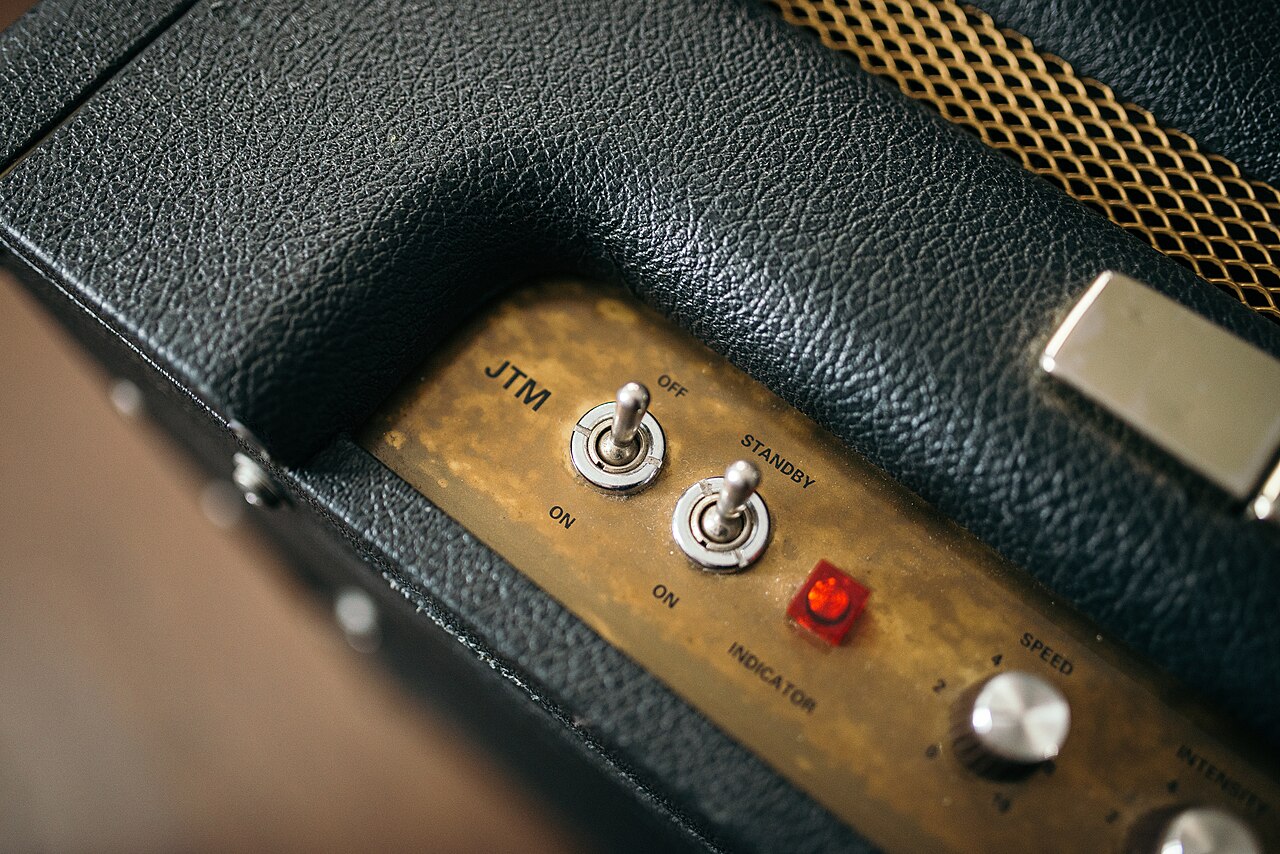
- Control knobs and switches on an amplifier: Shixart1985, Wikimedia Commons, CC BY 2.0.
- A band on a lit stage in front of a crowd: Dhagely, Wikimedia Commons, CC BY-SA 4.0.
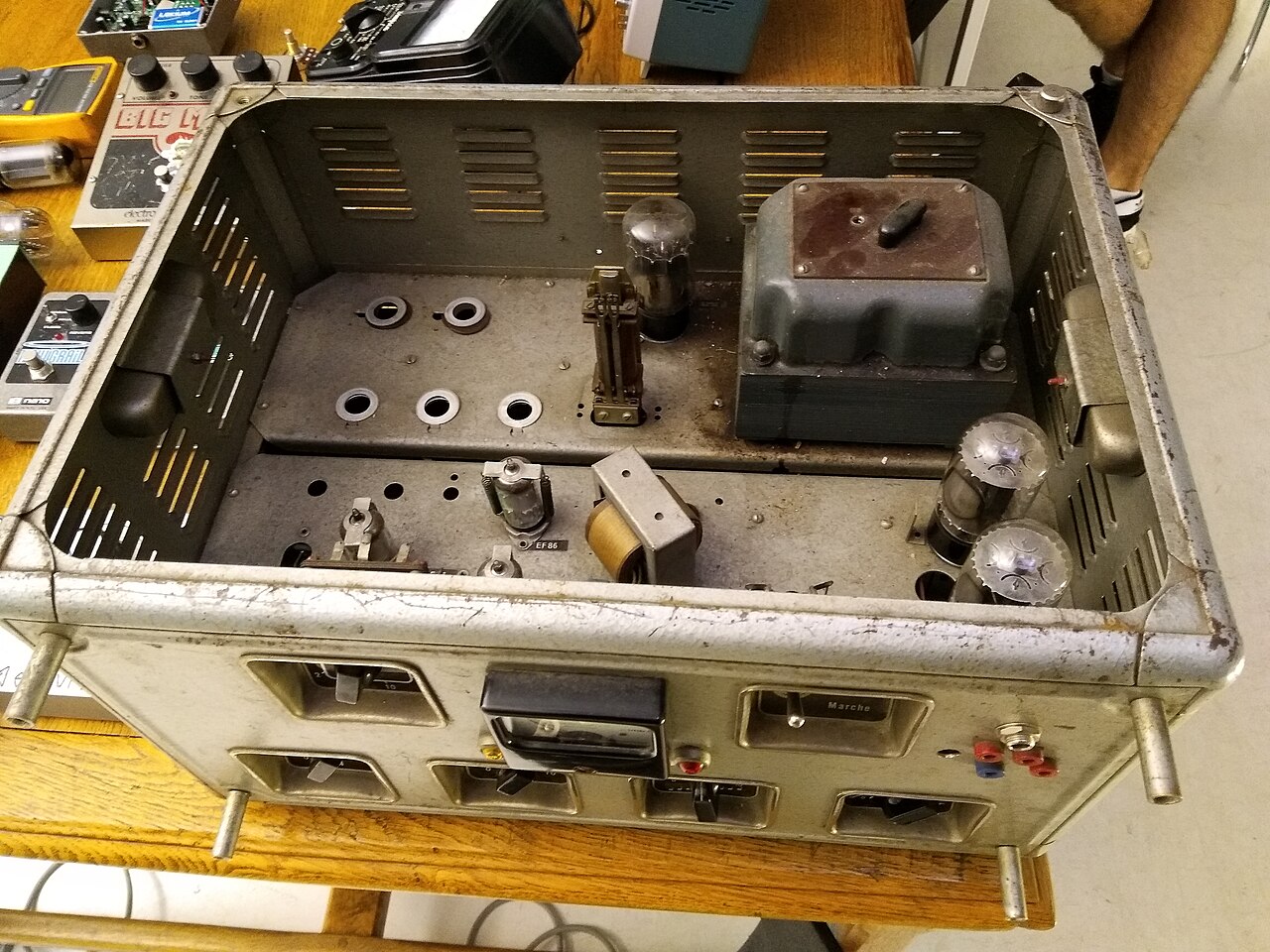
- The inside of a converted tube amp: Skimel, Wikimedia Commons, CC BY-SA 4.0.
Latest News
Related
On This Day
Wednesday 11 November
From this week: