TC Electronic Ditto X2 Looper: The Looper That Grew A Second Foot And Still Refused To Grow A Brain
TC Electronic Ditto X2 Looper guide: specs, controls, verified players including Stephen Carpenter, settings recipes, comparisons and used buying advice.
There is a photograph of Stephen Carpenter’s pedalboard, taken on the stage of Wembley Arena in September 2016, a few hours before ten thousand people arrived to hear Deftones play songs from Gore. The rig behind it is almost entirely digital. Two Fractal Axe-Fx II units running in stereo. Radial DI boxes. An Engl power amp that Carpenter cheerfully described to MusicRadar as the one fragile thing in the whole setup, on account of its “primitive-ass tubes.” Four Orange cabinets loaded with identical Vintage 30s. It is the rig of a man who has decided that guitar tone is a solved engineering problem and would like to stop thinking about it.
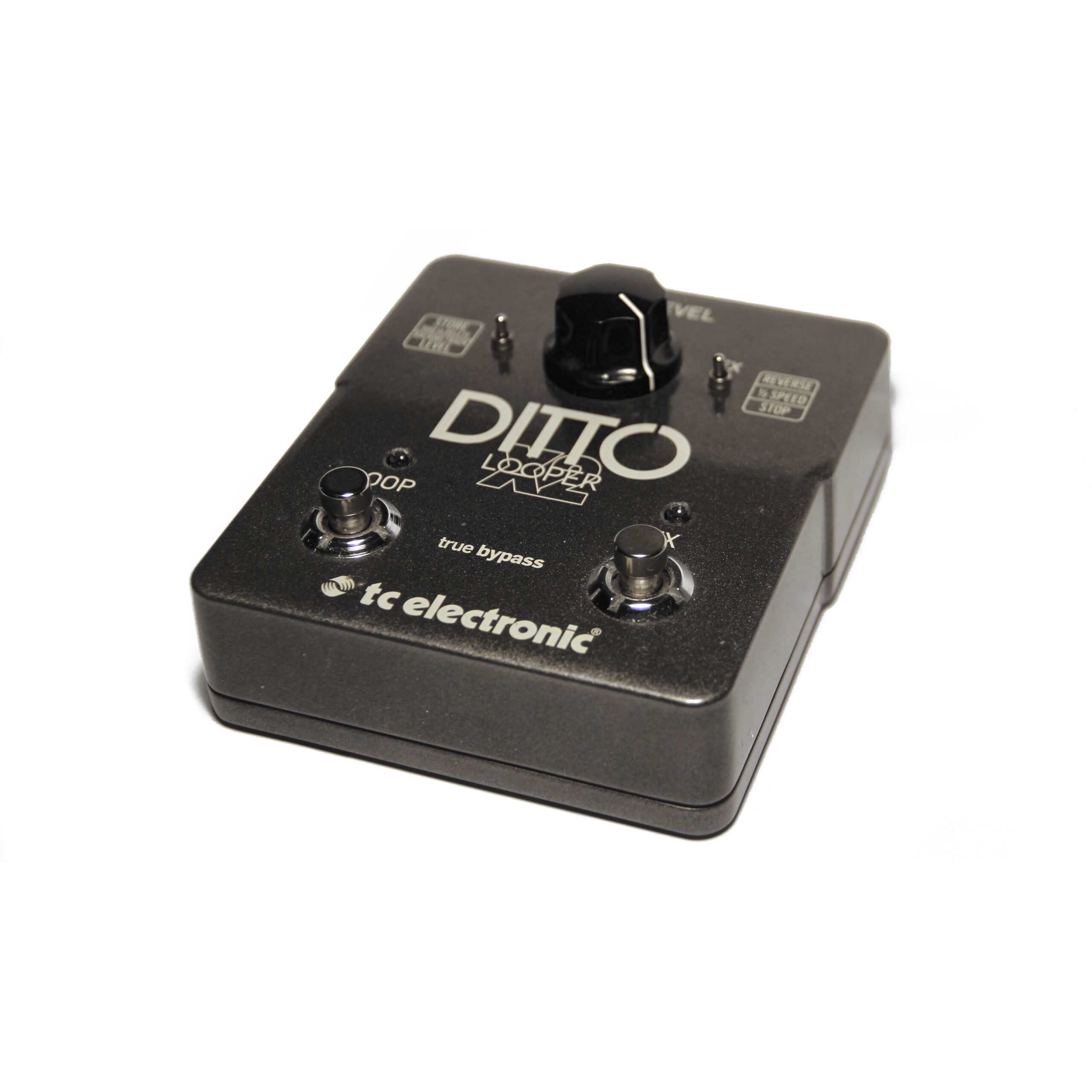
And then, sitting on the floor in front of all that, there is a TC Electronic Ditto X2 Looper. One knob. Two footswitches. A three-position toggle. The single least sophisticated object in a rig worth more than most cars.
Carpenter’s explanation of why it’s there is the best one-sentence description of what a looper is actually for that anyone has ever given: “I can record whatever I want with the Ditto, then change my sound, then record more on top of it.”
That’s it. That’s the whole product. The Ditto X2 is a machine for putting a version of yourself underneath a different version of yourself. Everything else — the reverse effect, the half-speed effect, the USB port, the stereo jacks — is decoration on that one idea.
This article is about the pedal that took the most successful minimalist looper ever built and asked the only question worth asking: what is the smallest possible amount you can add to something perfect before you ruin it?
The Problem With Being Too Successful
To understand the X2 you have to understand what TC Electronic had just done to itself.
In January 2013 the company had shown the original Ditto Looper at NAMM: one knob, one footswitch, five minutes of loop time, 24-bit uncompressed audio, analogue dry-through, and an explicitly stated refusal to do anything else. The press release said the pedal was built for “guitarists and guitarists only… not singers, drummers or whoever else.” The manual opened with a Saint-Exupéry quote about perfection being achieved by subtraction. TC’s product manager for guitar, Tore Mogensen, had publicly complained that on most loopers “you almost need a degree in rocket science to make sense of all the functionalities.”
It worked. It worked embarrassingly well. When TC announced the sequel at NAMM in January 2014, Mogensen’s own quote in the press release has the slightly stunned tone of a man whose bet paid out too hard: “Looking back, we knew we had something special with Ditto Looper, but nothing could have prepared us for the runaway success we’ve experienced since launch.”
Which creates a genuinely nasty design problem. The original Ditto’s entire identity was not having features. How do you make a sequel to that? Every single thing you add is a betrayal of the thesis.
TC’s answer, per the same press release, was to let the customers decide: the X2 was built “based on feedback from the guitar community and TC Electronic’s continuous drive to innovate guitar products.” Read cynically, that’s boilerplate. Read against the actual product, it’s more interesting than it looks — because the X2 adds exactly four things, and every one of them is a fix for a specific, nameable frustration that Ditto owners had been complaining about, rather than a feature someone in marketing thought would look good on a box.
The Four Additions
Here they are, in order of how much they change your life:
- A second footswitch. The single biggest one. On the original Ditto, every function lived on one switch, which meant stopping a loop required a double-tap and clearing it required a hold — and, as the original’s manual warned twice, holding the switch at the wrong moment erased everything.
- Stereo in and out. Two ¼” TS inputs, two ¼” TS outputs.
- Two loop effects. Reverse and ½ Speed, assigned to that second footswitch by a toggle.
- A USB port that actually does something. Loops in and out, to and from a Mac or PC, plus firmware updates.
That last one deserves a moment of appreciation, because the original Ditto also had a USB port — and it did nothing. TC’s Kim Bang admitted at the time that “at this point, the port has no function,” and it never acquired one across the entire production life of the pedal. The original manual even had to explain why there was no TonePrint support: there’s no effect to capture. On the X2, the port is real. You drag a WAV onto the pedal and it becomes a backing track.
Everything else — five minutes of loop time, unlimited overdubs, 24-bit uncompressed audio, undo/redo, true bypass, analogue dry-through — was carried across untouched from the original. TC’s press release lists these as continuities, not as features, which is the correct way to think about them.
Specifications
Two notes on that table, both of which matter more than they look.
On the power supply: TC’s own instruction is unusually specific. The manual doesn’t just say “9 V, 100 mA” — it adds, in the same breath, “to minimize hum, use a power supply with isolated outputs.” That is a manufacturer telling you, in a quick-start guide with no room to spare, that this pedal is fussy about dirty power. Take it seriously. A daisy chain shared with a digital delay is exactly the situation that sentence exists to prevent.
On the dimensions: those figures are labelled width × depth × height and they are, for once, correct as labelled. This is worth flagging because the original Ditto’s spec table got it wrong — it listed 48 × 48 × 93 mm under the same headings, which would describe a 93 mm-tall tower standing on a two-inch square base. It isn’t; 93 mm is the front-to-back length, as MusicRadar independently confirmed by measuring one. On the X2, 113 mm wide by 135 mm deep by 54 mm tall is a normal two-switch pedal and the labels line up with reality. Plan your board from the X2’s numbers with confidence, and treat the original’s with suspicion.
How It Actually Works
The manual is a seven-page multilingual quick-start guide and it does not waste your time. Here’s the operating model, reconstructed from TC’s own control descriptions and MusicRadar‘s hands-on review.
The LOOP Footswitch
This is the original Ditto, unchanged. TC’s manual gives it responsibility for “all loop-related functions of the pedal (record, playback, undo/redo, clear).” MusicRadar‘s Michael Brown spelled out the gesture sequence in his March 2014 review: press once to record, again to play, again to overdub; press and hold to undo, hold again to redo.
The FX Footswitch — And Why It’s Really A Stop Switch
This is the new one, and its job is decided by the FX selector switch. TC lists three settings:
- Reverse: the FX footswitch toggles the reverse effect on and off.
- ½ Speed: the FX footswitch toggles half speed on and off.
- Stop: the FX footswitch acts as a dedicated stop footswitch.
Note the trade. You get one of those three, chosen with a small switch, not with your foot. You cannot have reverse and a dedicated stop switch in the same song. This is the central compromise of the X2 and the thing most likely to annoy you six months in.
Here is the uncomfortable truth that the marketing copy will never tell you: for most working players, Stop is the correct setting, and the two effects are a novelty you will use twice. The reason the X2 exists is that stopping and clearing a loop on the original required overloaded gestures on a single switch. Setting the toggle to Stop is what fixes that. Setting it to Reverse throws the fix away in exchange for a psychedelia button.
That’s not an argument against the effects — they’re genuinely fun, and Brown called reverse “instant psychedelia” while noting that half speed “slows your loop and transposes it down an octave.” It’s an argument for being honest about which mode you’re actually going to leave it in. If you’re a solo performer building arrangements live, Stop. If you’re a bedroom texture merchant, Reverse. Decide, and stop fiddling.
The LOOP LEVEL Knob And Its Second Job
One knob, two functions, and the second one is easy to miss. Per TC’s manual: use LOOP LEVEL on its own to set the level of your loops. Use LOOP LEVEL while holding the Store switch in the down position to set the level of your backing track. Two independent volumes, one physical control, distinguished by whether you’re holding a switch.
Crucially — and this is inherited from the original Ditto — LOOP LEVEL controls playback level only. It is not an input trim, it is not a mix control, and it cannot make your loop louder than it was recorded. It sets how loud the recorded material sits underneath your live playing, and nothing else.
The Store / Delete Switch
Three behaviours from one small switch:
- Nudge it up: stores the current loop as a backing track.
- Hold it up for three seconds: deletes the stored loop/backing track.
- Hold it down while turning LOOP LEVEL: sets backing track level.
Note the asymmetry, because it’s good design. Storing is a nudge. Deleting is a three-second hold. TC deliberately made the destructive gesture harder than the constructive one — a lesson clearly learned from the original Ditto, where the same gesture was undo in one context and total erasure in another.
The Bit The Manual Doesn’t Say Out Loud
One of the most-asked questions from actual owners, posted on a manual-hosting site, is about “the two little switches in the back battery compartment” — what they do and how to operate them without breaking them. That’s a real ergonomic finding worth stating plainly: the FX selector and the Store switch are small, recessed, and not designed to be operated with your foot mid-song. They are setup controls. Reach down with a hand, or set them before the set and leave them.
Anyone hoping to switch from Stop to Reverse between verse and chorus is going to have a bad time. The X2 gives you two feet’s worth of control and one hand’s worth of configuration, and it does not blur that line.
Famous Players: A Roster That Is Better Than It Should Be
A looper makes no sound of its own. It has no tone, no circuit worth arguing about, no transistor to fetishise. So the usual logic of a famous-players section — this artist used it, therefore it sounds good — simply does not apply. Nobody’s guitar tone is attributable to a Ditto X2.
What artist sightings on a utility pedal do tell you is something narrower and, honestly, more useful: where the thing ends up. A looper on a hobbyist’s board proves nothing. A looper on a board where every other object costs four figures and was chosen by a professional guitar tech proves that it survived a selection process run by people with unlimited budgets and no sentimentality.
Equipboard credits 87 artists to the Ditto X2. Twelve of those entries carry a visible source, and those twelve are what follows — graded honestly, including the ones that don’t hold up.
Stephen “Stef” Carpenter, Deftones — The Strongest Entry By A Distance
This is the one with a first-party quote attached, and it’s the article’s headline find. In Amit Sharma’s Deftones rig tour for MusicRadar, published 22 September 2016 and shot at Wembley Arena during the Gore touring cycle, the Ditto X2 gets its own heading on Carpenter’s pedalboard page. His words:
“I can record whatever I want with the Ditto, then change my sound, then record more on top of it. On the new record, there’s two songs I do with looping… It’s impossible to keep it in time. I gave up on that. We don’t play to click, our tempos are dependent on our personalities, level of inebriation and sleep!”
Read that second half carefully, because it is a working professional cheerfully describing the X2’s biggest limitation and declining to care. The Ditto X2 is not quantised and cannot be locked to a tempo — a limitation it shares with every pedal in the Ditto family, including the 2025 Ditto 2. Carpenter’s band doesn’t play to a click, so his loops drift. His solution was to give up on timing and use the pedal for texture instead of structure.
That is the most useful piece of ownership advice in this entire article and it comes from a man in an arena, not from a spec sheet.
The surrounding context makes it better. Carpenter’s rig, as documented in that same feature, is two Fractal Axe-Fx II units, Radial JDX DIs, an Engl power amp and four Orange cabs with Vintage 30s — a rig chosen explicitly for repeatability, because, in his words, “the Axe-Fx is exactly the same every day, everywhere… there is no fail.” The Ditto X2 is the one box in that rig whose entire purpose is to be different every night.
Paul Gilbert — First-Party, Via TC Itself
Equipboard sources Paul Gilbert‘s X2 to TC Electronic’s own artist page for him, which listed the pedal among his gear. That’s manufacturer-published, which is weaker than an interview but stronger than a photo, and it’s consistent: Gilbert is also documented as an original Ditto user, and TC published a quote from him about it that is one of the better arguments for owning a looper at all — that if he could travel back and hand his younger self one piece of gear, it would be a Ditto, because practising with it “will help your playing enormously.”

Guthrie Govan — With A Disclaimer He Volunteered Himself
Equipboard sources Guthrie Govan‘s X2 to TC Electronic’s website, in his artist story and gear overview. Manufacturer-published again.
But there’s a caveat that belongs here rather than being quietly omitted, because Govan has been explicit elsewhere about how he uses a Ditto: “This is not something I use when I’m gigging, but it’s very helpful when I’m doing clinics.” A lazy gear article files Govan under “pro users” and lets you infer that he tours with one. He doesn’t say that. He says the opposite. Take the sighting for exactly what it is — a demonstration and teaching tool for one of the most technically formidable guitarists alive — and don’t inflate it.
Andy Summers — Manufacturer-Listed
Equipboard credits Andy Summers‘ X2 to TC Electronic’s own site, where the pedal appeared among the TC products he uses. Summers is a genuinely interesting name for a looper, because his entire guitar identity with The Police was built on layered, delay-saturated textures that a modern player would probably build with a looper and a couple of ambient pedals. The chain of influence runs the right way round.
Steven Wilson — Manufacturer-Listed, And A Substring Trap
Equipboard sources Steven Wilson’s X2 to a TC Electronic artist page listing the products he uses. Wilson is Porcupine Tree’s guitarist-singer and one of progressive rock’s most obsessive studio minds, and a multi-session looper is exactly the tool his songwriting suggests.

Devin Townsend — Manufacturer-Listed
Equipboard credits Devin Townsend‘s X2 to his artist story on TC Electronic’s site. Townsend’s records are enormous stacked walls of layered guitar; a looper is the live approximation of a thing he does natively in the studio with dozens of tracks.
Tosin Abasi — Photo, With A Board Around It
Equipboard’s entry for Tosin Abasi of Animals as Leaders is a pedalboard photo in which the X2 is visible in the bottom-right corner, with the wider board discussed in a Reddit thread. Photo evidence with a corroborating discussion is mid-strength — it establishes possession and board placement, not musical role.
John Petrucci — Video, And A Very Good Joke
Equipboard’s John Petrucci entry is a YouTube sighting at 0:02, in which the Dream Theater guitarist coins the name “J-loo-P” for the Ditto X2. It’s a video source with a timestamp, which is about as good as photographic evidence gets, and the fact that he bothered to nickname it suggests more than passing acquaintance.
Kevin Shields — Photo, Plural Boards
Equipboard’s entry for Kevin Shields of My Bloody Valentine notes the X2 “seen on several boards in this 2018 photo.” Several boards is a stronger signal than one board — a player who buys multiple units of a utility pedal has integrated it into a workflow rather than trying it out.
Troy Van Leeuwen — Photo, Manufacturer-Posted
Equipboard credits Troy Van Leeuwen of Queens of the Stone Age via a photo of his pedalboard posted by TC Electronic on Instagram during NAMM 2018. Handle with mild care: a manufacturer photographing an artist’s board at a trade show is a documented sighting, but it is also marketing, and the two are hard to separate.

John Mayer — Bobby Bradshaw Built The Board It Sits On
Equipboard’s John Mayer entry is a photo posted by Custom Audio Electronics on Instagram, showing one of Mayer’s pedalboards — the one on the left in the shot — carrying a Ditto X2, with the caption noting a “brand new #johnmayer rig heading to #Albany for production rehearsals.”
The interesting part isn’t Mayer, it’s the source. Custom Audio Electronics is Bob Bradshaw’s company, the man who essentially invented the modern professional guitar switching system and whose rigs are built for players who cannot afford a failure on stage. A $179 mass-market looper appearing inside a Bradshaw-built rig is a meaningful reliability signal in a way that a photo from a bedroom never is.
Kevin Parker — The Entry That Doesn’t Hold Up
And now the honest one. Equipboard lists Kevin Parker of Tame Impala as a Ditto X2 user, sourced to a photo. Underneath that photo, in the entry itself, a user has written: “This wasn’t his photo :/ Can it get removed?”

The sighting is disputed on the very page that hosts it, and the dispute has not been resolved. We are therefore not counting Kevin Parker as a verified Ditto X2 user. He may well own one — he’s exactly the kind of layered-texture producer-guitarist who would — but the published evidence is contested and we’re not going to launder a contested photo into a fact because it makes a better list.
This is worth dwelling on for a second, because it says something about how gear rosters get built across the internet. Crowd-sourced databases are genuinely valuable — nothing else catalogues this many sightings with this much sourcing — but they contain entries flagged as wrong by their own users, and those entries get copied outward into articles that don’t check. If you take one methodological thing from this piece: read the comments under the evidence, not just the evidence.
What The Roster Adds Up To
Equipboard’s aggregate data reinforces the utility reading. Genre distribution across X2 users is broad and shallow rather than concentrated: Rock 135, Pop 55, Electronic 54, Jazz 35, Blues 34, Folk/World/Country 26, Funk/Soul 24. That flatness is the statistical signature of a tool rather than a sound. Nobody buys a Ditto X2 to get a genre.
The “used with” data says the same thing from another angle: the categories the X2 most often shares a board with are delay pedals, pedal tuners, harmoniser/octave pedals, reverbs and multi-effects. Infrastructure and texture. Not a single dirt category in the top five.
And it turns up on records. Equipboard credits the X2 on Nick Cave and the Bad Seeds’ Ghosteen (2019), Birds in Row’s We Already Lost the World (2018), Mree’s In the Kitchen (2018) and Mikael Máni’s When Buttercups Grow (2023) — a spread from spectral art-rock to French hardcore to solo jazz guitar that no tone-defining pedal could ever manage.
Settings And Working Recipes
A looper has one knob, so “settings” here means gestures, routing and discipline rather than knob positions. These are ours, built from TC’s stated behaviours plus the way the pedal actually behaves in a room. Where a number appears, it’s a starting point, not gospel.
Recipe 1: The Practice Rig (What Gilbert Was Talking About)
FX selector to Stop. LOOP LEVEL at about 11 o’clock — deliberately quieter than you think you want, so the loop sits underneath you rather than competing.
Record four bars of a rhythm part, hit stop, then solo over it. The reason to keep the loop quiet is that the entire pedagogical value here is hearing your own lead line against a harmonic bed. If the bed is as loud as you are, you stop hearing your own intonation. This is the single most valuable thing a looper does and almost nobody sets it up correctly.
Recipe 2: The Carpenter Method — Texture Instead Of Structure
FX selector to Stop. LOOP LEVEL around 9 to 10 o’clock. Place the X2 before your dirt and modulation, not after.
This inverts the standard advice, and deliberately. Carpenter’s description — record, then change your sound, then record more on top — only works if the loop is captured clean and the tone changes happen downstream of the recording. Put the X2 first and your loop is a dry performance that gets reprocessed live every time it plays back, so twisting a fuzz knob mid-loop transforms the whole bed. Put it last and the loop is frozen with whatever tone it was recorded with.
Both placements are legitimate. They’re just different instruments. TC’s own guidance for the original Ditto put it at the end of the chain, which is right for verse-chorus loop building; the front-of-chain trick is right for texture work, and it is what a rig like Carpenter’s is doing.
Accept the drift. Don’t fight the lack of quantisation.
Recipe 3: The Solo-Performer Build
FX selector to Stop, always. LOOP LEVEL 12 to 1 o’clock — you need the loop to carry a room here, not hide.
Record a bass-register part first (palm-muted low notes), overdub chords, then play melody live on top. Learn the undo gesture until it’s reflexive: hold the LOOP switch during playback to strip your last overdub, hold again to bring it back. This is the arrangement device that makes solo looping listenable — build up, strip back, build up again — and it’s the same technique the original Ditto’s manual demonstrated with a bass/chords/melody example.
Because the X2 gives you a dedicated stop switch, your song can now actually end. On the original, ending a loop cleanly in front of an audience required a double-tap you had to think about. That sounds trivial until you’ve done it badly in a quiet room.
Recipe 4: Half Speed As A Bass Machine
FX selector to ½ Speed. Record a mid-register clean arpeggio, then engage half speed.
You get the part back an octave down at half tempo, which is a synthetic bass line with the attack transients smeared into something that doesn’t sound like a guitar at all. Layer a live guitar part on top at normal speed and you have a two-instrument arrangement from one instrument. This is the effect most worth the trade-off of giving up your stop switch.
Recipe 5: Reverse As A Transition, Not A Sound
FX selector to Reverse. Use it at song joins rather than inside sections.
Reverse is a spectacular one-shot and a tiring texture. Record a chord bed, engage reverse over the last bar before a section change, disengage. Used as punctuation it sounds intentional; used continuously it sounds like a pedal demo. Kevin Shields’ entire career is a rebuttal to that advice, so treat it as a default rather than a law.
Recipe 6: Backing Tracks From The Computer
Load a WAV to the pedal over USB, store it, then use the Store switch held down with LOOP LEVEL to balance the backing track against your live signal independently of your loop level.
The limit is real and worth knowing before you build a set around it: MusicRadar‘s review notes that you drag and drop loops to and from the computer, “although the pedal can operate only one at a time.” One backing track resident on the pedal. This is not a multi-song playback system, and if you need one, you need a different product.
How It Compares
Versus The Original Ditto Looper
The original Ditto is smaller, cheaper, and has a dead USB port. The X2 is bigger, has a working USB port, stereo I/O, a second footswitch and two effects. Audio quality, loop time and overdub behaviour are identical.
The honest split: if you want a looper to practise with and it will live on a crowded board, the original is the better object, because size is a real constraint and the extra features are ones you won’t use alone in a room. If you will ever perform with it, buy the X2, and the reason is the stop switch, not the effects.
Note also that the original has since been superseded by the Ditto 2, and TC’s own line has expanded past both — the Ditto+ offers 60 minutes of recording across 99 loop sessions with a colour display, which is a fundamentally different product category from either.
Versus The Boss RC Line
The Boss RC-1 Loop Station is the X2’s most direct rival at the simple end: one switch, a big LED loop-position ring, twelve minutes of loop time. The RC-1’s circular LED display is genuinely better than anything TC offers — you can see where you are in the loop, which is worth a lot live.
The Boss RC-5 and RC-500 go the other way entirely: rhythm tracks, multiple memories, screens, quantisation. That last word is the important one. If your loops must lock to a tempo, an RC-5 will do it and a Ditto X2 fundamentally will not. Carpenter gave up on timing; Boss would have let him keep it.
The counter-argument is Mogensen’s original one about needing a degree in rocket science. Every feature Boss adds is a menu you have to learn.
Versus The Chase Bliss Blooper
The Chase Bliss Blooper is not really a competitor; it’s an argument. Where the X2 treats a loop as a recording to be played back faithfully, the Blooper treats a loop as raw material to be mangled, with modifiers that actively degrade, stutter and reshape what you recorded. It costs several times as much and demands far more of you. Choose it if the loop is the instrument. Choose the X2 if the loop is the accompaniment.
Versus Delay Pedals With Looper Modes
A lot of players discover they own a looper by accident. The Line 6 DL4 famously built a whole generation of loop-based guitarists on a 14-second buffer. The EHX Canyon bundles a 62-second looper into a delay. TC’s own Flashback 2 includes looping alongside its delay engine.
The X2’s answer is time and dedication: five minutes versus seconds, and a control surface designed for looping rather than borrowed from a delay. If looping is an occasional garnish, the delay’s looper is free and adequate. If looping is a thing you do, the difference in loop length alone settles it.
Versus The DigiTech Trio+
The DigiTech Trio+ Band Creator + Looper is what you buy when you don’t want to be the whole band yourself. It listens to your chord progression and generates bass and drums to accompany it, then loops on top. The X2 does nothing for you; the Trio+ does almost everything. They solve opposite loneliness problems. Note also the practical gulf: the Trio+ draws 800 mA and the X2 wants 100 mA, which decides the argument on some boards before tone enters into it.

Buying Guide
Should You Buy One At All?
Buy an X2 if you answer yes to at least two of:
- You practise alone and want a harmonic bed to solo over.
- You perform solo or in a duo and need parts to persist while you play something else.
- You want to record ideas fast without opening a DAW.
- You want to reprocess a captured performance with live tone changes.
Do not buy one if you need loops locked to a click, if you need more than one stored backing track, or if you need multiple loop memories. Those are all real needs and the X2 satisfies none of them. The pedal’s virtues are entirely about what it refuses to do.
New Versus Used
The X2 is discontinued — Full Compass lists it explicitly as a discontinued product — so the used market is the market. Prices start around $106 and drift upward from there depending on condition, against a $179.99 launch price.
That is a very good deal for a pedal with no consumable parts. A looper has no tubes, no germanium transistors that drift with temperature, no photocells to age. The failure modes are mechanical: footswitches and jacks.
What To Check On A Used Unit
- Both footswitches, twenty times each. Looper switches get stamped on far harder than dirt-pedal switches, because you’re hitting them in time with music rather than once a song. Listen for double-triggering.
- The FX selector and Store switches. Small, recessed sliders that owners have found awkward. Confirm all three FX positions actually change behaviour and that Store latches in both directions.
- The USB port. Plug it into a computer and confirm the pedal mounts. This is the feature the original Ditto never delivered and the main reason to pay X2 money.
- Stereo outputs independently. Test the MONO output and the second output separately — a dead second channel is easy to miss if you only ever plug into one.
- The knob’s dual function. Verify that holding the Store switch down and turning LOOP LEVEL changes backing track level independently.
- Whether a power supply is included. It never was from the factory — TC states plainly that the supply is not supplied — so don’t pay a premium for one that “comes with a charger” unless you can see it.
What Else You’ll Need
A 9 V centre-negative supply capable of 100 mA or more, ideally with isolated outputs, per TC’s explicit hum warning. If you’re running a Hall of Fame 2 and a PolyTune 3 Mini off the same brick, budget the X2 its own isolated output rather than sharing.
Two ¼” cables minimum, four if you’re running stereo. And a USB cable — the pedal uses a standard computer USB connection, and owners have asked which type often enough that it’s worth checking your specific unit’s socket before you go shopping.
Living With It
Board Real Estate
At 113 × 135 mm the X2 occupies about the footprint of two standard compact pedals side by side. On a small board that is a significant tax, and it is the single strongest argument for the original Ditto instead. On a pedaltrain-sized board it disappears.

Place it where your foot can find it without looking. Loopers are operated at musical moments, not between songs, and a looper you have to hunt for is a looper you will mistime.
The Discipline Problem
Here is the thing nobody tells you when you buy your first looper: the pedal is easy and the skill is hard. Getting a clean loop start and end requires the same rhythmic precision as any other instrumental technique, and the X2 will not help you. It has no quantisation, no count-in, no metronome. If your loop drifts, that’s you.
This is why Carpenter’s confession is so useful. A professional guitarist in an arena, playing to ten thousand people, publicly gave up on keeping his loops in time and restructured his usage around that. If it’s hard for him it’s hard for you, and the correct response is either to practise the gesture until it’s clean or to use the pedal for texture where drift doesn’t matter.
Power Discipline
Battery operation is supported, which matters for buskers and for anyone doing an acoustic set without a board. But TC’s hum warning is the operative fact for board users: isolated output, every time. Digital pedals sharing an unisolated supply with a looper is a classic recipe for a whine that only appears on the recorded loop and not in your live signal, which is a maddening thing to debug at soundcheck.
Longevity
Discontinued does not mean dead. There is nothing inside an X2 that ages badly, firmware is updatable over USB, and the used supply is deep because TC sold enormous numbers of them. Expect a decade of service from a clean example, with footswitches as the eventual failure point and a switch replacement as a straightforward repair.
Frequently Asked Questions
Can the Ditto X2 sync to a metronome or click track?
No. There is no quantisation, no tap tempo and no MIDI clock on any Ditto-family pedal, including the X2. Your loop length is defined entirely by when you press the switch. Stephen Carpenter of Deftones addressed this directly in MusicRadar, saying that keeping loops in time was “impossible” for a band that doesn’t play to a click and that he simply gave up on it. If you need tempo-locked loops, look at the Boss RC-5 or RC-500 instead.
How many loops can the Ditto X2 store?
One at a time. You can store the current loop as a backing track by nudging the Store switch up, and you can import and export loops over USB, but as MusicRadar‘s review notes, “the pedal can operate only one at a time.” There are no multiple loop memories. If you need 99 sessions, that’s the Ditto+, a different product entirely.
What’s the actual difference between the Ditto X2 and the original Ditto?
Four things: a second footswitch (dedicated stop, or effects), stereo inputs and outputs, two loop effects (reverse and half speed), and a USB port that works. The original Ditto also has a USB port, but TC confirmed it never had any function. Loop time (five minutes), overdub behaviour (unlimited), audio quality (24-bit uncompressed), analogue dry-through and true bypass are identical between the two.
Can I use reverse and have a dedicated stop switch at the same time?
No, and this is the X2’s central compromise. The FX selector switch chooses one of three behaviours for the second footswitch — Reverse, ½ Speed, or Stop — and it’s a small recessed switch, not something to change with your foot mid-song. Most performing players should leave it on Stop, because the dedicated stop switch is the actual reason the X2 exists.
Where should the Ditto X2 go in my signal chain?
TC’s guidance for the Ditto family is end of chain, so the loop captures your finished tone. But there’s a strong argument for putting it earlier: with the X2 in front of your dirt and modulation, the loop plays back through whatever you’re doing to your tone right now, so twisting a fuzz knob reshapes the whole bed live. That’s the approach Carpenter describes — record, change your sound, record more on top. End of chain for song building; front of chain for texture work.
Does the Ditto X2 need a special power supply?
It needs 9 V DC, centre negative, 5.5/2.1 mm, supplying 100 mA or more, and it is not included in the box. TC adds a specific instruction that matters: “to minimize hum, use a power supply with isolated outputs.” Give it its own isolated output rather than daisy-chaining it with digital delays and reverbs. Battery operation is also supported.
Is the Ditto X2 still made, and is it worth buying used?
It is discontinued — Full Compass lists it as a discontinued product — but it’s widely available used from around $106 against a $179.99 launch price. It’s a good used buy because there’s nothing inside it that ages: no tubes, no drifting analogue components, no photocells. Check both footswitches thoroughly for double-triggering, confirm the USB port mounts on a computer, and test both output jacks separately.
Does the LOOP LEVEL knob make my loop louder than I recorded it?
No. LOOP LEVEL sets playback level only. It cannot boost a quietly recorded loop above unity in any useful way, and it is not an input gain control. If your loops come back too quiet, the fix is at the recording end — play harder, or raise your level before the pedal — not at the knob. The same knob does double duty for backing track level, but only while you hold the Store switch in its down position.
Which famous guitarists actually use a Ditto X2?
The best-documented is Stephen Carpenter of Deftones, whose use is confirmed by a first-party quote in MusicRadar‘s 2016 Deftones rig tour. Paul Gilbert, Guthrie Govan, Andy Summers, Steven Wilson and Devin Townsend are all listed on TC Electronic’s own artist pages. John Petrucci, Kevin Shields, Tosin Abasi, Troy Van Leeuwen and John Mayer are documented by photo or video. One caveat worth stating: Equipboard’s Kevin Parker entry is disputed by a user comment on the entry itself, so we don’t count it. And Guthrie Govan has said publicly that he uses a Ditto for clinics rather than gigs — worth knowing before you assume he tours with one.
Image credits
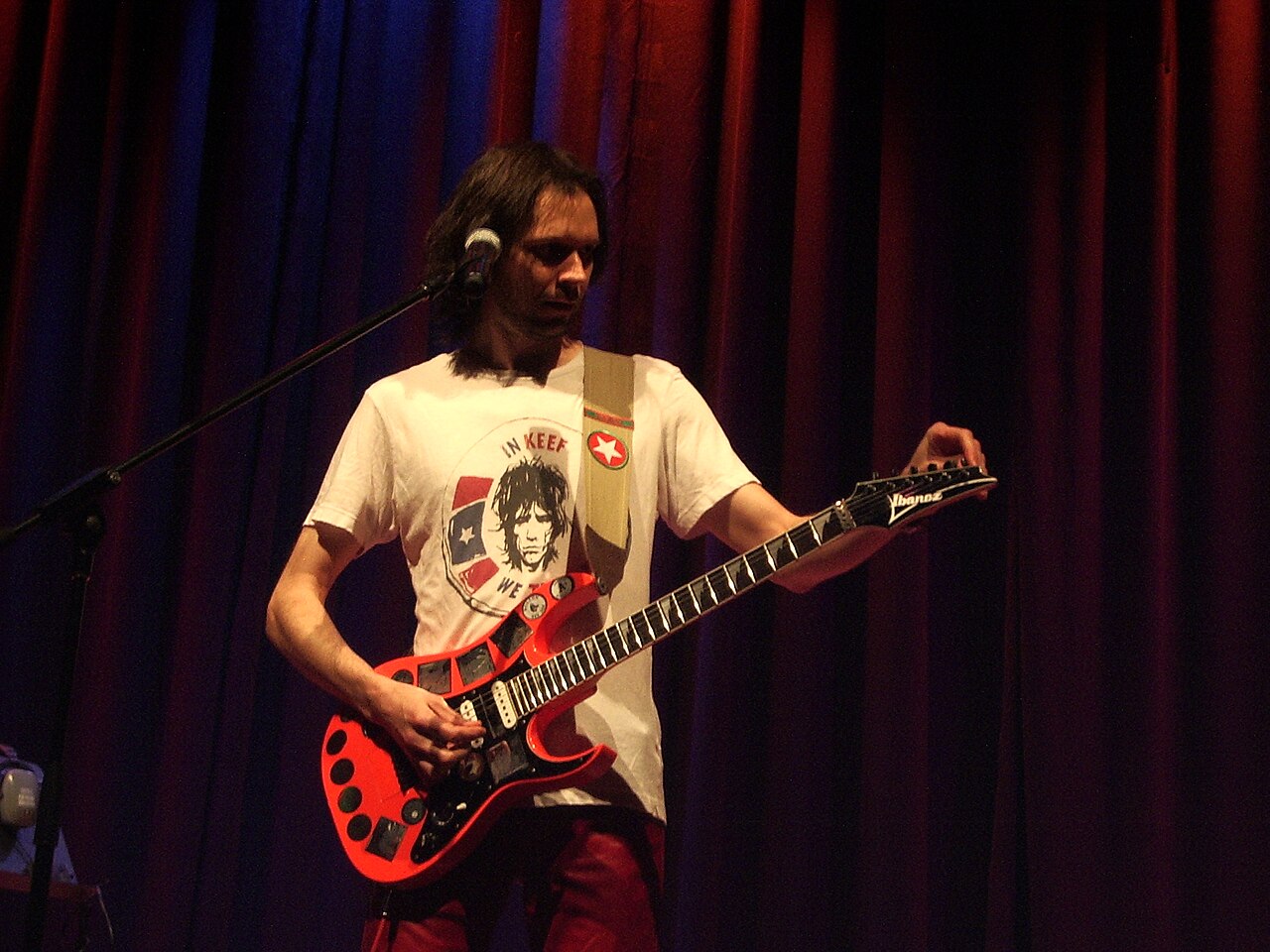
- Paul Gilbert: matt barsden, Wikimedia Commons, CC BY-SA 2.0.
- Guthrie Govan: ArtBrom, Wikimedia Commons, CC BY-SA 2.0.
- Top image: TC Electronic Ditto X2 Looper, photographed on 6 February 2017. Photo: Potasmic. Source photograph, CC0 1.0. Full source frame and existing source processing retained; proportionally resized for display. No new crop or retouch.
- Paul Gilbert: GS2019 – Paul Gilbert by Production Partner / Lars Horstmann, Wikimedia Commons, CC BY-SA 4.0.
- Guthrie Govan: JesterWr, Wikimedia Commons, CC BY 3.0.
- Steven Wilson: joergens.mi, Wikimedia Commons, CC BY-SA 3.0.
- Troy Van Leeuwen: Rama, Wikimedia Commons, CC BY-SA 2.0.
- Kevin Parker: Kennysun, Wikimedia Commons, CC BY-SA 3.0.
Latest News
Related
On This Day
Monday 9 November
From this week: