Chase Bliss Blooper: The Looper That Refuses to Just Repeat You
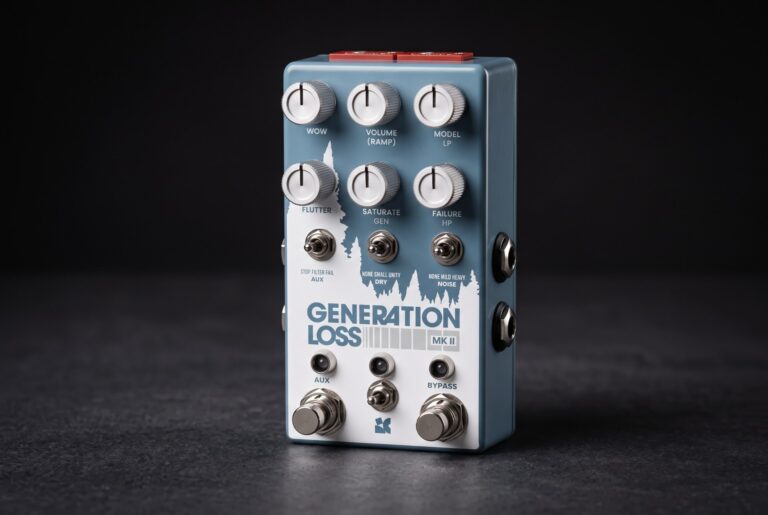
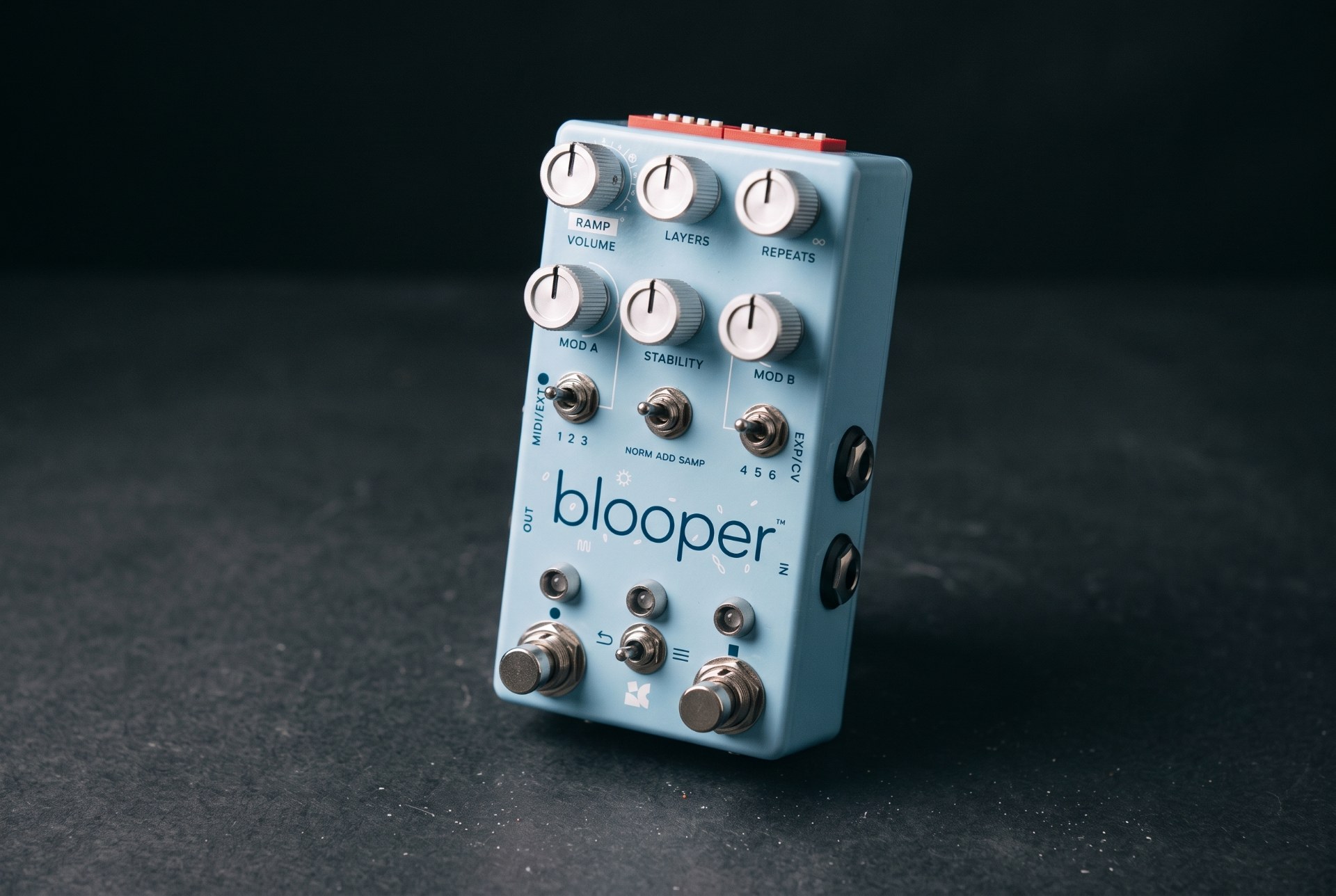
An AI-generated illustration of the Chase Bliss Audio Blooper.
Chase Bliss Blooper is a performance looper that records effects into your loop. Full specs, Additive mode explained, settings, players and buying advice.
Every looper ever built makes the same promise. Play something. It comes back. Play over it. That comes back too. It is one of the most useful ideas in the history of the guitar pedal and it is also, if we are being honest with each other, one of the most conservative. A loop is a photocopy. The machine’s entire job is to be faithful. Take four bars, hand them back unchanged, forever, until you get bored or the battery dies.
Chase Bliss built a looper that gets bored on your behalf.
Blooper — lowercase on the enclosure, “the bottomless looper” on the box — is a mono performance looper with a full sound-design department bolted into the recording path. Its headline trick, Additive mode, does something no standard looper does: it records the effects along with the audio. Slow the loop down while overdubbing and the slowed version becomes the loop. Filter it and the filter is baked in. Crank the Stability control and every pass through the machine ages the recording a little more, like a tape reel wearing out in real time while you stand on it. You are not layering parts on top of a fixed recording. You are eroding, transposing and rearranging the recording itself, live, with your feet and two knobs.
This is not a review. This is a guide to what Blooper actually does, who has genuinely been documented using one, how to get musical results out of a pedal that can very easily produce chaos, and whether $499 is a defensible number in 2026.
Where Blooper Came From
Anoka, Minnesota, and a Company Named for a Brother
Chase Bliss Audio was founded in 2013 in Anoka, Minnesota, by Joel Korte. The name is not a marketing abstraction. Korte’s brother Chase Korte was killed in 2007 by a drunk driver, and one of Chase’s favourite sayings was “follow your bliss.” The company name is a memorial and an instruction at once, which goes some way to explaining why a firm this small has been this stubborn about doing everything the difficult way. The house tagline — printed at the bottom of every page on the company site — is “Digital Brain, Analog Heart.”
The first product was Warped Vinyl, an analog vibrato that took the entire first year of the company’s existence to finish. From there the catalogue grew into a run of pedals that all share the same architecture: an analog or purpose-built audio path, wrapped in a microcontroller that gives it presets, MIDI, ramping and expression control. Thermae, MOOD and the Automatone Preamp MkII are all built on the same philosophy.
Blooper is the moment that philosophy collided with looping — and looping, unlike vibrato, is a format nobody had really reinvented in twenty years.
Knobs, 3 Degrees Audio, and a Kickstarter That Doubled Its Target
Blooper was not designed in-house alone. It is a three-way collaboration between Chase Bliss, the demo-video channel Knobs (Scott Harper), and 3 Degrees Audio. Anyone who watched pedal demos in the mid-2010s knows the Knobs channel: no talking, no spec-reading, just a long, moody, beautifully shot piece of music that told you more about a pedal’s personality than any feature list. Handing a demo-maker the design brief for a product is unusual. It also explains a great deal about the finished pedal’s priorities, which are performative rather than utilitarian.
The pedal was first shown at Winter NAMM 2019 and formally announced in September 2019. Chase Bliss has been candid that early prototypes were bad — the guitar.com announcement piece from 11 September 2019 quotes the development arc as going from a unit that “just kind of sucked” to the finished machine. The Kickstarter campaign blew past its $100,000 goal and had cleared $216,000 with a month still to run.
The Pre-Release Spec Sheet Doesn’t Match the Shipping Pedal
Worth flagging, because it trips people up on the used market and in old forum threads. The September 2019 announcement copy listed 32 saveable presets and 40 seconds of maximum loop time at 48 kHz / 16-bit. The shipping product, per Chase Bliss’s own current product page and manual, saves and recalls 16 loops with their layers preserved.
Both numbers are era-correct for the source that printed them; the 32 figure is pre-release and the 16 figure is what your pedal will actually do. If you read a 2019 article and then count save slots on a real Blooper, this is why they disagree. Treat first-party current documentation as authoritative and pre-release announcement copy as historical.
Chase Bliss Blooper: Specifications
Additive Mode: The One Feature That Justifies the Price
Strip everything else away and Blooper’s reason to exist is a three-position toggle labelled NORM / ADD / SAMP. Understanding the difference between those three positions is roughly 80% of understanding the pedal.
Normal Mode
Normal behaves like a standard looper with good effects after it. You can hear the modifiers and Stability, but they sit downstream of the recording mechanism — they colour what you hear without imprinting on the stored loop, and they don’t touch your dry signal at all. This is the mode for setting up a sound you like and then overdubbing conventionally without anything going strange. It is also the mode you retreat to when Additive has got away from you.
Additive Mode
Additive is the whole point. Here, overdubbing while a modifier or Stability is active imprints that effect onto the loop. Chase Bliss’s own framing is the clearest: think of the effects exactly like your instrument — if you can hear them, Blooper’s recording mechanism can hear them too, and it will record them.
The consequences compound fast, and the manual says so in a section headed, with no apparent irony, “Additive terror”: you are allowed to record the same effect over and over, intensifying it each pass. There is no safety switch. As the manual puts it, the only safety switch is Normal mode. Leave a filter sweep running in Additive and come back in ninety seconds and your four-bar figure is a bass-heavy smear with no top end left in it. Sometimes that is exactly what you wanted. Sometimes it is a hostage situation.
This is also where the Hold Left = One-shot Record command earns its keep, and it is the single most under-used command on the pedal. One-shot recording records exactly one full pass and then switches itself off. That is how you imprint a modifier neatly across the whole loop without having to punch record in and out with surgical timing. If you take one thing from this article: in Additive mode, hold the left footswitch rather than tapping it.
Sampler Mode
Sampler is the immediate one. There is no overdubbing — each time you tap the left footswitch, the previous recording is cleared and a new one is captured. The right footswitch becomes trigger / retrigger. Hold the right footswitch and looping switches off entirely, turning the pedal into a one-shot sample launcher with a green LED to confirm it. Hold the left footswitch and recording is momentary, engaged only while your foot is down, which is the fastest way to capture short blips.
Crucially, your audio travels with you when you change modes. Build something complicated in Additive, flip to Sampler, and fire it manually as a stab. Or build in Additive to establish a warped bed, then switch to Normal for predictable overdubs on top. The toggle is a compositional tool, not a setup option.
The Controls, One by One
Volume (Ramp)
Unity at noon, roughly 2× boost at maximum. Note the parenthetical: engage any ramping dip switch and this knob stops being a level control and becomes the ramp-speed control. This dual-purpose-knob behaviour is a Chase Bliss platform trait rather than a Blooper quirk — Warped Vinyl does it with Tone, Thermae does it with Mix — and it is responsible for a large share of “why is this knob dead?” support emails across the entire brand.
Layers
Eight levels of undo and redo mapped to a knob. Counter-clockwise removes layers, clockwise puts them back. Two things about it are non-obvious and both matter.
First, the knob goes to sleep when you aren’t touching it, so you never have to worry about where it’s physically pointing. Second, layers are a tower, not a mixer. Going back to layer three means hearing layers one through three together — you cannot isolate a single layer, because in Additive each layer contains all the audio from the layers beneath it. Chase Bliss addresses this directly in its own FAQ, and the honest answer is a flat “no.” Anyone arriving from a DAW mentality needs to un-learn this before they get frustrated.
Third thing, and it is the one that bites: if you go back to an earlier layer and then record, every subsequent layer is destroyed. Standard undo-tree behaviour, but on a device you’re operating with your feet in front of an audience, it’s worth internalising.
The same function is available by foot. Hold the right footswitch to enter an Undo/Redo submenu — the LED above it goes green — and then tap right to undo, tap left to redo. Nothing else works while you’re in there. Hold right again to exit.
Repeats
Repeats lets layers fade away gradually at a speed you choose: further counter-clockwise, faster decay. The critical detail, and the single most common confusion with the pedal, is that Repeats only does anything while you are recording. In playback the loop never fades. The manual has a whole tip headed “Mind the repeats” for the people who assume their pedal is broken. Keep it maxed if you want conventional looping.
What it unlocks is bigger than that, though. With Repeats low and the pedal recording, Blooper stops being a looper and becomes a delay — you set the loop length like a tap tempo and play over decaying repeats. That’s a genuine Frippertronics-style workflow in a single enclosure, and it lands Blooper in the same conversation as a long-delay unit like the Strymon El Capistan or a Volante rather than an RC-1.
Stability
Stability introduces wow, flutter, noise and filtering — a continuous slide from clinical digital capture toward a knackered tape machine. At minimum it is fully bypassed for clean looping. It was specifically voiced for Additive overdubbing, so that repeated passes wear the loop out progressively rather than applying a fixed amount of grime. The noise component’s level is adjustable in BLIP if you find the default too aggressive for quiet material.
MOD A and MOD B
Two independent modifier channels. Each has a three-position toggle selecting between three assigned modifiers, and a knob to control it. Every modifier on the pedal has its neutral zone at 12 o’clock, with different behaviours on either side — a genuinely thoughtful piece of interface design that means you can always find “off” by feel in the dark.
The channels are engaged by arcade buttons on the underside of the pedal. Quick press = latching on/off; press and hold = momentary. That underside placement is a deliberate choice: it keeps the buttons out of accidental-stomp range while remaining reachable by hand for tabletop or studio use. Live, on a floor, they are awkward, and that is the honest trade-off.
The Bloop Troop: Every Modifier Explained
Chase Bliss calls the modifier roster the “bloop troop” and gives each one a cartoon character. Underneath the whimsy they are the pedal’s actual feature set. Each Blooper ships with a default arrangement across Bank A and Bank B, and you can reassign any of them from a growing library using the BLIP interface.
Time and speed
Smooth Speed — playback speed and direction, adjusted fluidly like riding a tape machine’s capstan. Up to double speed; slow to a complete stop; counter-clockwise from noon engages reverse.
Stepped Speed — the same idea quantised to musical intervals, specifically octaves and fifths, with a wider range topping out two octaves up. This is the one to reach for when you need the result to stay in key without thinking about it.
Stretcher — time-stretch without affecting pitch. Clockwise speeds up, counter-clockwise slows down. Processing-heavy, so it locks out some other modifiers while active.
Pitcher — pitch-shift without affecting speed, with a genuinely absurd three octaves in either direction. Also processing-heavy and mutually exclusive with some other modifiers. If you want that trick on your dry signal rather than a loop, that is Eventide H9 territory instead.
Length and structure
Trimmer — shortens the loop. Counter-clockwise pulls the end toward the beginning, clockwise pulls the beginning toward the end. Two different musical results from the same knob.
Speed Trimmer — the stepped version, shrinking by precise subdivisions so cuts land in rhythm. Halving a loop cleanly is a two-second move.
Scrambler — rearranges the loop’s timeline. Counter-clockwise is random, clockwise builds a repeating sequence. Low settings produce an occasional jump; high settings chop everything.
Stutter — a loop within the loop, repeating the current instant. Counter-clockwise stutters what just happened, clockwise stutters what’s coming next. Beat-repeat, essentially, and the most immediately gratifying modifier on the pedal.
Removal and silence
Dropper — punches small silences into the loop. Counter-clockwise produces a random stream of drops; clockwise produces a consistent pattern. At maximum it granularly crumbles, which is where it starts overlapping with what a Hologram Microcosm does natively.
Swapper — envelope-sensitive muting. The loop goes quiet whenever you play. Counter-clockwise sets the threshold of an immediate mute; clockwise sets the speed of a gradual fade. At noon the loop mutes the instant overdubbing engages, which in Additive mode is how you replace sections of a loop rather than pile onto them. Hence the name.
Stopper — ends the loop. Clockwise is a volume fade, counter-clockwise is a melting tape-stop. It latches: the loop stays stopped until you disengage the modifier.
Filter — Chase Bliss’s own description is “our most practical effect,” which tells you something about the company. Non-resonant, dual-mode: clockwise for high-pass to remove low end, counter-clockwise for low-pass to mellow highs.
Famous Players: What We Could Actually Verify
This section requires some throat-clearing, because the standard rosters attached to this pedal online are wrong in an unusually instructive way.
Joey Landreth — documented, dated, and on a serious board
The clearest confirmed case is Joey Landreth of the Bros. Landreth, in a Premier Guitar Rig Rundown filmed by John Bohlinger before the band’s show at Nashville’s Riverside Revival and published 13 June 2023.
Landreth’s Blooper is not a novelty on that board — it sits in a wet-effects chain that is close to an all-Chase-Bliss argument for the brand. Everything runs into a GigRig G3, with the wet effects routed through a Morningstar ML10X mounted under the board so that all of them live in a single stereo loop with per-preset custom routing. Inside that loop: Empress Echosystem, Chase Bliss Thermae, Chase Bliss Blooper, Chase Bliss MOOD MkII, Chase Bliss Generation Loss, and Chase Bliss CXM 1978. That chain then feeds a GFI Duophony acting as a parallel mixer and master wet volume, controlled from an expression roller in a box Landreth built himself.
The rest of the rig is worth knowing because it explains the sound Blooper is serving. Three Two-Rock amps: his signature model carrying dry signal only, and two Two-Rock Studio Signatures carrying wet only. A Sorokin Pluma as the number one — one-piece Honduran mahogany neck and body, hide-glue construction, Ron Ellis LRP pickups — plus a metal-bodied Mulecaster built by Matt Eich with two benders, and a Novo baritone kept in low open tunings, all on Stringjoy strings. Elsewhere on the board: a Shnobel Tone VPJR tuner mod feeding the expression input of a Chase Bliss Condor, a Maxon SD-9, Fairfield Circuitry Randy’s Revenge and Shallow Water, a DanDrive Bonk Machine, a Mythos High Road Mini Fuzz and an Axess Electronics boost.
The editorial point: this is a slide player with an obsessive wet/dry rig and a self-built expression controller. Blooper is on that board because it can be routed, automated and mixed like a studio device — not because it is a quick way to loop a rhythm part.
The names the spec sheets get wrong
Blooper is routinely filed under a standard trio of looping names: Ed Sheeran, KT Tunstall and Keller Williams. None of them is a Blooper connection, and it is worth being clear about why, because the error is a category error rather than a factual one.
Ed Sheeran’s looping is done on the Chewie Monsta, a bespoke unit built for him by guitar tech Trevor Dawkins to run the Mobius plugin, later succeeded by Chewie II and eventually commercialised as the Sheeran Looper range. KT Tunstall’s foundational live-looping moment — her 2004 Later… With Jools Holland performance, arguably the single broadcast that made solo live-looping mainstream — was built on the sound-on-sound function of an Akai Headrush. Keller Williams is a long-standing Boomerang player.
All three are looping pioneers. None of them is documented on a Blooper. What has happened is that a generic list of famous loopers has been pasted onto a specific product, which is a distinct failure mode from an artist roster being recycled between models — and it is worth naming, because it will recur on every looper article ever written. If you see the same three names under every looper on a site, that site is describing the technique, not the pedal.
The lineage names — influence, not ownership
Blooper’s delay-style Repeats behaviour is explicitly described in Chase Bliss’s own manual as “frippertronics-style looping,” and that reference is earned: Robert Fripp‘s two-Revox tape system in the 1970s is the direct ancestor of everything on this pedal that involves decay rather than perfect repetition. The Edge, Andy Summers, Bill Frisell, Nels Cline, David Torn and Kevin Shields all belong in a conversation about layered, degrading, texture-first guitar. None of them are being claimed here as Blooper users. They are the reason a pedal like this has an audience.
We have kept this list short on purpose. Plenty of other names circulate via social-media board photos and aggregator sites. Our bar is a dated photographed board in a published rundown, a manufacturer artist page, or a direct interview quote. Anything that didn’t clear that bar isn’t in this article — a short honest list beats a long unverifiable one.
Tone Recipes and Settings
1. Straight, clean, boring looping (and you should learn this first)
Mode NORM. Repeats fully clockwise. Stability at minimum. Both modifier channels off. Volume at noon. This is a plain looper with a very good buffer and analog dry-through. Spend a week here before you touch Additive. The single biggest cause of Blooper regret is people going straight to the weird stuff and never learning the basic footswitch grammar.
2. The tape reel dying in real time
Mode ADD. Stability at 7 or 8. Record a simple four-bar figure, then hold the left footswitch for a one-shot pass, repeatedly. Each pass ages the loop further — wow and flutter deepen, the top end retreats, noise creeps in. Stop when it’s ruined in the right way. Use the Layers knob to walk back if you overcook it.
3. Frippertronics / ambient bed
Mode ADD. Repeats around 10 o’clock so layers decay. Play into it continuously rather than in defined loops. Set the Play/Dub dip switch to Dub so that the pedal continues recording after you set the end point instead of jumping to playback — this is the setting that lets reverb and delay trails get captured smoothly rather than being chopped off. Filter modifier at low-pass, gently.
4. Octave-down bass part from a guitar figure
MOD A set to Stepped Speed. Record a clean figure in NORM. Switch to ADD, hold the arcade button, roll Stepped Speed one step counter-clockwise, and one-shot record. You now have a loop an octave lower, still in time, still in key, permanently imprinted. Switch back to NORM and play over your own bass line.
5. Beat-repeat stab for a transition
MOD B set to Stutter, mode NORM so nothing gets imprinted. Hold the arcade button momentarily on the last bar before a chorus. Counter-clockwise stutters what just played; clockwise stutters what’s coming. Release and the loop resumes as normal. This is the single most gig-usable trick on the pedal and it requires no commitment.
6. Reverse pad under a solo
MOD A set to Smooth Speed. Record a sustained chord. Switch to ADD, roll Smooth Speed counter-clockwise past noon into reverse, one-shot record. Add the Filter modifier at low-pass to take the edge off the attacks. The result sits under a solo far better than a forward loop does, because reversed transients don’t compete for the same rhythmic space.
7. Broken drum-machine loop from a guitar
MOD A Scrambler, clockwise for a repeating sequence rather than randomness. MOD B Dropper, counter-clockwise for random dropouts. Mode ADD. Record a muted, percussive figure, then imprint the Scrambler with a one-shot pass, then the Dropper with another. You end up with a rhythmic pattern that has no relationship to what you played, which is the point.
8. Sampler-mode stabs
Mode SAMP. Hold the right footswitch to switch looping off — the right LED turns green. Hold the left footswitch to record a short blip. Now the right footswitch is a trigger. Add Pitcher on MOD A and you have a crude but very playable sampler-keyboard-by-foot. This is Blooper’s closest approach to what a EHX Freeze does, from the opposite direction.
All starting points, all assuming the modifier knobs begin at their neutral noon position. Adjust to taste and to the material.
How Blooper Compares
vs. Boss RC-5 / RC-500
Not really the same category, and it’s important to be honest about that. The RC-5 and RC-500 are workhorses: rhythm tracks, hours of recording time, USB import and export of backing material, stereo, and a display that tells you what’s going on. If your job is to loop a rhythm part reliably every night in a covers band, buy the Boss and never think about it again. Blooper has 16 save slots, no display, mono I/O and a manual that warns you about “Additive terror.” Different tools, different jobs.
vs. Chase Bliss MOOD MkII
MOOD is a micro-looper crossed with a delay/reverb engine, built for short, constantly regenerating fragments — it is about the loop never settling. Blooper is about a loop you build deliberately and then attack. They coexist happily, as Landreth’s board demonstrates, and MOOD is roughly half the money and a fraction of the learning curve.
vs. Hologram Microcosm
The Microcosm is the obvious rival for “granular texture generator that also loops,” and it wins on immediacy: preset-based, visually obvious, stereo, and it produces beautiful results in ninety seconds. Blooper wins on control and on the fact that what you build is genuinely yours rather than a variation on an algorithm. Microcosm is a sound. Blooper is a workflow. Compare also the Chroma Console if you want the Hologram approach applied to your live signal rather than a loop.
vs. EHX 95000 / Canyon looper mode
The EHX Canyon‘s 62-second looper is a bonus feature on a delay pedal, and it is a perfectly good one for the money. It does not attempt anything Blooper does. Worth naming only to make the point that “has a looper” and “is a looper” are different claims.
vs. Line 6 DL4
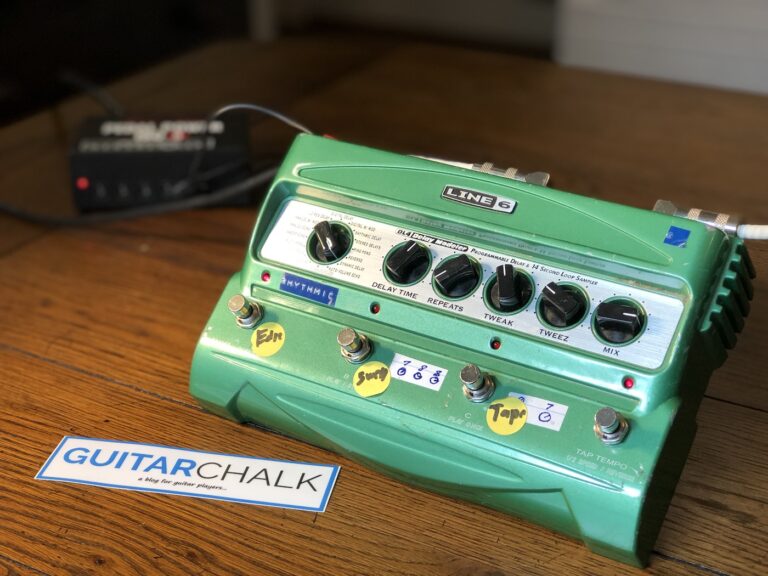
The DL4 deserves mention because for a generation of players its looper — half speed, reverse, one-shot — was the creative looper, and those three tricks are ancestors of Blooper’s Speed and Sampler behaviours. Blooper is what happens when someone takes the DL4’s looper seriously enough to build a whole pedal out of it.
vs. Eventide H90
An H90 or an H9 will out-algorithm Blooper on any given effect and gives you two of them at once with far better routing. Neither will let you record an effect into a loop and then walk backwards through the history of that decision. That is the whole argument.
Buying Guide
Is $499 defensible?
Blooper is still in production and still $499 direct from Chase Bliss as of 2026, with free shipping, 30-day returns and the company’s 50%-import-fee policy for international buyers. That is expensive for a looper by any conventional measure — it is more than double an RC-500 — and it is the same money as an Eventide Factor pedal.
The defence is that you are not paying for loop time. You are paying for Additive mode, for two channels of hands-on modifiers with a reassignable library behind them, and for a control system with MIDI, CV, expression, internal ramping and external switching. If Additive mode does not excite you, none of the rest of it will justify the number, and you should buy a Boss.
Buying used
Blooper being current production is good news for used buyers — there is no scarcity premium of the sort that has distorted the market for discontinued Chase Bliss pedals like Warped Vinyl. Things to check:
- The USB cable. Chase Bliss’s own FAQ notes that some USB cables won’t make a good data connection with Blooper. If the seller has the original cable, take it.
- Firmware. Connect to BLIP (browser-based, at blip.chasebliss.com) and update before you judge anything about the pedal’s behaviour.
- Modifier assignment. A used Blooper may have had its banks reassigned by the previous owner. If a modifier isn’t where the manual says it should be, that is a settings state, not a fault — reset it in BLIP.
- Arcade buttons. Press both, latching and momentary. They live on the underside and take less abuse than footswitches, but they’re the mechanical part most likely to have been leaned on in a gig bag.
- Power. Ask what it’s been run from. See below.
Power: read this bit twice
9V DC, centre negative, approximately 150 mA. No battery option.
Centre negative is the Boss-standard convention, which makes Blooper easier to power than an Eventide Factor pedal — those are centre positive on a 5.5/2.5 mm barrel and will be destroyed by a standard supply. But note that 150 mA is meaningfully more than the ~100 mA Chase Bliss quotes for Warped Vinyl, so do not assume that because one Chase Bliss pedal ran happily off a given output, this one will. Give it an isolated 9V output rated comfortably above 150 mA.
Chase Bliss’s own published FAQ copy on power damage, elsewhere in its range, is memorably blunt about what happens if you get this wrong, and repairs go back to the shop. Measure twice.
Ownership Notes
The learning curve is real and the company admits it
The manual’s own second paragraph reads, more or less verbatim, that with great power comes great confusion, and warns that the pedal is designed to be so open-ended that you will end up in unfamiliar places. That is refreshingly honest. It is also accurate. Chase Bliss’s response has been to build an unusually large support apparatus: a dedicated Blooper microsite, a video manual series, a separate “Recording with Modifiers” PDF explaining why loops behave strangely in Additive mode, a quick-start guide, and both a current and a legacy manual. Use them. The microsite exists because a printed sheet genuinely cannot explain this pedal.
Presets save audio, not settings — and that’s deliberate
This is the single biggest departure from every other Chase Bliss pedal, and the company flags it explicitly in its FAQ. Blooper saves your loops, not your knob positions. The stated reason is good: when you load an old loop, the controls aren’t invisibly locked to some saved position you can’t see. What you see on the panel is what you get. It does mean there is no “recall my favourite modifier setup” function, which surprises people arriving from a Warped Vinyl or Thermae.
The fixed loop length
Blooper will do extraordinary things to a loop in Additive mode, but the loop’s length never changes. Slow the loop down while overdubbing and material will fall off the end, because it no longer fits in the available time. The manual is upfront that this is disorienting at first. It is also the constraint that makes the whole additive concept coherent — everything stays in time with everything else.
External clock sync arrives late by design
A documented behaviour that reads as a bug and isn’t: when synced to an external clock, pressing record only arms Blooper. Recording actually begins on the next clock pulse. The fix, per Chase Bliss, is to press record slightly before your intended start point, and to choose longer quantise values so the wait feels natural rather than jarring.
BLIP quirks
The interface is browser-based and Chrome-oriented. Two documented gotchas: it won’t save your modifier choices if cookies are disabled, and “Connected But Not Responding” almost always means you have multiple BLIP tabs open or another program is holding the USB MIDI connection. Close everything else and refresh.
Frequently Asked Questions
How long can a loop be on the Chase Bliss Blooper?
Chase Bliss’s pre-release announcement copy in September 2019 quoted 40 seconds maximum at 48 kHz / 16-bit. In practice the more relevant limits on the shipping pedal are the overdub and storage figures the company documents today: 16 overdubs per loop, and 16 saved loops with layers preserved. Blooper is not designed around long-form loop time, and if maximum recording minutes are your priority, a Boss RC-series unit is the correct purchase.
What is the difference between Normal and Additive mode?
In Normal mode, the modifiers and Stability sit after the recording mechanism — you hear them but they don’t get recorded into the loop. In Additive mode, they do. Anything you can hear while overdubbing is imprinted permanently into that layer. Normal is for conventional overdubbing with effects on top; Additive is for transforming the recording itself.
How many layers of undo does Blooper have?
Eight, navigable by the Layers knob or by foot via the hold-right-footswitch submenu. The overdub limit is 16 total: the first seven each get their own layer, and the eighth layer is a “super layer” that stacks up everything after that. Layers cannot be isolated — going back to layer three means hearing layers one through three together.
Can I save my Blooper settings as presets?
No, and that’s intentional. Unlike every other Chase Bliss pedal, Blooper saves audio rather than control positions. You get 16 loop slots with their layers intact. The design reasoning is that loading a saved loop shouldn’t leave the physical knobs lying about what the pedal is doing.
Why does my loop keep fading away?
That’s the Repeats knob, and it isn’t a fault. Repeats sets how quickly layers decay, and it only acts while the pedal is recording — in playback the loop never fades. Turn Repeats fully clockwise for standard looping behaviour. Turned down, it’s the control that lets Blooper behave like a delay or a Frippertronics tape system.
What power supply does the Blooper need?
9V DC, centre negative, approximately 150 mA, from an isolated output. There is no battery option. Centre negative means standard Boss-style supplies are correct — unlike Eventide’s Factor pedals, which are centre positive on a different barrel size. Note that 150 mA is higher than several other Chase Bliss pedals draw, so don’t assume an output that ran your Warped Vinyl is adequate here.
Which guitarists actually use a Chase Bliss Blooper?
The clearest documented case is Joey Landreth of the Bros. Landreth, whose Premier Guitar Rig Rundown of 13 June 2023 shows a Blooper in a wet-effects loop alongside an Empress Echosystem, a Chase Bliss Thermae, a MOOD MkII, a Generation Loss and a CXM 1978, all routed through a Morningstar ML10X. Ed Sheeran, KT Tunstall and Keller Williams are frequently listed under this pedal and none of them is a Blooper player — they built their reputations on a custom Chewie Monsta, an Akai Headrush and a Boomerang respectively.
Is the Blooper worth $499?
Only if Additive mode is the reason you’re buying it. As a straightforward looper it is expensive, mono, and lacks a display. As a machine for recording effects into loops, walking backwards through eight layers of your own decisions, and automating any knob via MIDI, CV or expression, it has essentially no direct competitor. Be honest with yourself about which of those two pedals you want, because they cost very different amounts of money.
Latest News
Related
On This Day
Tuesday 10 November
From this week: