TC Electronic Ditto Looper: The Pedal That Won By Deleting Everything
The TC Electronic Ditto Looper made looping simple: 5 minutes, one footswitch, 24-bit audio. Full specs, verified players, settings and buying advice.
Most gear gets famous for what it adds. The Ditto got famous for what it threw away.
Walk into any rehearsal room in 2013 and the looper conversation was a groan. Loopers were big, they were grey, they had four footswitches and a manual with a flowchart in it, and the guy who owned one always spent the first ten minutes of practice hunched over it muttering about undo modes. Looping was something you were going to get into. Eventually. Once you had time to read the thing.
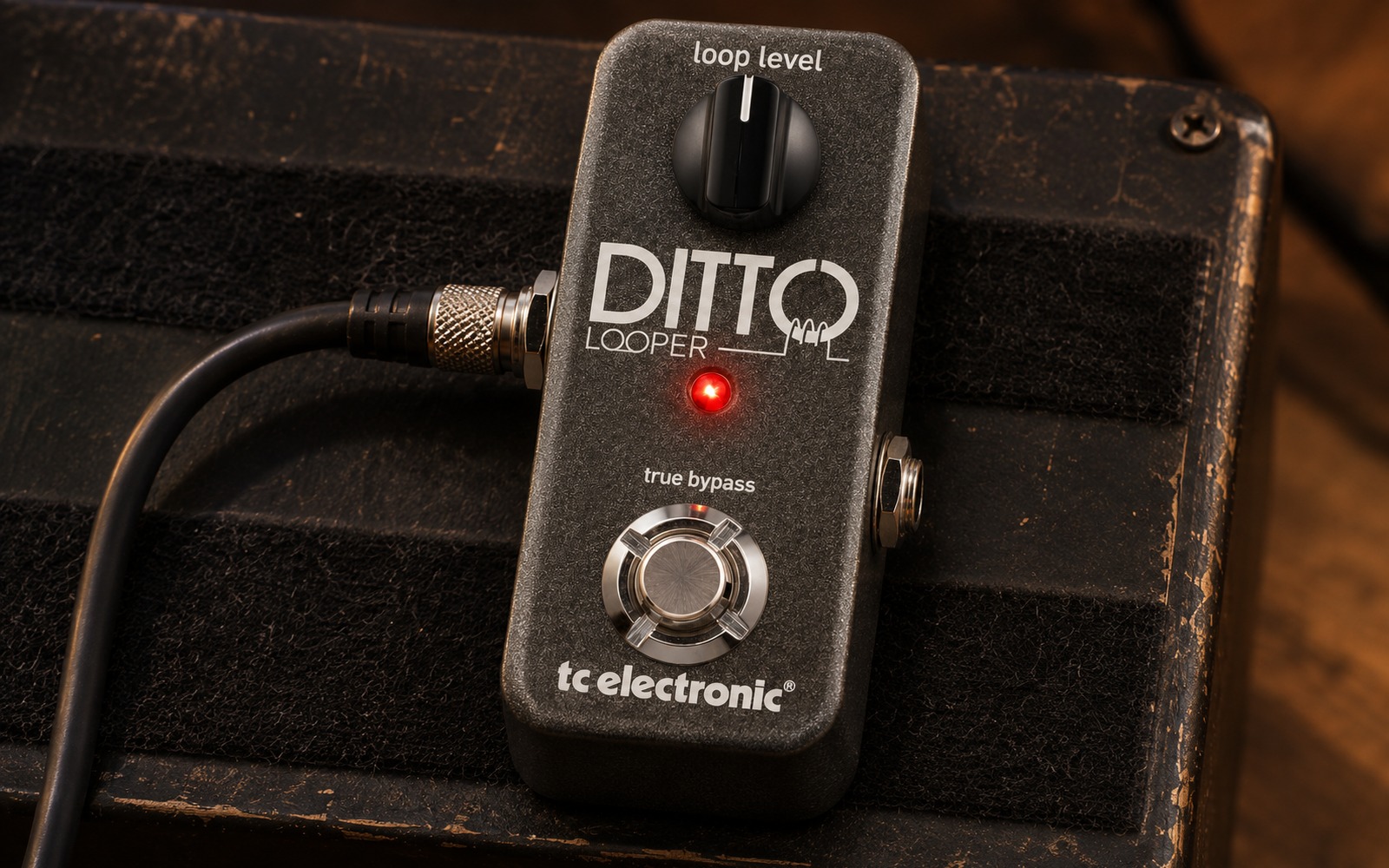
Then TC Electronic put a single footswitch, one knob and one LED into an enclosure barely wider than a cigarette lighter, charged $129 for it, and the argument was over. The Ditto Looper did not out-feature anything. It out-subtracted everything. And in doing so it took looping off the “someday” list for an entire generation of guitarists and put it on the pedalboard next to the tuner, where it has stayed ever since.
The pedal’s own manual opens with a quote from Antoine de Saint-Exupéry: perfection is reached not when there is nothing more to add, but when there is nothing left to take away. It is an outrageously pretentious thing to print in the front of a loop pedal booklet. It is also, in this one specific case, completely earned.
Where the Ditto Came From
TC Electronic unveiled the Ditto Looper at NAMM in January 2013. MusicRadar carried the announcement on 11 January 2013 along with TC’s own press release, which was unusually blunt about who the pedal was and was not for.
“TC Electronic designed Ditto Looper with guitarists and guitarists only in mind,” the release read, “not singers, drummers or whoever else might want to try looping, and put things in a live context.” The French edition of the user manual makes the same point with a joke, listing the people the Ditto was not designed to seduce — singers, drummers, DJs and experimental jazz xylophonists — before adding a footnote inviting the experimental jazz xylophonist to buy one anyway.
Tore Mogensen, then TC Electronic’s Product Manager for Guitar, gave the quote that framed the whole launch: “I mean, people do amazing things with looper pedals, but you almost need a degree in rocket science to make sense of all the functionalities. I think Ditto Looper is going to find its way into the heart of guitarists everywhere quickly. It’s non-intimidating, super-simple and intuitive, has a great price, sounds killer and does what you want right out of the box.”
Price at launch: 129 USD / 129 EUR / 105 GBP. Availability: 1 March 2013. The headline feature list ran to six bullet points — five minutes of looping time, unlimited overdubs, undo/redo, true bypass, analog-dry-through, 24-bit uncompressed audio — and that was the entire product.
The Context That Made It Land
Timing matters here. MusicRadar’s own retrospective, written twelve years later when the Ditto 2 arrived, put it neatly: the original Ditto “landed just before the rise of the 2010s math and ambient scenes and became an underground staple.”
That is the correct reading. The early 2010s were the moment when solo guitarists started building whole arrangements live on stage, when ambient players started stacking pads under their own lead lines, and when bedroom practice culture moved onto YouTube. All three of those things want a looper. None of them wanted to learn a loop station’s operating system first.
Simon Bradley’s review for Guitarist, published on MusicRadar on 5 March 2013, opened by naming the problem directly: a “cursory look at floor-based products such as the Boomerang III Phrase Sampler or the Boss RC-300 Loop Station can send those of a less technical outlook running away in a panic.” TC, he wrote, had “removed all the ‘non-essential, mood-killing tech hoopla’, as TC describes it, to produce a looper intended for use solely by guitarists.”
If you want to see how far the pendulum had swung, compare the Ditto against its own stablemates in the same catalogue. The Boss RC-1 Loop Station was already the simple option in Boss’s looper range and it still had a 24-segment LED loop-position ring. The Boss RC-5 and RC-500 that followed added rhythm engines, memory slots and screens. TC’s answer to all of it was to ship a pedal with fewer controls than a PolyTune Mini.
Specifications
Figures below are taken from the Ditto Looper user manual (version 1.0) and from TC Electronic’s launch press release as carried by MusicRadar. Where a source disagrees with another, both are given.
| Specification | Figure |
|---|---|
| Maximum loop time | 5 minutes |
| Maximum overdubs | Unlimited |
| Audio resolution | 24-bit uncompressed |
| Bypass | True bypass |
| Latency | Zero (analog dry-through) |
| Controls | Loop Level knob; single footswitch |
| Indicator | One bi-colour LED (red / green) |
| Input | 1/4″ standard jack, mono/TS |
| Output | 1/4″ standard jack, mono/TS |
| USB | Mini-B USB (firmware updates only; no bus power) |
| Power | 9 V DC centre-negative, 5.5/2.1 mm, 100 mA or more; not supplied |
| Battery | None — no battery compartment |
| Dimensions (manual) | 48 x 48 x 93 mm / 1.9 x 1.9 x 3.7″ |
| Launch price | $129 / €129 / £105 |
| Launch date | Announced NAMM January 2013; available 1 March 2013 |
| Status | Superseded by the Ditto 2 (2025) |
A Note On Those Dimensions
The manual labels the dimension triplet “Largeur x Prof. x Hauteur” — width by depth by height — which would make the Ditto a 93 mm-tall tower standing on a 48 mm square base. It is not. The 93 mm figure is the front-to-back length of the enclosure, and the label ordering in the spec table simply does not match the physical object.
MusicRadar’s review resolves it independently: “At 92mm in length, the Ditto measures the same as TC’s PolyTune Mini.” For reference, when the Ditto 2 arrived in 2025 MusicRadar listed it at 40 x 35 x 90 mm, 0.18 kg — same basic footprint class, slightly slimmer.
This is a small thing, but we flag it because it is the kind of spec-sheet artefact that gets copied verbatim across a hundred retail listings and then confuses somebody measuring pedalboard clearance. Trust the 92–93 mm as a length, not a height.
How It Actually Works
Everything the Ditto does is controlled by one switch. The manual’s “Ditto Looper in 30 seconds” page is genuinely thirty seconds long, and it is worth reproducing the logic in full because the whole appeal of the pedal is that this list is the entire operating system.
- Record: tap the switch once. LED turns red.
- Play back: tap again. LED turns green and the loop repeats continuously, flashing each time it passes the loop start point.
- Overdub: tap again while the loop is playing. LED goes red, you are recording a new layer. Tap once more to drop back to playback.
- Undo the last pass: hold the switch for 1.5 seconds or more during playback. The LED blinks twice rapidly and the last layer is gone.
- Redo: hold again for 1.5 seconds or more. The LED blinks twice again and the layer comes back.
- Stop: double-tap. LED flashes green, meaning the loop is still in memory.
- Clear: double-tap and hold on the second press. LED goes out. The pedal drops to true bypass.
Two behaviours in that list deserve calling out, because they are where new owners get caught.
The Undo Trap
Undo and redo only work while the loop is playing. The manual states this explicitly and then, in case you missed it, restates it in bold in the FAQ: if you hold the switch after playback has stopped, you erase the loop. Same gesture, completely different outcome, decided entirely by whether the pedal is currently running.
This is the single most common source of “I lost my loop” complaints, and it is not a bug — it is the price of having one footswitch do six jobs. The habit to build is simple: never hold the switch unless the LED is green and moving.
The Loop Survives Power Down
Less well known, and much more useful: whatever is in memory when you switch the Ditto off is saved automatically. Power up again and the LED flashes green to tell you a loop is waiting. One tap and it plays.
That means you can build a backing part at home, load the board into the van, and have it there at soundcheck. It is not a preset system — there is exactly one slot — but for a working player with one recurring loop in the set, it is enough.
Undo And Redo As Arrangement Tools
The manual makes a suggestion that far too few Ditto owners ever act on: use undo/redo as a performance control, not an error-correction control. Its worked example runs as follows.
- Record a bass line (loop cycle one).
- Record chords over it (cycle two).
- Record a melody over that (cycle three).
- Hold the switch to strip the melody away. Improvise over the bass and chords.
- Hold the switch again to bring the melody back for the final section.
That is a verse-chorus-verse structure built out of two footswitch holds. It is the closest the Ditto gets to having an arrangement feature, and it costs nothing.
True Bypass, Analog Dry-Through, And Why Both Words Matter
TC’s manual states the philosophy plainly: when you are using one of their products, what you hear should be good — and if it is not, you should hear nothing at all. In practice the Ditto delivers this in two separate ways that people routinely confuse.
True bypass means that when no loop is loaded and the pedal is inactive, the signal path is mechanically switched around the circuit. Nothing is loading your pickups, nothing is rolling off top end.
Analog dry-through is the more important one for a looper. It means your live playing never goes through the analogue-to-digital converter at all. Only the recorded loop is digitised; your direct signal walks straight past the DSP on an analogue path. That is why the manual can claim zero latency without hedging — there is no conversion in the live path to introduce any.
This distinction is exactly why a looper belongs at the end of your chain rather than buried in the middle. Everything upstream is being captured as it sounds; nothing downstream of the Ditto is being messed with. Compare a digital delay such as the Boss DD-8 or the Strymon TimeLine, where the dry path is a design decision the manufacturer has to make explicitly; on the Ditto it was made for you, and made correctly.
Famous Players
A looper is a strange thing to establish artist credentials for. It is a utility. It makes no sound of its own, it appears on no album credit as a tone, and a player can use one for a decade of practice without it ever appearing on stage. So the sightings below matter less as endorsements and more as evidence of where the pedal ends up: on very expensive boards, doing a very cheap job.
Equipboard currently catalogues 100 professional users of the Ditto Looper. We reviewed the twelve entries with attached sources; every one of them is a photo, a video timestamp, or a first-party page. None rests on a bare claim.
Paul Gilbert — The First-Party One
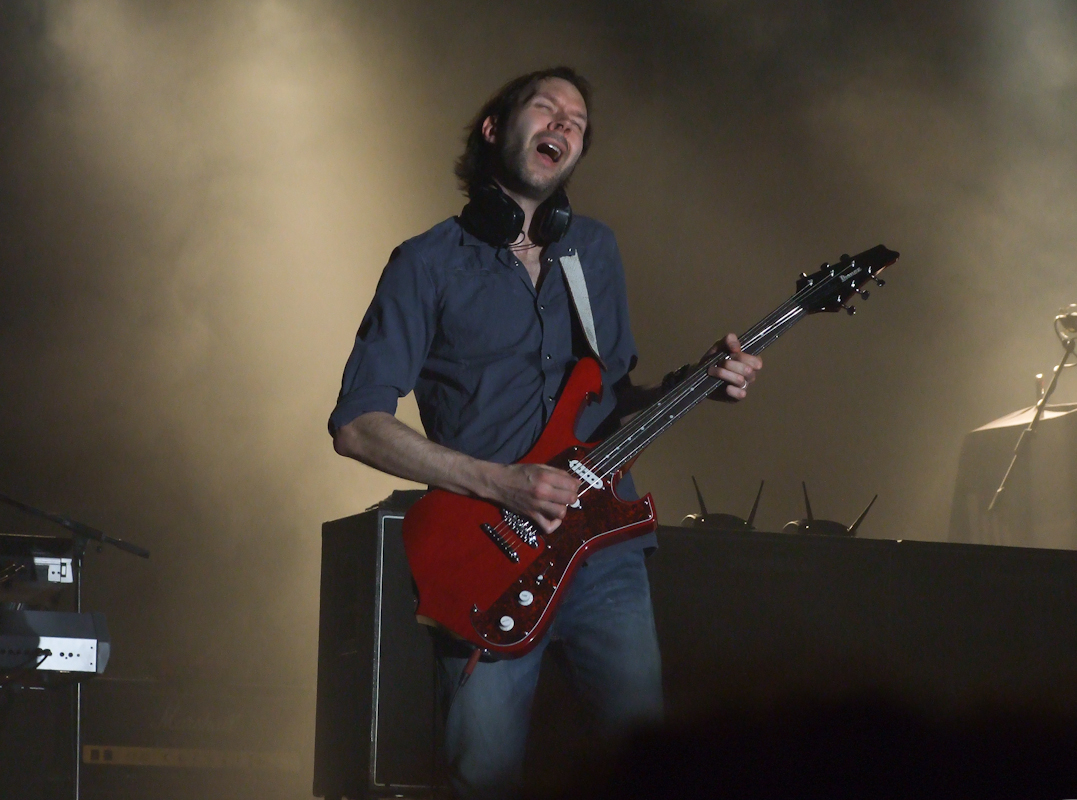
Paul Gilbert is the strongest citation on the list because it originates with TC Electronic itself. Equipboard sources it to Gilbert’s page on TC’s own website, which listed the Ditto Looper among his products and carried a quote that is worth reading twice: “If I could travel backward in time to meet my younger self… I’d bring a Ditto Looper and say, ‘Practice with this pedal. It will help your playing enormously, and you’ll have a great time.'”

Note what he is not saying. He is not saying it made his records sound better. He is saying it would have made him a better player. Coming from someone whose entire public identity is technical command of the instrument, that is a specific and unusually honest endorsement — of the Ditto as a practice tool, which is what most of them are actually used for.
Guthrie Govan — Honest About The Limits
Guthrie Govan‘s entry comes from a video walkthrough in which he discusses the Ditto at the 9:35 mark, and his framing is refreshingly unglamorous: “This is not something I use when I’m gigging, but it’s very helpful when I’m doing clinics and stuff like that.”

We are quoting that deliberately. A less careful gear article would file Govan under “pro users” and let you assume he loops on stage. He explicitly says he does not. What the Ditto does for him is hold a chord bed while he demonstrates something over the top of it in a room full of students — which is, again, the practice-and-teaching use case rather than the performance one.
Stephen Carpenter — Still There In 2025
Stephen “Stef” Carpenter of Deftones is the most recent verified sighting. Equipboard sources it to the official play-through video for “my mind is a mountain,” where his 2025 pedalboard is visible at 1:21 with a Ditto Looper on it. Equipboard additionally associates the pedal with the Deftones albums private music (2025) and my mind is a mountain (2025).
The point stands regardless: a pedal launched in 2013 as a beginner-friendly novelty was still on a major metal player’s touring board twelve years later, alongside gear costing twenty times as much.
Graham Coxon, Joe Perry, Chris Martin
Graham Coxon of Blur appears using a Ditto on That Pedal Show at the 59:40 mark — a good source, because that programme spends an hour looking at pedalboards in close-up and does not hurry.
Joe Perry‘s entry is a user-uploaded photo showing the Ditto among the TC Electronic pedals he uses. It is a weaker citation than the video ones and we grade it accordingly: a photograph of a pedal on a board is evidence of possession, not of a musical role.
Chris Martin of Coldplay is documented in video at roughly 2:50, adjusting the Ditto.
The Rest Of The Verified List
Mateus Asato lists the Ditto among the gear used for a filmed performance. Andy Summers of The Police is sourced to a Premier Guitar interview in which the Ditto is named among his pedals. John Dwyer of Thee Oh Sees appears in a photograph with one, likely for synth loops. Rob Scallon demonstrates it with a Chapman eight-string in his 2017 video “8 String + Loop Pedal.” Taylor York of Paramore has a Ditto visible at 4:02 in a live video, sitting above a ZVEX Fuzz Factory. Steven Wilson’s Ditto is documented in a pedalboard photograph from a Source Audio artist feature.
What The Usage Pattern Says
Equipboard’s aggregate data is more revealing than any individual sighting. The genre distribution runs Rock 342, Metal 127, Pop 120, Blues 114, Pop Rock 42, Hard Rock 33 — no meaningful skew at all, which is what you would expect from a tool rather than a tone.
The “used with” data is the interesting part. The gear most frequently found alongside a Ditto is the Pro Co RAT 2 (20), the Boss TU-3 (14), the TC Electronic Hall of Fame Mini (13), the TC Electronic PolyTune 2 (10) and the Hall of Fame 2. By category: delay, reverb, overdrive, tuner, chorus.
Read that list again. Those are the boring, permanent residents of a working pedalboard — the tuner, the always-on dirt, the reverb. The Ditto lives in the company of infrastructure, not effects. That is the correct way to understand where it sits.
Settings And Working Recipes
The Ditto has exactly one knob, so “settings” here means technique rather than dial positions. The Loop Level control does one thing: it sets the playback volume of the recorded loop relative to your live signal. It has no effect on your live instrument level at all. Everything below is ours unless attributed.
Recipe One: The Practice Bed
Loop Level: 10–11 o’clock. Record a clean chord vamp, then set the loop noticeably quieter than you are playing live. This is the Paul Gilbert use case, and the reason the level goes low is that when you are practising over a loop you need to hear your own articulation clearly, not fight the backing. Deliberately under-mixing the loop turns it into a metronome with harmony.

Recipe Two: The Ambient Pad
Loop Level: 1–2 o’clock. Put everything upstream — reverb, delay, modulation — into a wash before you record. A Strymon blueSky, a Walrus Fathom or the EHX Holy Grail Neo on a long setting all work. Record a slow swell, then bypass the reverb and play dry lead lines over the wet bed.
This is the trick the manual’s second connection diagram is quietly describing when it tells you to place your effects in front of the Ditto: it lets you create and record different sounds within the same looping session, then turn the effects on and off at will. You are effectively getting a second, independent signal path for free.
Recipe Three: The Riff Sketchpad
Loop Level: noon. Loop the rhythm figure once, cleanly, at unity. Then use undo/redo as the manual describes to strip and restore the top layer while you work out the harmony part. Because the loop length does not grow with overdubs, you can stack indefinitely without the timing drifting.
Recipe Four: The One-Loop Live Cheat
Loop Level: 11 o’clock–noon, set at soundcheck. Build the intro pad the night before, let the Ditto save it on power-down, and open the set by tapping it into life. Set the level at soundcheck and do not touch the knob again.
The reason to under-set it slightly: a loop that sounds balanced in an empty room is always too loud in a full one, because the crowd absorbs the top end you were using to place your live signal above the bed.
On Layer Count
MusicRadar’s review put the 24-bit claim to a real test and reported overlaying “23 loops without any discernible loss of playback quality.” That is a useful ceiling to know. In practice, the audible limit on a Ditto is not degradation — it is mush. Every layer you add fills more of the frequency spectrum, and by layer six or seven you will usually run out of room long before the converter runs out of resolution. MusicRadar’s Ditto 2 review reached the same conclusion twelve years later: “It only gets muddy after several layers of overdubs, as you’d reasonably expect.”
Placement In The Chain
TC’s answer is unambiguous. From the manual’s FAQ: to get the most out of your setup and your recorded loops, put the Ditto Looper at the end of your signal chain. That gives you the flexibility to add parts with or without effects and to switch effects on and off at will.
The manual ships three connection diagrams:
- Basic looping — guitar straight into the Ditto, Ditto into the amp input. Nothing else.
- Ditto with effects — all your pedals in front of the Ditto, Ditto last into the amp input.
- Ditto in an effects loop — if your amp has a series loop, put your modulation effects and the Ditto in it.
The third diagram is the one worth thinking about. If you run a high-gain amp where the distortion comes from the preamp rather than from a pedal, then a Ditto in front of the amp will be recording your clean guitar and then re-amping the loop through the distortion — which means every overdub compounds the gain and the whole thing turns to porridge. In the effects loop, the loop is captured after the distortion stage and stays clean regardless of how many layers you stack.
This is the same logic that governs where you would place a Strymon BigSky or an Eventide H9, and it is the single most common setup mistake made by people who buy a looper for a metal rig.
How It Compares
Against Its Own Family
The Ditto became a range. The Ditto X2 added a second footswitch dedicated to stop, plus reverse and half-speed modes, at $149 — and MusicRadar’s Alex Lynham, reviewing the Ditto 2 in 2025, made the case for it bluntly: “The reason the Ditto X2 was such a usability upgrade from the Ditto was the ability to easily record, arm, create and stop loops according to the need live, with a very foolproof interface. Even while testing I made a few mistakes with this single knob variant, reminding me why for many years I gigged with a Ditto X2.”
That is the honest comparison. The original Ditto’s one-switch design is a triumph on a desk and a liability on a dark stage. If you are gigging, the second switch is not a luxury.
Above the X2 sat the Ditto X4 with two loops and dedicated controls, the Ditto Stereo Looper, the Ditto Jam X2 with beat detection, and eventually the Ditto+ with 60 minutes of recording and 99 loop slots. Tosin Abasi and Devin Townsend appear on Equipboard as X2 users specifically, and Vernon Reid on the Stereo — we name them here because they are documented on those models, not on the original, and it would be sloppy to fold them into the Ditto’s user list.
Against The Ditto 2
In 2025 TC replaced it. MusicRadar’s review of the Ditto 2, published 1 April 2025, states the succession outright: “It replaces the ageing Ditto.” The new pedal runs $119/£99, is built in China, adds a mode control alongside the loop level, swaps mini-USB for USB-C, adds a companion app, and brings two genuinely useful behaviours — a global redo that lets you recover the main loop after clearing it, not just an overdub, and an always-on “loop snap.”
Lynham’s verdict was measured: “an evolution, not a revolution… Any owners of the original won’t see the need to upgrade.” He also flagged the limitation that both generations share: the pedal is not quantised and cannot be locked to a tap, so syncing to a backing track or to another player’s loop is difficult. His counterpoint is fair, though — the flip side is that arbitrary loop lengths are easy, which suits odd time signatures and polyrhythms better than a quantised looper would.
Against Everything Else
The Boss RC-1 is the direct rival and the trade is straightforward: a bigger enclosure and a loop-position LED ring, but 12 minutes of recording instead of five. If you want to see where you are in the loop, the RC-1 shows you and the Ditto does not.
The EHX Canyon takes the opposite approach, folding a 62-second looper into a delay pedal — a good answer if board space is the binding constraint and looping is a secondary need.
The Chase Bliss Blooper is at the far end of the philosophical spectrum: a looper conceived as an instrument, with modifiers, stability controls and layer manipulation. It is everything the Ditto refused to be, and it is excellent — but it is not a pedal you buy to stop procrastinating about looping.
The DigiTech Trio+ represents a third answer entirely: it listens to your chords and generates a band, then loops around it. Where the Ditto gives you a mirror, the Trio+ gives you accompaniment.
And for completeness: the Line 6 Helix, the Positive Grid Spark 40 and most modern modellers all have loopers built in. If you already own one, you may not need a Ditto at all — though you will almost certainly find it faster to use one.

Buying Guide
Who Should Buy One
The Ditto is the right pedal if you are a guitarist who wants to practise over your own chord changes, sketch song ideas without opening a DAW, build ambient layers in a bedroom, or hold a single pad under a solo section live. It is exceptional at all four.
It is also, still, the correct first looper. Nothing else takes you from box to first loop as fast, and there is real value in learning looping as a musical skill before you learn a looper’s interface.
Who Should Not
If you need to stop a loop cleanly at a specific bar in a live set, buy the X2 or an RC-5 instead. If you need multiple loops, backing tracks, drum patterns, quantisation or a stop switch, the Ditto will actively frustrate you — and TC never pretended otherwise. The manual’s FAQ answers “How do I get drums with my Ditto Looper?” with a single word: you cannot. There is no metronome, no drum machine, no quantisation. “We prioritised simplicity.”
New Or Used
Because the original has been superseded, the used market is where it lives now. Equipboard’s aggregated retail data shows a spread from roughly $54 to $149 across seven listings, with used examples appearing around $42 and an average of about $80. That is a low-risk purchase for a pedal with no moving parts other than a footswitch and a pot.
Check three things on a used unit: that the footswitch actuates cleanly and repeatably (this is a pedal where a flaky switch ruins everything), that the Loop Level pot is not crackly, and that a loop actually survives a power cycle — if the saved-loop function is dead, something in the memory has failed.
Budget For The Power Supply
The Ditto ships without one, and it cannot take a battery — there is no compartment, and the USB port does not supply power. Bradley noted at review time that “the case is actually too small to enclose a standard PP3 nine-volt battery.” You need 9 V DC, centre-negative, 100 mA or more. The manual recommends an isolated output specifically to minimise hum, which is sensible advice on any digital pedal sharing a board with high-gain dirt.
Living With One
The Footprint Problem Is Real
The Ditto’s size is its headline feature and also its one genuine ergonomic flaw. Bradley’s review is the most useful account of it: “When standing over the Ditto poised to loop, our modest size 10s tended to obscure the LED, and since timing is a key component of seamless looping, this could be an issue.”
That is not a small complaint. The LED is the interface — it is how you know whether you are recording, playing back or bypassed — and if your foot covers it while you are standing over the switch, you are operating blind at exactly the moment precision matters. MusicRadar listed this as the single con in the review, phrased as “its nano size has the potential to cause some playing headaches,” and twelve years later the Ditto 2 review confirmed the ergonomics had not fundamentally changed.
The practical workaround is placement: put the Ditto at the front edge of the board, angled so you approach it from the side rather than from directly above.
The USB Port That Never Did Anything
One of the odder footnotes in the Ditto story. The pedal has a mini-USB socket. At launch it did nothing. TC’s Kim Bang told MusicRadar at review time: “At this point, the port has no function. But if future firmware/software updates should occur, this would be the way to update the pedal.”
Bradley speculated about a future where TC’s TonePrint system might deliver artist loops through it. That never happened, and the manual is clear about why TonePrint does not apply here: TonePrint captures the essence of a guitarist’s effect settings, and since the Ditto records what you play and repeats it, there is no effect to capture and therefore no TonePrint.
Twelve years later the Ditto 2 finally shipped with a working USB-C port and an app — and MusicRadar’s reviewer was unconvinced it was needed: “Using companion apps for something like an Axe-FX or gig floorboard makes sense, but in truth I struggle to see the point for something like this pedal.”
Build
The Ditto’s enclosure is the same nano-format casting TC used across the Mini range, and it has held up. Nothing in twelve years of user reports suggests a systemic reliability problem; the pedals that fail generally fail at the footswitch, which is the component doing all the work. Reviewing the successor, Lynham described the Ditto 2 as “sleek, tiny, and bomb-proof” — and reserved his praise for the new switch’s action, which implies the original’s was the weaker part of the design.
Frequently Asked Questions
How much loop time does the Ditto Looper have?
Five minutes. TC’s own FAQ answers the question in exactly those terms. If you need more, the Ditto+ offers 60 minutes across 99 slots, and the Boss RC-1 offers 12 minutes in a similarly simple format.
Can I use the Ditto Looper with a battery?
No. There is no battery compartment, and you cannot power the pedal over USB. It requires a conventional 9 V DC centre-negative supply delivering 100 mA or more, which is not included in the box. The enclosure is physically too small to hold a PP3.
Why did my loop disappear?
Almost certainly because you held the footswitch while playback was stopped. Holding the switch during playback performs undo; holding it when the pedal is idle erases the loop entirely. The manual warns about this twice. The safe rule is to only hold the switch when the LED is green and cycling.
Does the Ditto Looper keep my loop when I turn it off?
Yes. The active loop is saved automatically at power-down. When you power up, the LED flashes green to indicate a stored loop, and a single tap starts playback. To start fresh, clear it with the double-tap-and-hold gesture.
Where should I put the Ditto in my signal chain?
At the end, per TC’s own FAQ — that way you can record parts with or without effects and switch those effects on and off freely. The exception is a high-gain amp whose distortion comes from the preamp: in that case put the Ditto in the amp’s effects loop so that loops are captured post-distortion rather than re-amped through it.
How many overdubs can I stack?
Unlimited, in the sense that there is no counter and no hard stop — the manual’s answer is that you will get tired before the Ditto does. In practice, MusicRadar stacked 23 layers with no audible loss of quality from the 24-bit converter. The real limit is arrangement: most parts turn muddy somewhere around the sixth or seventh layer because the frequency spectrum fills up, not because the audio degrades.
Does the Ditto Looper have a drum machine or a metronome?
No, and this is by design. TC’s FAQ answers the question directly: there is no built-in metronome, no drum machine and no quantisation function, because simplicity was prioritised over features. If you want rhythm, look at the Boss RC-5, the Ditto Jam X2 or the DigiTech Trio+.
Is the Ditto Looper still made?
The original has been superseded. MusicRadar’s April 2025 review of the Ditto 2 states plainly that the new model “replaces the ageing Ditto.” The original remains widely available used, typically in the $50–90 range, and there is nothing wrong with buying one — the successor is an evolution rather than a rethink, and MusicRadar’s own verdict was that owners of the original “won’t see the need to upgrade.”
The Verdict That Isn’t A Review
The Ditto Looper’s achievement is not technical. Five minutes of 24-bit audio and an undo function were not hard problems in 2013. What TC did was recognise that the barrier to looping was never capability — it was intimidation — and then have the nerve to ship a product that solved intimidation and nothing else.
Twelve years on, the evidence that it worked is sitting on Stephen Carpenter’s touring board, in Paul Gilbert’s advice to his younger self, and in the fact that “get a Ditto” is still the standard answer when a guitarist asks where to start with looping. A pedal with one knob talked an entire generation into learning a technique they had been putting off.
That is not nothing. That is, arguably, the most any $129 pedal has ever done.
Image credits
- Top image: GuitarGangsters AI-generated reference illustration, not a photograph.
- Paul Gilbert: MrPanyGoff, Wikimedia Commons, CC BY-SA 3.0.
- Paul Gilbert: matt barsden, Wikimedia Commons, CC BY-SA 2.0.
- Paul Gilbert: GS2019 – Paul Gilbert by Production Partner / Lars Horstmann, Wikimedia Commons, CC BY-SA 4.0.
- Guthrie Govan: JesterWr, Wikimedia Commons, CC BY 3.0.
- Stephen Carpenter: pitpony.photography, Wikimedia Commons, CC BY-SA 3.0.
Latest News
Related
On This Day
Monday 9 November
From this week: